



Table of contents
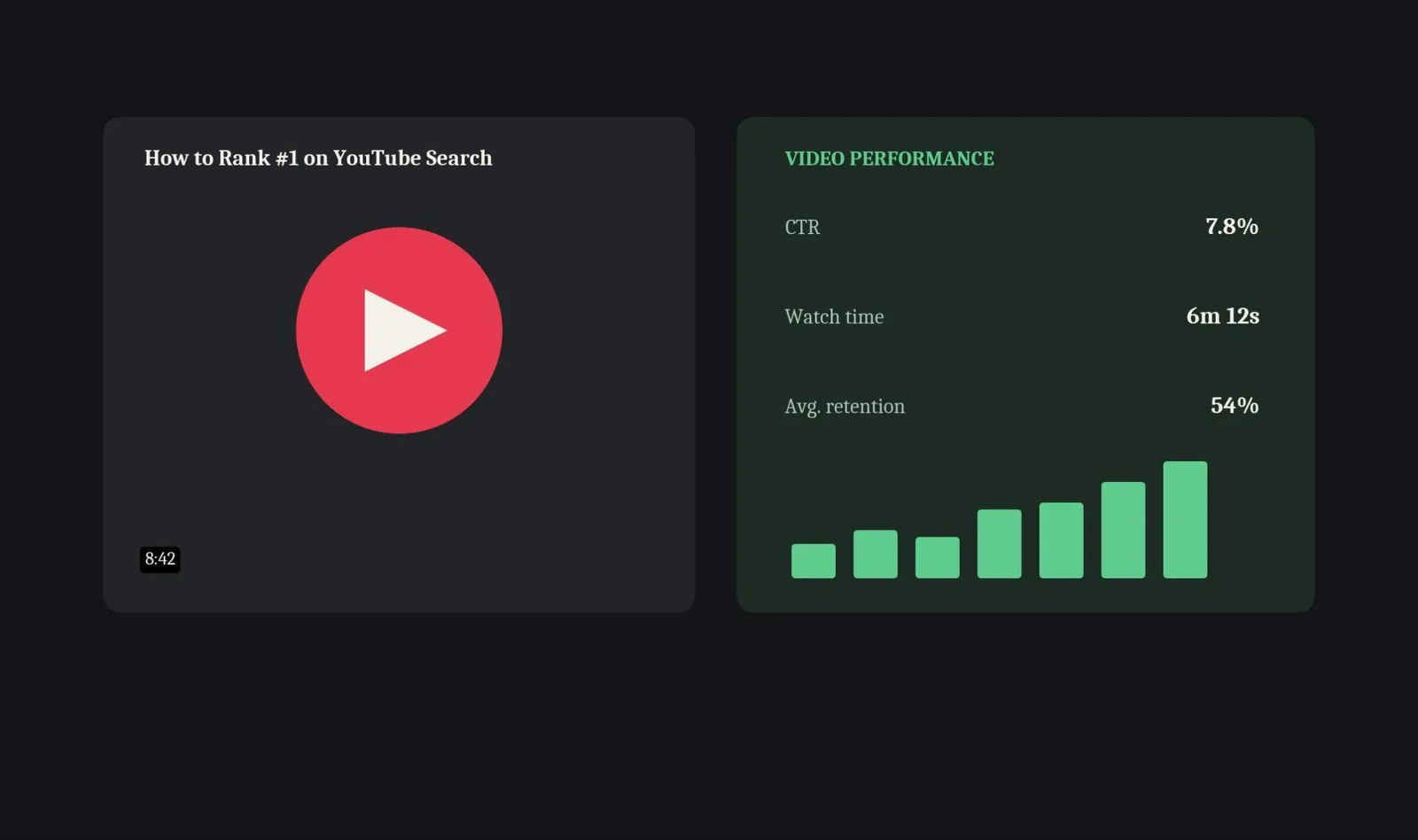
YouTube is the second-largest search engine in the world, and most creators still treat it like a video hosting site. The gap between a video that compounds views for years and one that peaks on upload day and disappears comes down almost entirely to SEO. This checklist covers the content, metadata, and post-upload habits that actually move a video up in YouTube search and recommendations.
Whether this is part of a broader marketing plan or a single channel run solo, the same core keyword and watch time fundamentals apply.
Key Takeaways
- Click-through rate and watch time are the two dominant YouTube ranking factors in 2026. Everything else — tags, likes, comments — is supporting evidence, not the main signal.
- Average YouTube CTR runs roughly 2% to 10% depending on niche and thumbnail quality, according to a 2026 YouTube SEO metadata guide.
- Search traffic accounts for roughly 15% to 40% of total views on most channels, per OutlierKit's 2026 YouTube SEO strategy guide.
- Tags matter far less than they did in 2020. YouTube now relies primarily on video content analysis and viewer behavior, not tag stuffing, to categorize and rank videos.
- Put the primary keyword in the first 5 words of the title and the first sentence of the description. Both are still read directly by YouTube's search and ranking systems.
- Long-tail keywords are usually the better opening move for a smaller channel — less competition, and often a closer match to a specific search intent than a broad head term.
What Is YouTube SEO?
YouTube SEO is the practice of optimizing videos, metadata, and channel signals so content ranks higher in YouTube search results and gets surfaced more often by the recommendation algorithm. It covers keyword research, title and description writing, thumbnail design, and the viewer behavior metrics — watch time, retention, CTR — that determine whether YouTube keeps promoting a video after it's live.
Metadata gets a video discovered. Viewer behavior is what keeps it ranking. A perfectly optimized title and thumbnail that leads to a video people abandon after two minutes won't hold its position long-term, no matter how genuinely high quality the underlying content is. That's why this checklist covers both sides of that equation, not just the upload-time settings.
Finding YouTube Video Ideas and Keywords
Before touching a title or thumbnail, confirm there's actual search volume behind the topic. YouTube's own search bar is the fastest free research tool available. Type a partial phrase and the autocomplete suggestions come directly from real queries people are typing right now.
Search intent matters here just as much as it does on Google. A tutorial-intent query ("how to edit a podcast") needs a different video format than a comparison-intent one ("best podcast editing software"). Matching format to intent before writing a single line of the script is most of what separates video ideas that pull impressions from ones that don't.
Long-tail keywords are usually the smarter opening move for a newer or smaller channel. A specific, several-word phrase carries less competition than a broad head term, and it's a fairly standard best practices recommendation before a channel has the authority to compete on high-volume terms. Once a topic and keyword are confirmed, that same data should shape the title, the first line of the description, and the thumbnail concept together. It shouldn't get treated as a box to check after the video's already edited.
One small technical add-on worth knowing about: if a video also gets embedded on a blog post or landing page outside YouTube, adding VideoObject structured data to that page can earn it a video rich result inside Google's own search results — a separate win from anything happening inside YouTube itself. It's a nice-to-have, not a core requirement of this checklist, but worth the ten minutes when a video lives off-platform too.
The Ranking Factors That Actually Matter
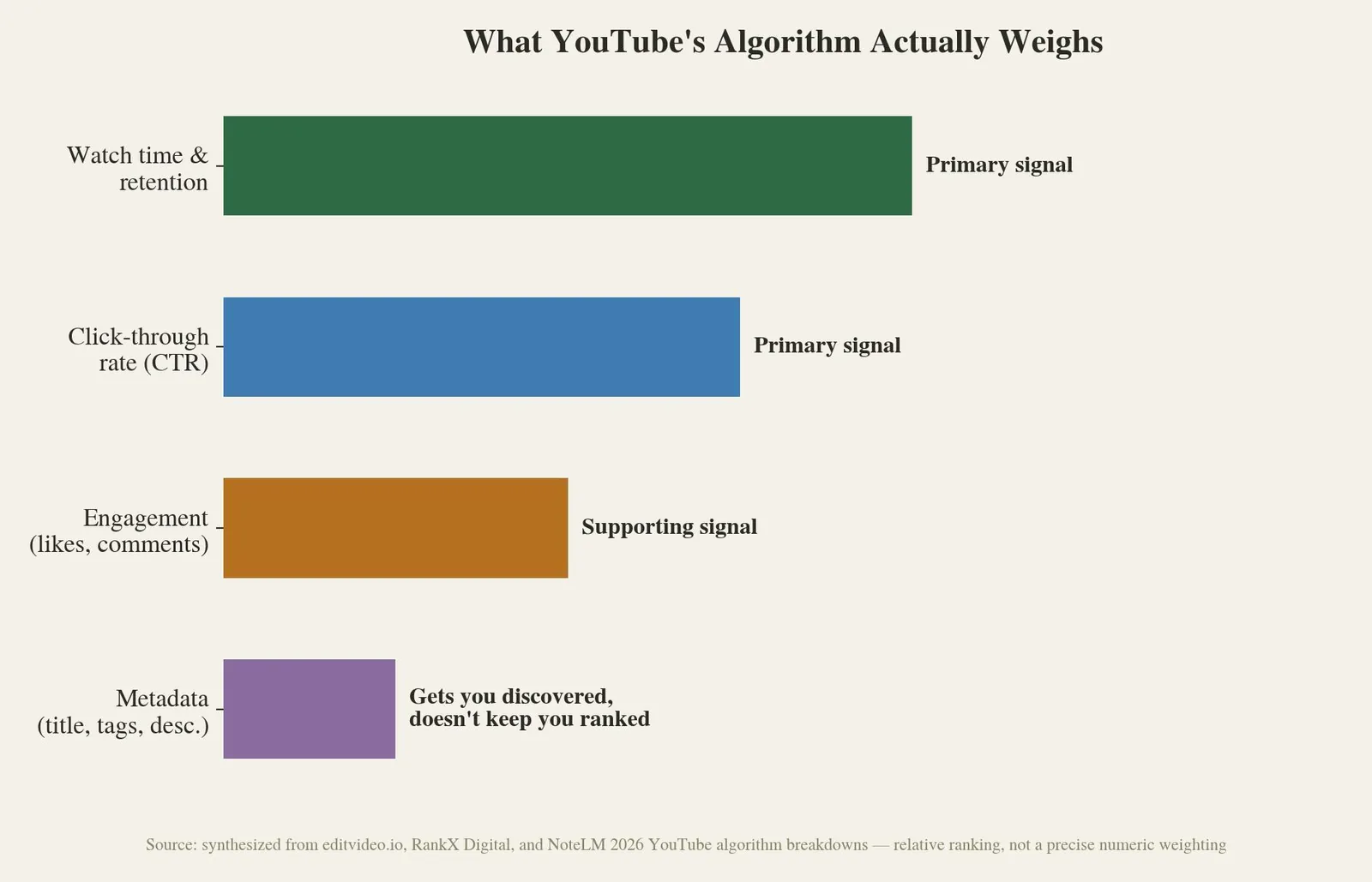
YouTube's algorithm has two jobs: help viewers find videos they want to watch, and keep them on the platform as long as possible. Every ranking signal serves one of those goals, and a 2026 breakdown of YouTube's ranking system groups them into a fairly clear hierarchy.
Watch time and audience retention sit at the top. A video with fewer total views but a longer average view duration will consistently outrank a video with more views and a short watch time, because YouTube reads sustained viewing as a quality signal.
Click-through rate comes right behind it, driven almost entirely by how well the thumbnail and title work together. CTR, retention, and engagement function as a feedback loop rather than three separate scores. A strong thumbnail can win the click, but only the video itself keeps the loop spinning in the creator's favor.
Engagement — likes, comments, shares — acts as supporting evidence rather than a primary driver. It confirms what watch time and CTR already suggested, rather than moving the needle on its own.
Metadata — title, description, tags — gets a video into consideration for search relevant to a query in the first place, but tags specifically carry far less weight in 2026 than they did in 2020. The same over-optimization instinct causes a related problem in the title itself: keyword-heavy title stuffing that worked in 2020 now actively hurts CTR, because unnatural-sounding titles get fewer clicks, not more.
Click-Through Rate: Where Most Videos Actually Lose
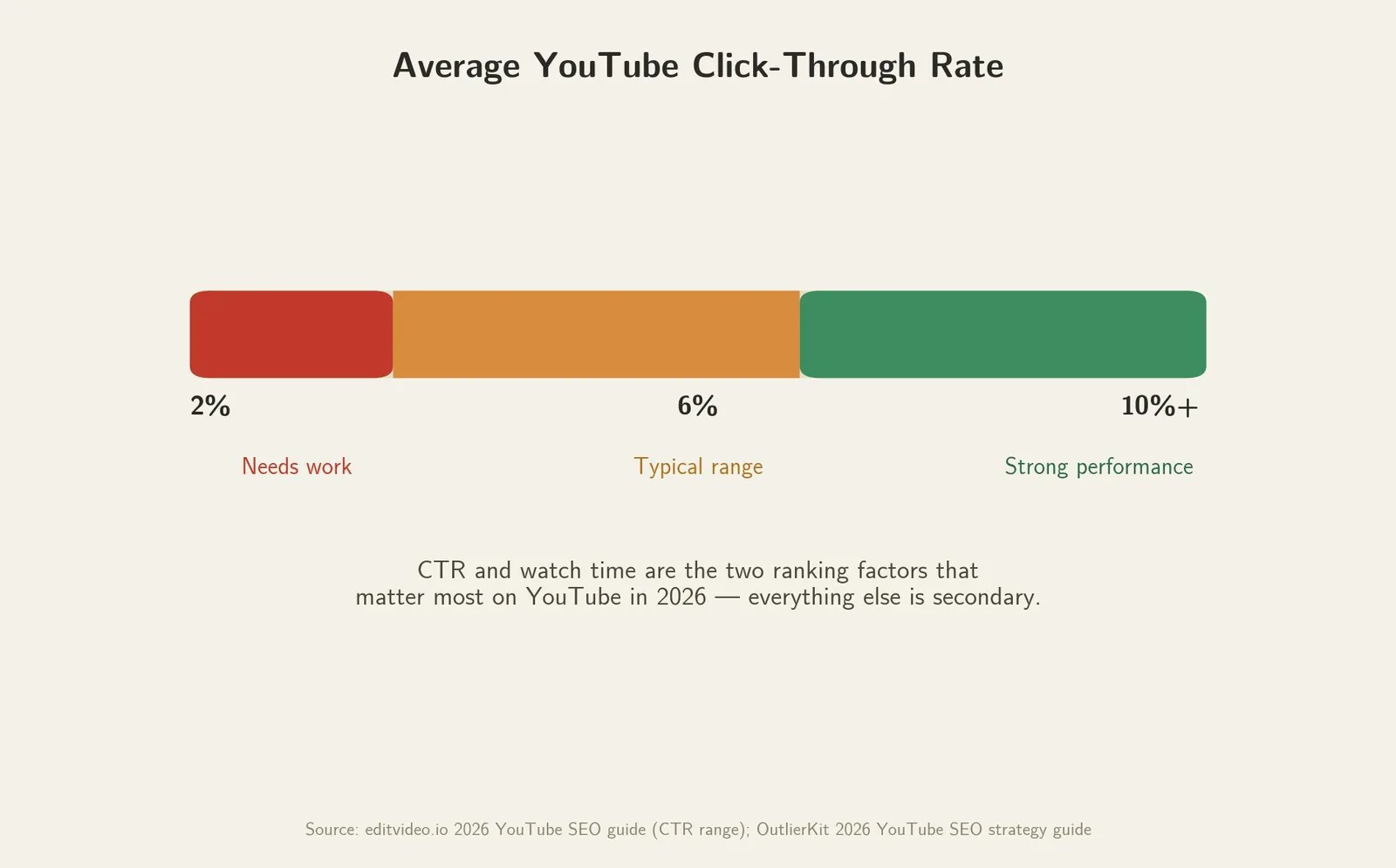
CTR problems and impression problems look similar from the outside but need completely different fixes. Low impressions point to a discoverability and keyword problem. Low CTR despite decent impressions points to a thumbnail and title problem specifically, and no amount of metadata tweaking will fix that.
A quick diagnostic: sort recent videos by impressions over the last 28 days in YouTube Analytics, find the lowest-CTR thumbnail, and replace it. One creator-focused optimization guide reported CTR gains in the 2 to 5 percentage point range within 48 hours from exactly this kind of targeted thumbnail swap. Treat that specific figure as a single-source anecdote rather than a guaranteed outcome, but the underlying diagnostic — isolate the lowest-CTR thumbnail and fix it first — holds up across every source reviewed for this piece.
YouTube Search vs. Google Search: What's Different
Optimizing for YouTube isn't the same exercise as optimizing a website for Google, even though both are technically search engine optimization:
| Factor | YouTube SEO | Google (web) SEO |
|---|---|---|
| Primary ranking signals | Watch time, retention, CTR | Content relevance, backlinks, page experience |
| Discovery surfaces | Search, Home feed, Suggested videos, Shorts feed | Organic search results primarily |
| Content format | Video only | Text, images, video, structured data |
| Keyword research source | YouTube's own autocomplete, Search Terms report | Keyword tools, Search Console, Google Trends |
| Update cycle for rankings | Can shift within hours based on fresh engagement | Typically weeks to months |
| Community discussion hub | Creator forums, Reddit communities like r/NewTubers | SEO-specific forums and communities |
Both reward genuine relevance to the searcher over gaming the system. The specific levers you pull to get there are almost entirely different.
YouTube SEO Tools Compared
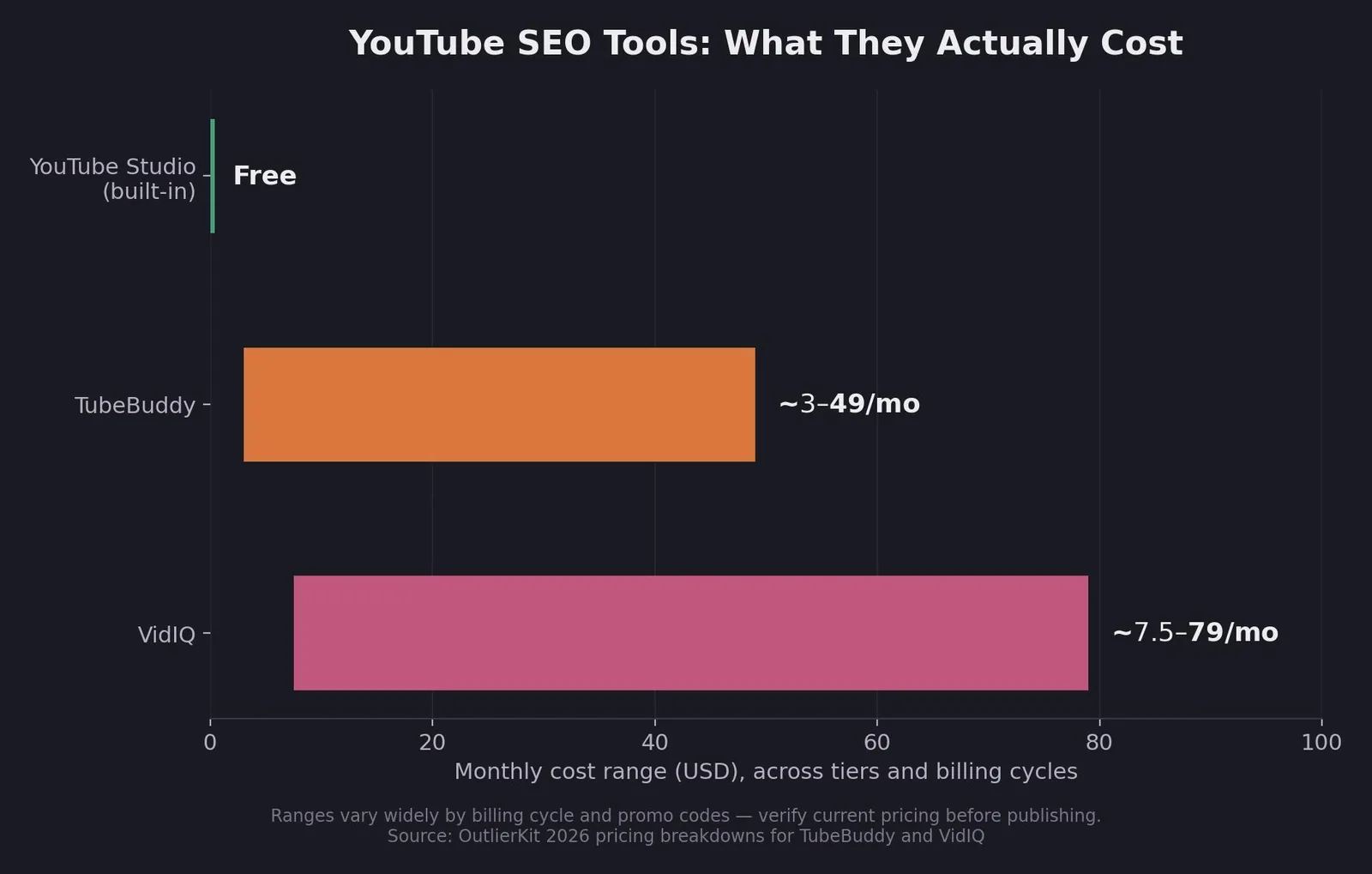
Three tools cover most of what a creator needs, at very different price points:
| Tool | Cost (USD) | Best for | Limitation |
|---|---|---|---|
| YouTube Studio + Analytics (built-in) | Free | Any channel, any size — checking CTR, retention, and traffic sources | No competitor keyword research |
| TubeBuddy | Roughly $3–$49/month depending on tier and billing cycle | A/B testing thumbnails and titles, bulk editing large video libraries | Fewer AI ideation features than VidIQ |
| VidIQ | Roughly $7.50–$79/month depending on tier and billing cycle | Keyword research and AI-assisted content ideation | No native A/B testing |
⚠️ Pricing note: these ranges are wide because actual pricing varies significantly by billing cycle, promotional codes, and how often each vendor revises tiers — even a single detailed pricing breakdown shows meaningfully different numbers depending on annual vs. monthly billing alone. Verify current numbers directly on tubebuddy.com/pricing and vidiq.com/plans before this goes live.
Third-party comparisons of the two tools converge on roughly the same trade-off — TubeBuddy leads on A/B testing and bulk workflow tools, VidIQ leads on AI-assisted ideation. (Worth noting: TubeBuddy also publishes its own comparison, unsurprisingly declaring itself the winner, which is why the independent version is the one worth trusting.) Neither tool replaces good content. Neither can make YouTube rank a video that people don't actually want to finish watching.
Try It Yourself: YouTube SEO Checklist
Check off what's done before you hit publish, and see how upload-ready your next video really is.
YouTube SEO Checklist
Is this video actually optimized?
Check off what's done before you hit publish. Your readiness score updates as you go.
Before upload
At upload
After publishing
0 of 9
Check off items above to see how upload-ready this video really is.
Related reading
- YouTube SEO: How Ranking Actually Works in 2026
- Blog Post SEO Checklist: What It Is & How to Use It
- Website Migration Checklist SEO: What It Is & How to Use It
- GEO & AEO services at Web Tonic
Common Mistakes in YouTube SEO
Keyword-stuffing titles the way it worked in 2020 actively hurts videos now. An unnatural title full of repeated terms gets fewer clicks, and lower CTR outweighs whatever minor discovery benefit the stuffed keywords might have provided.
Opening with a long, unstructured introduction kills retention before the video has a chance to prove its value. If the first 30 seconds wander, viewers leave — and that drop-off is exactly what tells YouTube not to promote the video further.
Treating tags as a primary optimization lever wastes time better spent on the title and thumbnail pairing. Tags provide minor context now. They don't drive discovery the way they once did.
And ignoring YouTube Analytics after publishing means missing the signals that would flag whether a video's thumbnail, hook, or pacing needs a fix, often within the first 48 hours, while there's still time for it to matter.
Frequently Asked Questions
What is the single most important YouTube ranking factor?
Watch time and audience retention are generally considered the strongest signals, though CTR is close behind since it determines whether anyone sees that watch time data in the first place.
Do tags still matter for YouTube SEO in 2026?
Only marginally. YouTube now relies primarily on content analysis and viewer behavior rather than tags for categorization, though tags can still provide minor supporting context.
How often should I check YouTube Analytics?
Checking CTR and early retention within the first 48 hours of publishing catches most fixable problems while they still matter. A weekly review of impressions, CTR, and search terms is a reasonable ongoing habit.
Can a small channel really compete on YouTube SEO against bigger creators?
Yes, particularly on specific, well-targeted long-tail keywords that larger channels haven't prioritized. YouTube rewards format fit and viewer satisfaction over raw subscriber count for most search queries.
Do I need a paid tool like TubeBuddy or VidIQ to do YouTube SEO well?
No. YouTube's own Studio and Analytics are free and cover the core diagnostic work. Paid tools speed up keyword research and add features like A/B testing, but they're an accelerant, not a requirement.
Turning This Checklist Into a Repeatable Habit
YouTube SEO rewards the same thing Google SEO does: genuinely satisfying the person who showed up looking for something. Confirm the keyword and intent first. Get the thumbnail and title right before upload. Get the metadata right at upload. Then actually look at what YouTube Analytics tells you afterward instead of guessing. Do that consistently across a channel, and the compounding effect of search traffic on watch time and channel authority starts working in your favor instead of against it.
More from Web Tonic: growth marketing services, data & analytics.
Sources: editvideo.io · outlierkit.com · taja.ai · rankxdigital.com · notelm.ai · brimcove.com · keywordtooldominator.com · checkthat.ai


