



Table of contents


Most blogs are a pile of disconnected posts competing with each other in search. A pillar page fixes that by giving a topic one central home, then linksing everything related back to it. Done well, it's one of the most durable ways to build search visibility. Done badly, it's just a very long blog post with a table of contents.
A pillar page is a comprehensive, single page that covers a broad topic at a high level, built as the hub of a topic cluster: a group of narrower cluster content pieces that each go deep on one subtopic and link back to the pillar. As HubSpot's Amanda Zantal-Wiener puts it, a pillar page acts as a topic's "mother ship," with cluster blog posts as smaller ships that give and receive support from it. Site visitors benefit from this structure as much as search engines do: a well-built pillar page improves user experience by giving users one clear starting point instead of a maze of disconnected posts. One of the earliest and most famous examples is HubSpot's own inbound marketing pillar, which the company built specifically to anchor its content marketing strategy around a single, ownable topic. This guide studies 10 real pillar page examples to see what actually works, why topic clusters keep earning rankings, and what a pillar page and its cluster realistically cost to build.
Key Takeaways
- A page that ranks #1 in Google also ranks for around 1,000 other related keywords on average, which is the core reason a single well-built pillar page can out-earn dozens of disconnected blog posts. (Ahrefs, HubSpot)
- Content organized into topic clusters generates roughly 30% more organic traffic and holds rankings about 2.5x longer than standalone posts, per Whitehat SEO's synthesis of Search Engine Land and HireGrowth data — a useful directional signal, though it passes through more than one layer of analysis rather than resting on a single controlled study. (Whitehat SEO)
- Real companies have seen real gains from this model: Cloud Elements saw a 53% increase in organic search traffic from its API integration pillar page (HubSpot), and 3PL Central saw traffic grow by nearly 900% and conversions by nearly 200% from its industry report pillar. (GetSmartACRE)
- A full pillar page and its supporting cluster typically costs a few thousand dollars in content production, not tens of thousands, based on typical per-word rates for pillar and cluster content. These figures come from a HubSpot planning guide without a clear publication date; given how much AI-assisted writing has already compressed routine content costs, treat this as a starting benchmark to sanity-check against current freelancer or agency quotes, not a fixed 2026 price. (HubSpot)
- Most effective pillar pages run 3,000 to 5,000 words, and comprehensive analysis of long-form content shows pieces over 3,000 words earn roughly 77.2% more backlinks than shorter pages. (Whitehat SEO, citing Backlinko)
- Effective pillar pages fall into a small number of recognizable types, 10x content pillars, resource pillars, and report-style pillars among them, and the 10 examples in this guide span all of them.
What Makes a Page a Pillar Page
Not every long page is a pillar page. A pillar page needs to be broad enough to act as an umbrella for a real cluster of related content, and specific long-tail searches don't belong on it. HubSpot's Leslie Ye offers a useful test: if you're trying to rank a page for one narrow, long-tail keyword, it's not a pillar page. If it explores a single narrow topic in exhaustive depth, it's not a pillar page either. (HubSpot) A genuine pillar page touches on the many angles readers care about within a broad topic, and leaves the deep dives to the cluster content linked beneath it.
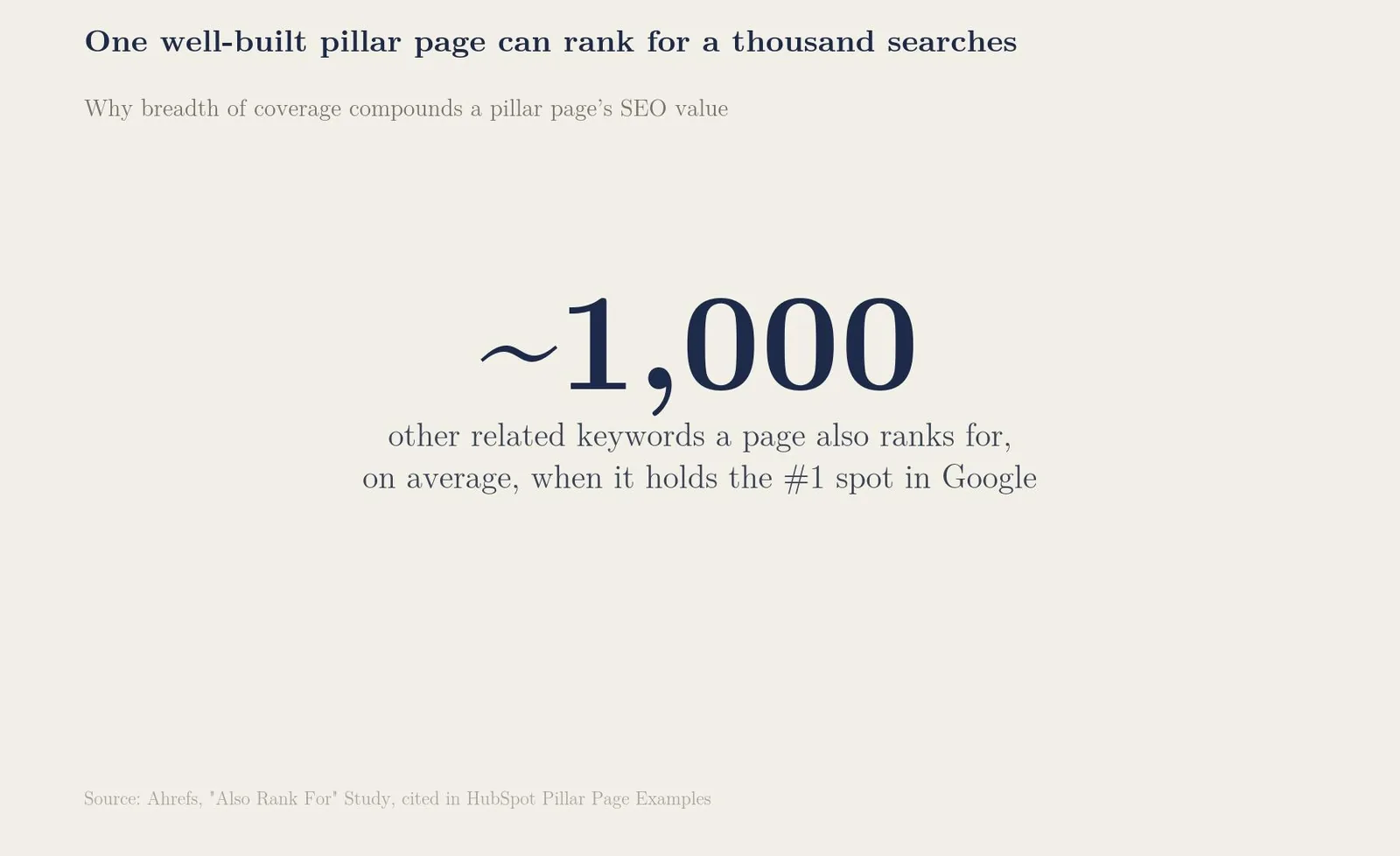
The SEO logic behind this is straightforward. On average, a page that ranks #1 in Google also ranks for around 1,000 other related keywords, because a page covering a topic broadly naturally matches far more search queries than a page built around one keyword ever could. That single statistic is most of the argument for building pillar pages instead of another isolated blog post.
10 Pillar Page Examples We Studied
Real pillar pages take very different shapes depending on the topic, the audience, and the goal, lead generation, backlinks, or simple topical authority. Here are 10 real examples, each illustrating a different structural approach. (HubSpot)
| # | Example | Type | What it does well |
|---|---|---|---|
| 1 | Typeform: Brand Awareness | 10x content pillar | Table of contents up front; internal links held back until late in the page |
| 2 | Cloud Elements: Definitive Guide to API Integration | 10x content pillar | Floating table of contents; ebook-style download alongside the web version |
| 3 | Matthew Howells-Barby: Customer Acquisition Strategies | Expert/personal pillar | Sparse, well-placed CTAs instead of dense in-text linking |
| 4 | HubSpot: The Ultimate Guide to Productivity Apps | Blog-integrated pillar | Lives on the same domain as the blog; related-articles carousel for cluster links |
| 5 | The Atlantic (with athenahealth): Population Healthier | Interactive report pillar | Scroll-driven storytelling with a persistent table of contents |
| 6 | 3PL Central: State of the Third-Party Logistics Industry | Report-style pillar | Data positioned as a citable resource, earning backlinks from other publishers |
| 7 | ProfitWell: SaaS DNA Project | Chaptered pillar | Explicit "what to avoid" sections alongside best practices |
| 8 | GoodUI: Evidence | Data/interactive pillar | Clickable data points that expand into full experiment detail |
| 9 | GatherContent: UX Design and Content Strategy | Resource/gated pillar | Doubles as a downloadable PDF and lead-generation asset |
| 10 | Moz: The Beginner's Guide to SEO | Resource pillar | Long-standing, widely-cited resource still treated as the category's default reference |
(PW Skills, on Moz's guide)
Pillar Page Types and Internal Linking Patterns
Across these 10 examples, a pattern shows up repeatedly: the most successful pillar pages hold back on internal linking early in the page, then introduce links to cluster content and CTAs more freely as the page goes on. Typeform, Matthew Howells-Barby's pillar, and ProfitWell's SaaS DNA Project all follow this pattern almost exactly, prioritizing the reader's trust before asking for a click.
How Pillar Page Types Compare
| Pillar page type | Best for | Internal linking pattern | Typical length |
|---|---|---|---|
| 10x content pillar | Comprehensive topic overviews | Sparse early, denser toward the end | 3,000-5,000 words |
| Resource pillar | Curated collections with commentary | Frequent, since links to resources are the content | 1,500-3,000 words |
| Report/data pillar | Earning backlinks as a citable resource | Minimal; the data itself is the draw | Varies, often data-heavy |
| Gated/downloadable pillar | Lead generation | Light, since the download itself is the conversion | 2,500-4,000 words |
Topic Clusters and Why They Outperform Standalone Posts
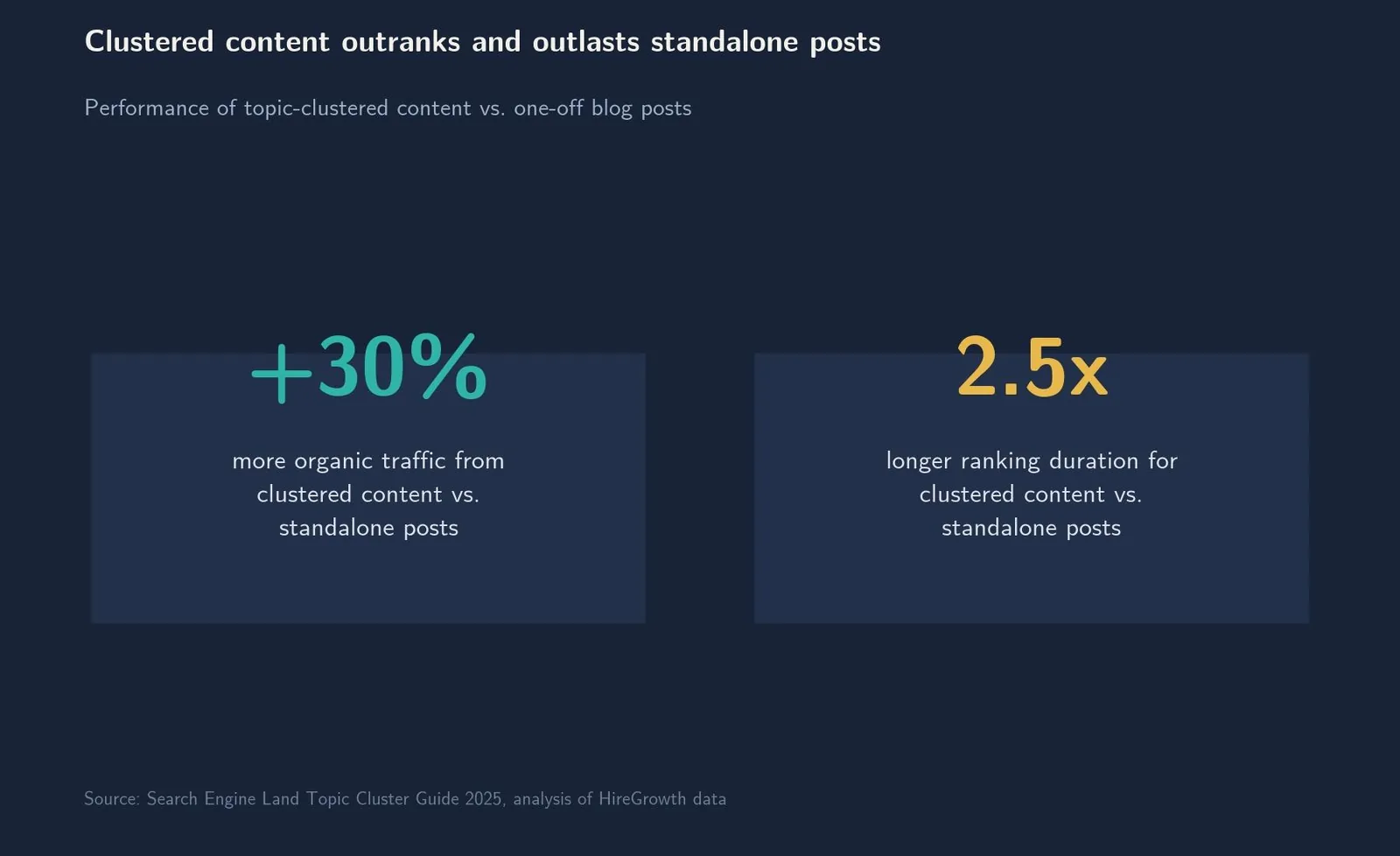
The pillar page is only half the model. Topic clusters connect a pillar page to a set of cluster content pieces, each targeting a specific, narrower subtopic or long-tail keyword, with internal links running back to the pillar and often to each other. Content organized this way generates roughly 30% more organic traffic and holds rankings about 2.5x longer than standalone, disconnected posts, since the internal linking structure signals topical depth to search engines in a way a single post never can.
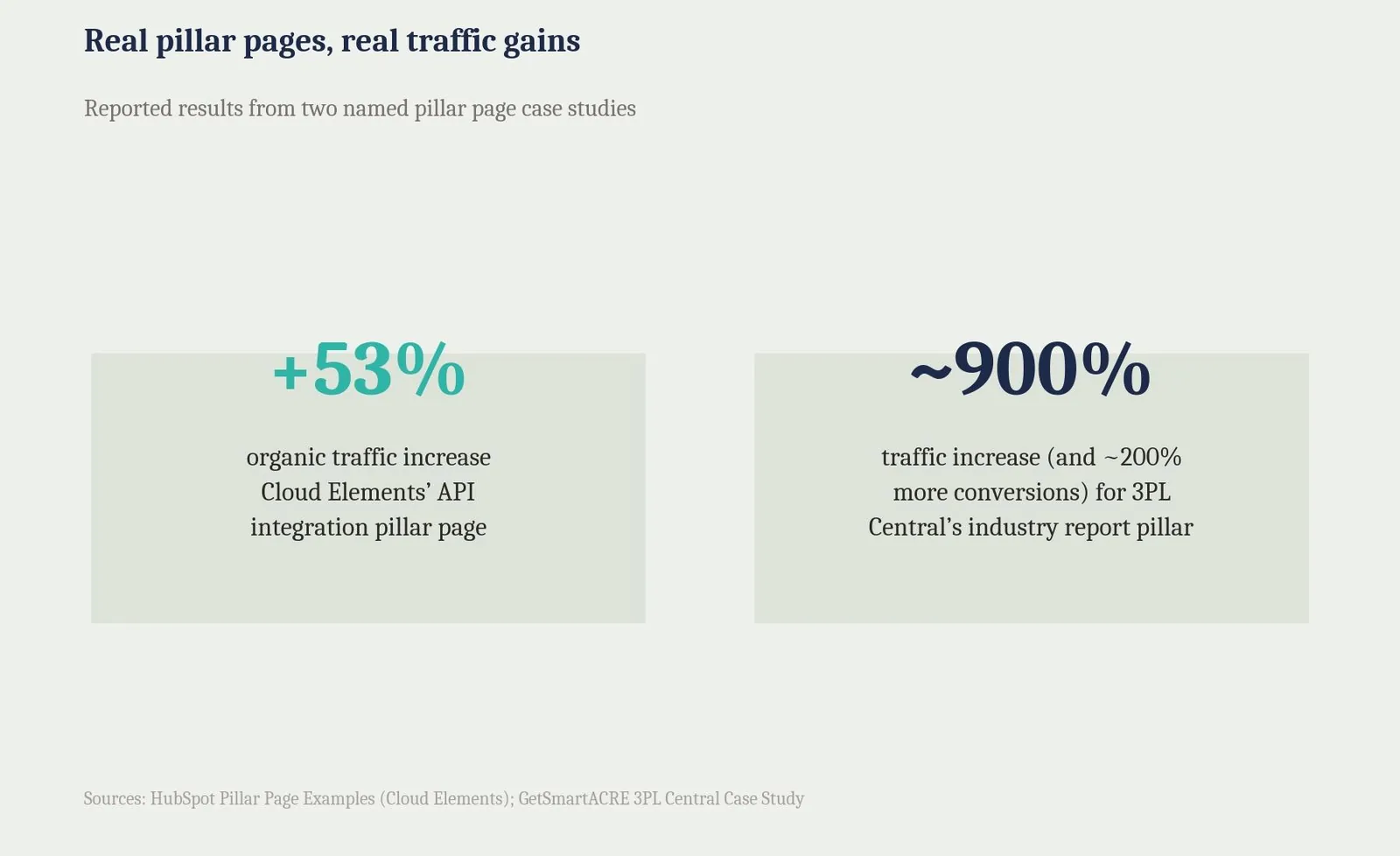
The real-world results back this up. Cloud Elements saw a 53% increase in organic search traffic after building out its API integrations pillar page and cluster, with nearly all of the linked cluster posts seeing their own individual traffic growth too. 3PL Central's industry report pillar drove traffic growth of nearly 900% and conversion growth of nearly 200%, largely because the report positioned itself as a data resource other publishers wanted to cite and link to.
What a Pillar Page and Its Cluster Cost
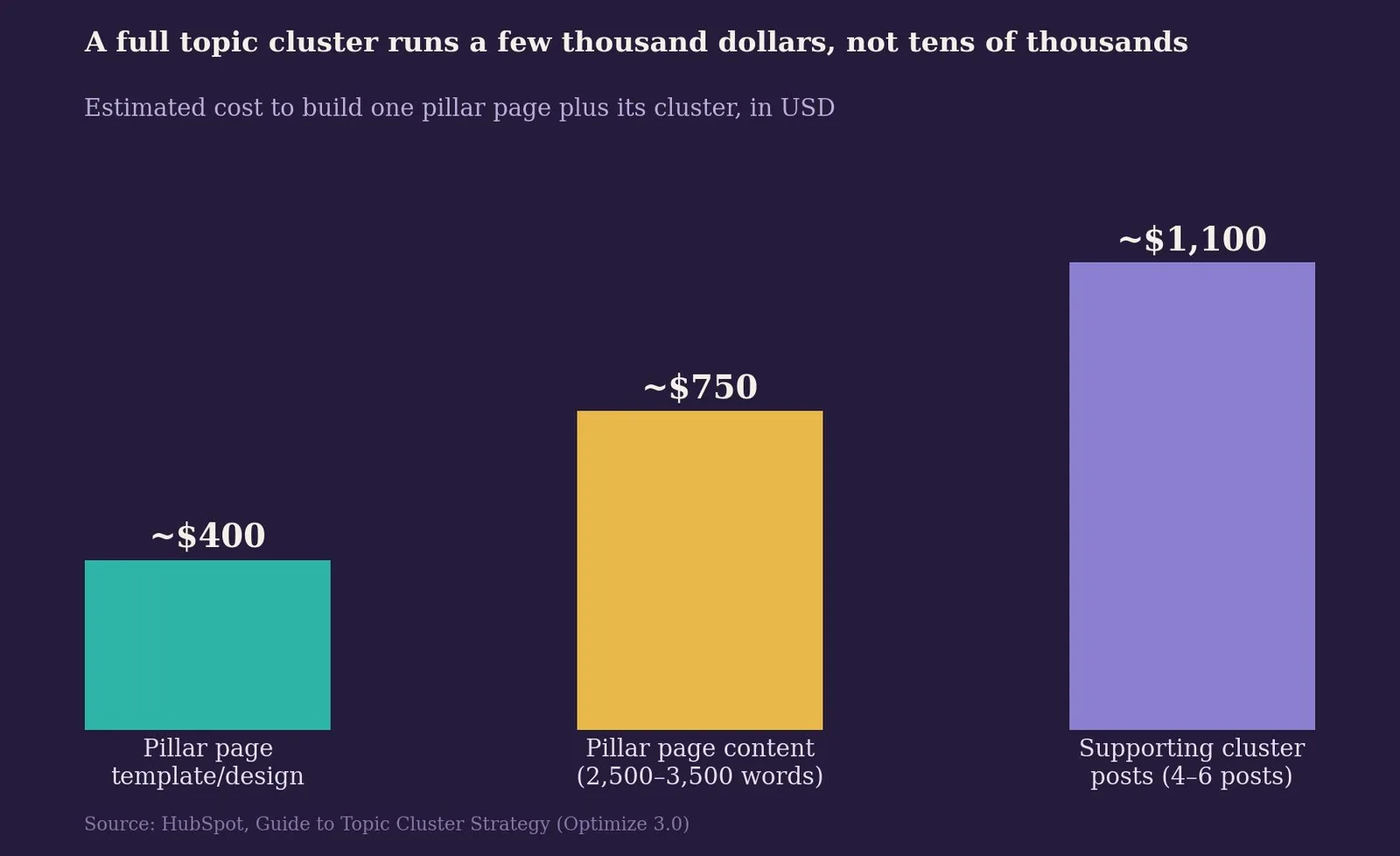
Building a genuine topic cluster is a real content investment, but it's rarely the tens of thousands of dollars some agencies quote. A pillar page template with a floating table of contents typically runs $300 to $500. Pillar page content itself, at an effective 2,500 to 3,500 words, costs roughly $625 to $875 at a common $0.25-per-word rate for experienced writers. Add 4 to 6 supporting cluster posts at 400 to 800 words each, and the full build lands around $2,000 to $2,500 in content production, before accounting for the time spent on strategy, internal linking, and promotion.
Pillar page tool
What will your topic cluster actually cost?
Adjust the scope to estimate total word count and content budget for a pillar page and its cluster.
Total word count
0
Estimated content cost
$0
This estimates writing cost only. Add roughly $300\u2013$500 for pillar page template/design work, plus your own time for internal linking, promotion, and measurement.
Structuring a Pillar Page for Readers and Search Engines
Every effective pillar page shares a handful of structural traits, regardless of which type it is. A table of contents near the top helps readers orient themselves in a long page and gives search engines an early signal of everything the page covers. An introduction that clearly frames the broad topic sets expectations before the reader commits to scrolling further. Clear section headings organized around real subtopics, rather than vague marketing language, make the page skimmable for both readers and search engines.
Internal linking deserves particular care. The pillar page should link out to every piece of cluster content it covers, and each cluster post should link back to the pillar, closing the loop that search engines use to understand the relationship between pages. (Ahrefs) Ahrefs recommends keeping this focused: 3 to 5 contextual internal links per article is a reasonable starting point, with pillar pages as the exception, since they're expected to link out to every piece of cluster content they cover. A CTA placed to support a point, rather than interrupt it, tends to convert better than one dropped in every few paragraphs.
Common Pillar Page Mistakes
The single biggest mistake is choosing a topic too narrow to support a real cluster. If a topic can't sustain 20 to 30 pieces of genuinely useful cluster content, it probably wasn't built to be a pillar page, and forcing it usually produces a bloated post pretending otherwise.
Front-loading the page with internal links and CTAs backfires more often than marketers expect. Readers who hit a wall of links before they've gotten real value tend to bounce — the best examples in this guide hold links back until later in the page for exactly that reason.
A table of contents gets treated as optional far too often, especially on pages running past 2,500 words. A page with a working table contents module orients readers immediately; without one, readers can't tell how much content is ahead of them or jump to the section they actually need, and that friction shows up in time-on-page and bounce rate.
Not every cluster post links back to its pillar, and that gap quietly breaks the entire model. Building genuinely useful supporting clusters, pillar pages included, only works when every piece points back to its hub. A cluster post that doesn't point back to its pillar isn't really part of a cluster, it's just another disconnected blog post with extra steps. Many strong examples also include a short FAQ section near the end of the guide page, pillar pages that answer common long-tail questions directly tend to capture additional search traffic the main body never would.
Related reading
- Pillar Page Template: What It Is & How to Use It
- 404 Page Best Practices: What It Is & How to Use It
- Ecommerce Category Page SEO: What It Is & How to Use It
- GEO & AEO services at Web Tonic
Frequently Asked Questions
What's the difference between a pillar page and a regular blog post? A pillar page covers a broad topic comprehensively enough to act as the hub for 20 to 30 or more pieces of related cluster content. A regular blog post targets one specific, usually long-tail, keyword in depth and typically links up to a pillar rather than serving as one itself.
How long should a pillar page be? Most effective pillar pages run 3,000 to 5,000 words, though report-style and data-driven pillars can run longer depending on how much original data they present. Depth of coverage matters more than hitting an exact word count.
How much does a pillar page cost to build? A pillar page template runs roughly $300 to $500, the pillar content itself around $625 to $875 at typical per-word rates, and a full cluster of 4 to 6 supporting posts brings the total build to around $2,000 to $2,500 in content production. Treat these as a starting benchmark rather than a fixed 2026 price, since content production costs have shifted with AI-assisted writing.
Do all pillar pages need a table of contents? Not strictly, but nearly every high-performing example in this guide has one, since it helps both readers and search engines understand the full scope of the page immediately.
How many cluster posts does a pillar page need? Most effective topic clusters include at least 20 to 30 pieces of cluster content over time, though a pillar page can launch with as few as 4 to 6 posts and expand the cluster gradually.
Web Tonic's growth marketing SEO service explicitly builds pillar pages as part of its content SEO offering, if a topic in your business is broad enough to justify one but you'd rather not build the cluster yourself.
Where to Start With Pillar Pages
Pillar pages reward a topic broad enough to genuinely earn a cluster, a structure that respects the reader before it asks for a click, and internal linking that actually closes the loop between the pillar and every piece of cluster content beneath it.
Pick one topic core to the business, confirm it can support at least 20 to 30 pieces of cluster content, and build the pillar page first, using a table of contents and a restrained early linking pattern like the strongest examples in this guide.
More from Web Tonic: growth marketing services, data & analytics.
Sources: ahrefs.com · blog.hubspot.com · whitehat-seo.co.uk · getsmartacre.com · cdn2.hubspot.net · pwskills.com


