



Table of contents
Semrush is one of the most complete SEO platforms on the market, and that completeness is exactly what makes it intimidating the first time you log in. Keyword research, site audits, position tracking, competitor research, and now AI visibility tracking all live inside one dashboard, and it's easy to open a report, feel overwhelmed, and close the tab.
This guide walks through how to use Semrush in the order a working SEO process actually needs it: research first, technical health second, tracking third. By the end, you'll have a repeatable workflow instead of a list of tools you never touch.
Key Takeaways
- Semrush centers on three core toolkits: SEO, Content Marketing, and Competitive Research, with a newer AI Visibility Toolkit layered on top in 2026.
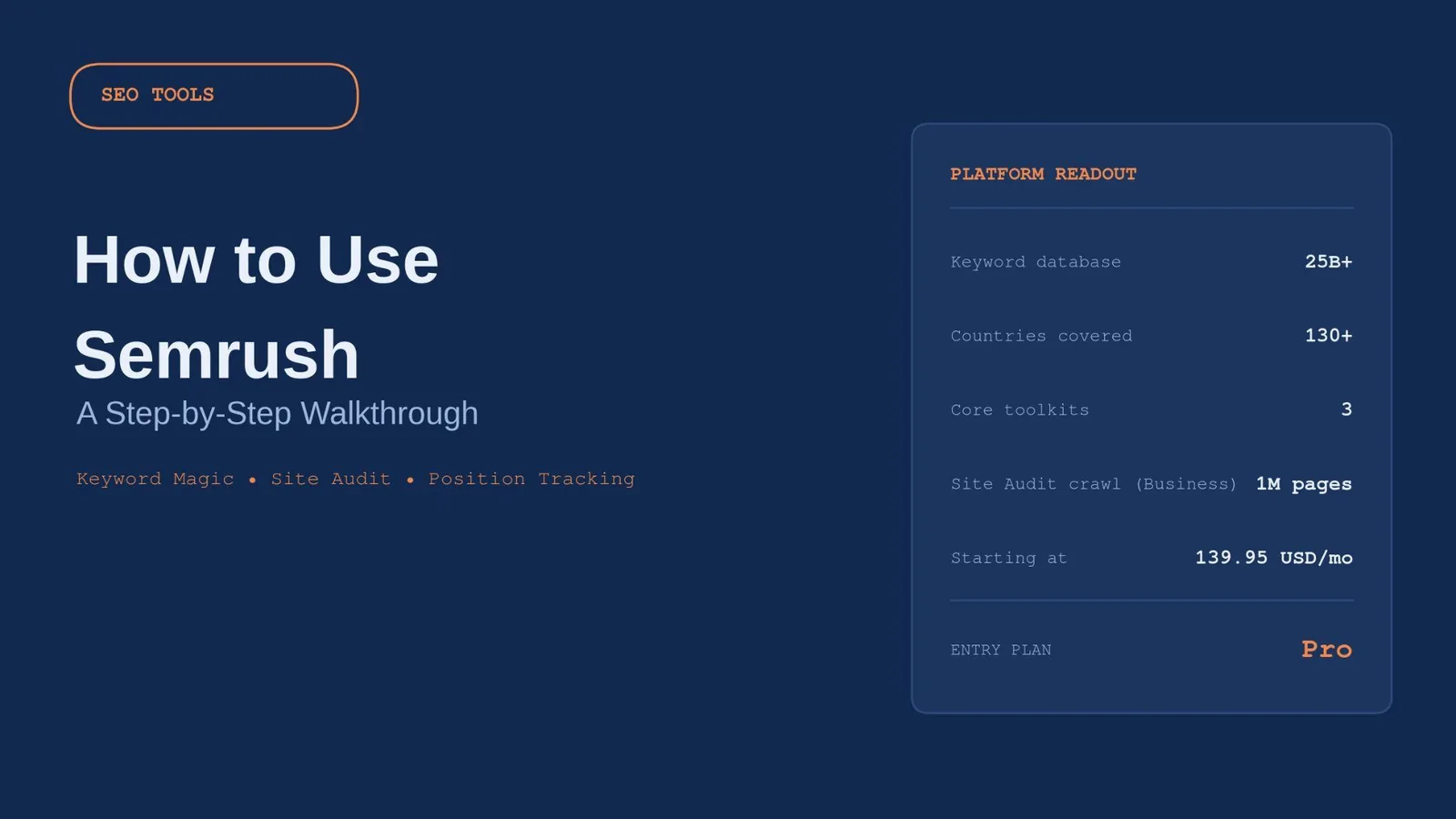
- The Keyword Magic Tool pulls from a database of 25+ billion keywords across 130+ countries, filterable by intent, volume, and Keyword Difficulty (KD%).
- Site Audit findings are triaged by severity: fix Errors first, then Warnings, then Notices.
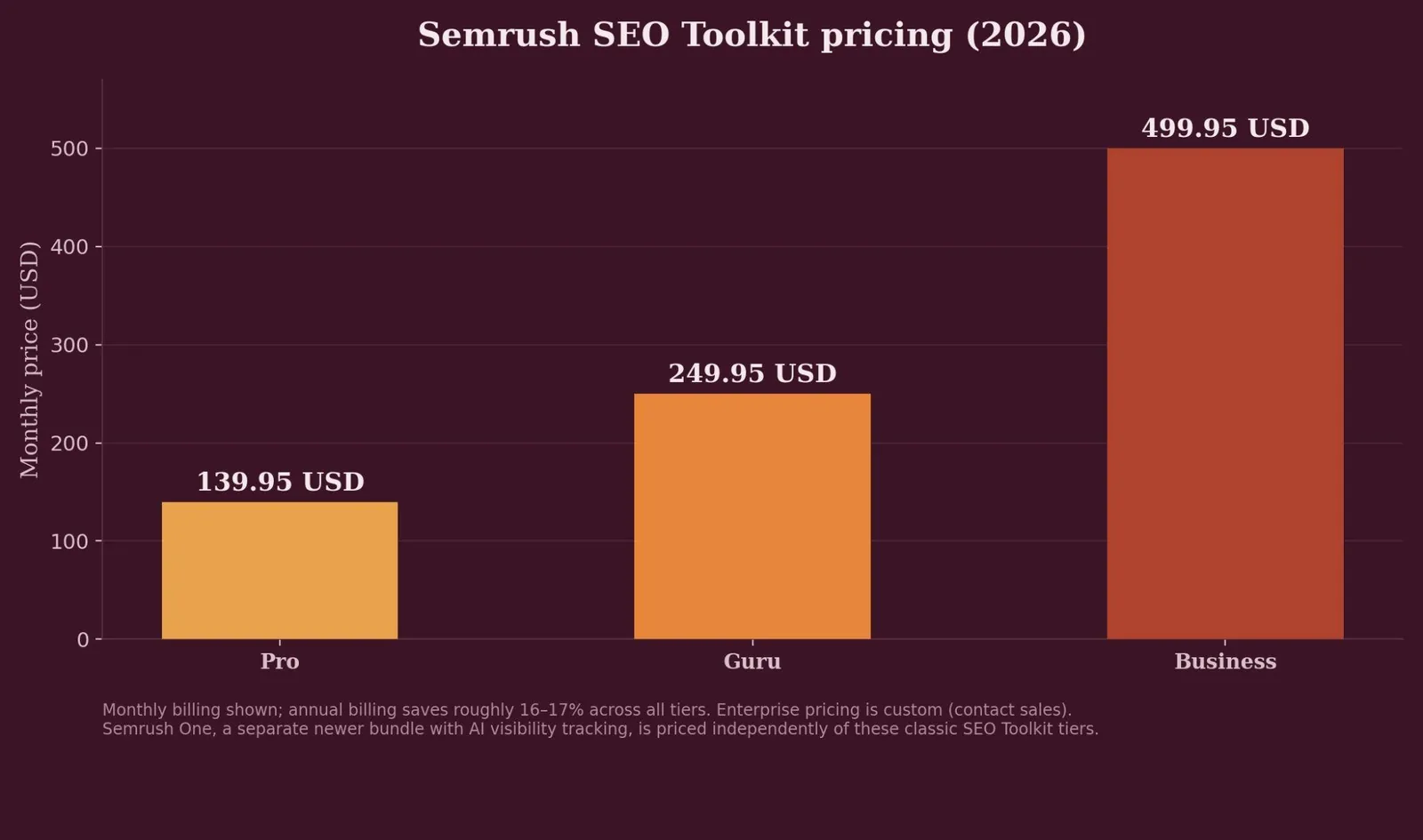
- Paid plans start at $139.95/month for Pro, scaling to $249.95/month for Guru and $499.95/month for Business, with roughly 16–17% savings on annual billing.
- The core four tools (Keyword Magic, Site Audit, Position Tracking, Domain Overview) deliver most of the platform's day-to-day value; the deeper toolkit can wait until those feel routine.
- Semrush integrates directly with Google Analytics and Google Search Console, pulling both into one dashboard alongside its own data.
What is Semrush, exactly?
Semrush is built around three core toolkits, SEO, Content Marketing, and Competitive Research, covering keyword research, rank tracking, site auditing, backlink analysis, and competitor research from a single platform, plus a newer AI Visibility Toolkit added as part of the Semrush One bundle. Every tool draws from the same underlying keyword and backlink databases, so a keyword you shortlist in one tool can flow directly into another without re-entering it.
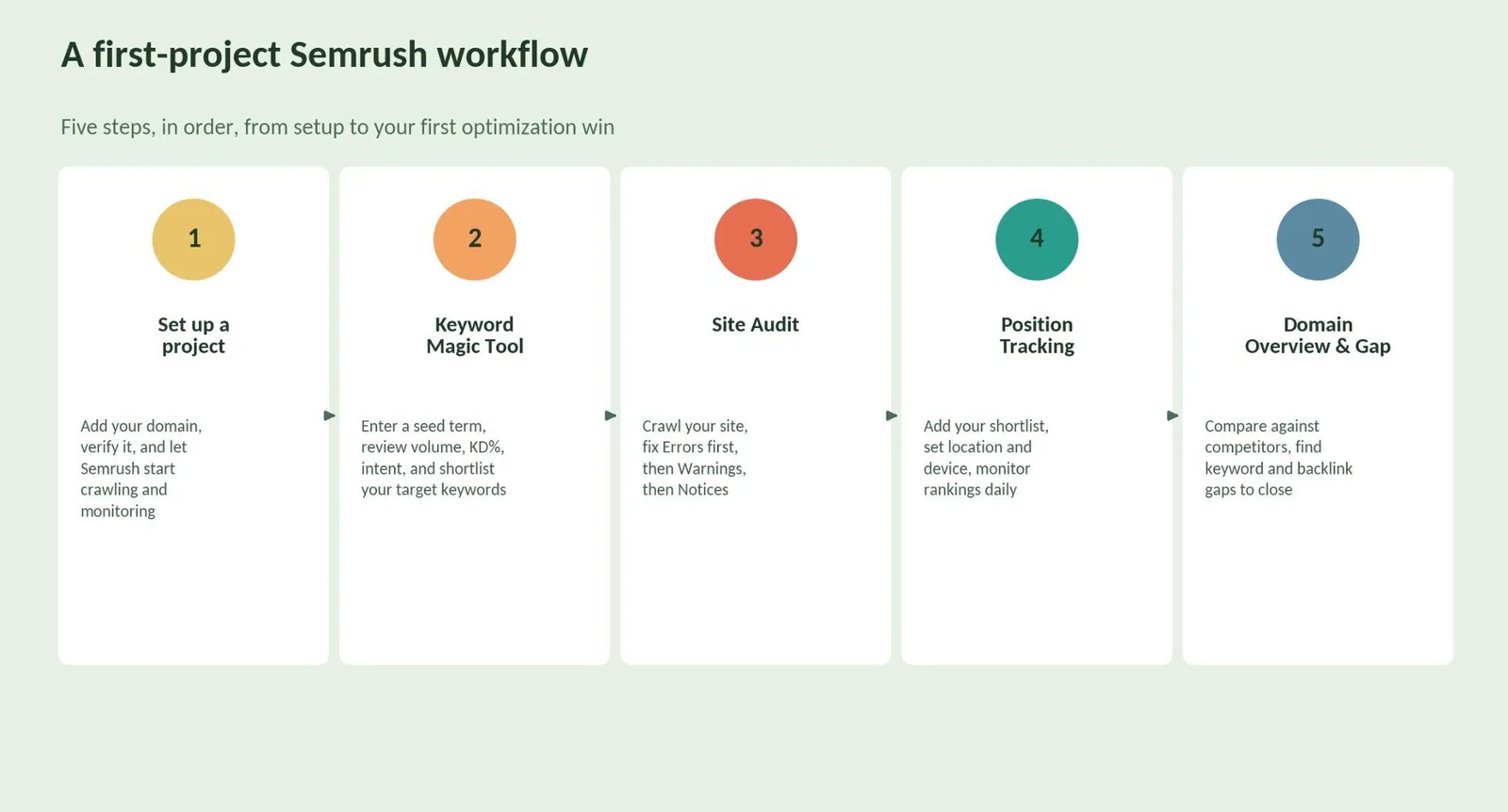
Most users feel comfortable with the four core tools within one to two weeks, while the deeper toolkit takes another month to click. Getting started with Semrush follows the same pattern every time: create a project, add and verify your domain, and Semrush begins crawling your site and tracking the keywords you assign to it.
Step 1: Research keywords with the Keyword Magic Tool
The Keyword Magic Tool is the starting point for Semrush keyword research: enter a broad seed keyword related to your business, and Semrush returns keyword ideas grouped into Broad Match, Phrase Match, and Exact Match categories. Try a seed term like "NFL schedule" for a sports content site, or "roofing Chicago" for a local contractor.
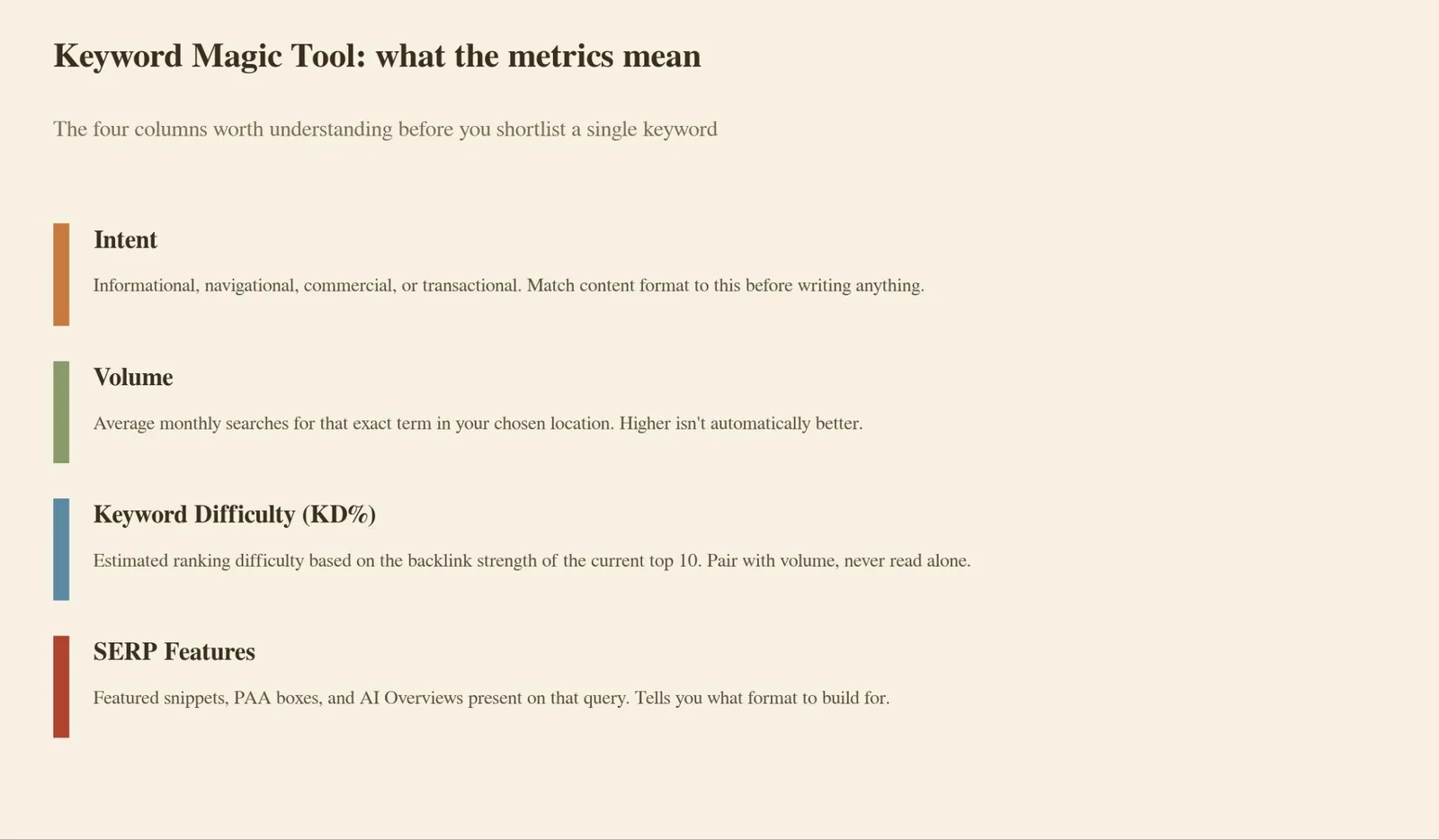
Each keyword comes with four metrics worth understanding before you shortlist anything: Intent (informational, navigational, commercial, or transactional), Volume (average monthly searches), Keyword Difficulty (KD%) (an estimate of ranking difficulty based on the current top 10's backlink strength), and SERP Features (whether featured snippets, PAA boxes, or AI Overviews already appear for that query). Semrush's Rachel Handley, in a 3 min read on keyword search volume, defines it as the average number of monthly searches for a term in a specific location. It's the first number most people check, but pair it with Keyword Difficulty before deciding whether a keyword is actually worth targeting. For comparison, Google Keyword Planner, a free tool from Google LLC, shows similar search volume data but pulled from Google Ads rather than Semrush's own index.
Click the checkbox next to any keyword and save your shortlist using "+ Add to keyword list." That list becomes the input for Position Tracking later, so there's no need to re-research the same terms twice.
Step 2: Run a Site Audit
Site Audit crawls your site the way a search engine bot would, scanning for the technical issues that hurt rankings and conversions, with crawls of up to 1,000,000 pages per month available on the Business plan. Findings are flagged by severity: Errors (highest priority), Warnings, and Notices. Broken links, slow-loading pages, duplicate content, and missing metadata all surface here, alongside Core Web Vitals data pulled directly from Chrome's real-user performance reports.
Work through Errors first, then Warnings, then Notices, and schedule a recurring crawl (weekly for active sites, monthly for smaller ones) so new issues get caught early instead of quietly compounding.
Step 3: Set up Position Tracking
Set Position Tracking running against the keyword list from Step 1 by choosing your target location down to the city or ZIP code level, selecting desktop or mobile, and letting Semrush update daily. For each keyword, you'll see current position, position change, estimated traffic, and which SERP features are present, including whether an AI Overview appears for that query.
That last detail matters more than it used to. If an AI Overview already exists for a keyword you're tracking, structure your content to be citable, since a traditional blue-link ranking is no longer the only outcome worth optimizing for.
Step 4: Study competitors with Domain Overview and Gap Analysis
Enter a competitor's domain into Domain Overview to see their estimated organic traffic, backlink count, top pages, and top ranking keywords in seconds. Then run Keyword Gap or Backlink Gap to find the specific keywords or referring domains they have that you don't. These gaps are usually the fastest, most defensible content or outreach opportunities available, since a competitor is already proving the opportunity is real.
Step 5: Explore the Content Marketing and AI Visibility Toolkits
Once the core four tools feel routine, two additional toolkits round out the platform. The Content Marketing Toolkit, available on Guru and above, includes Topic Research, the SEO Content Template, and the SEO Writing Assistant, covering ground that would otherwise need a separate content-optimization subscription. Semrush's Luke Harsel and Rachel Handley have both written extensively on link building tactics, including earning backlinks through media requests, link bait, and finding and reclaiming broken links on other sites, work that pairs naturally with the Content Marketing Toolkit's topic research.
The AI Visibility Toolkit, available standalone or bundled into Semrush One, tracks how often your brand appears in answers generated by ChatGPT, Gemini, Perplexity, and Google AI Overviews. Setup means entering your brand name, competitors, and target topics, so you can compare your own AI citation frequency against theirs. With AI Overviews now appearing in roughly 48% of searches according to BrightEdge data, traditional rank tracking alone no longer covers where visibility actually happens.
Semrush pricing (2026)
| Plan | Monthly price (USD) | Projects / keywords tracked | Best for |
|---|---|---|---|
| Pro | $139.95 | 5 projects / 500 keywords | Freelancers, solo SEO practitioners |
| Guru | $249.95 | 15 projects / 1,500 keywords | Agencies and content-focused teams |
| Business | $499.95 | 40 projects / 5,000 keywords | Large agencies, API access, white-label reporting |
| Enterprise | Custom (sales) | Negotiated | Large organizations with bespoke needs |
Annual billing saves roughly 16–17% across all three published tiers. A few costs sit outside the headline price worth knowing about before you commit: additional user seats run $45–$100/month depending on tier, and local SEO management is a separate add-on priced at $30–$60/month per location. Semrush One, the newer AI-visibility bundle, is priced on its own separate track rather than as an add-on to these classic SEO Toolkit plans, so compare like-for-like before assuming a specific number.
Common mistakes to avoid
- Chasing high-volume keywords without checking KD% or intent. A high-volume, high-difficulty keyword with the wrong intent for your page wastes the ranking attempt before it starts.
- Skipping the SERP Features column. A query already dominated by an AI Overview or featured snippet needs a different content structure than a plain top-10 ranking would.
- Letting Site Audit crawls run once and never again. A single audit is a snapshot; ongoing technical health needs a recurring schedule.
- Tracking too many keywords at once in Position Tracking. A smaller, prioritized list is easier to act on than a sprawling one nobody reviews.
- Ignoring competitor data in Domain Overview. Tracking only your own site misses the gaps that are usually the fastest wins available.
Try it yourself: Semrush plan picker
Answer two quick questions to see which plan tier fits your actual project count and toolkit needs.
SEO Budget Estimator
Pick the options closest to your situation for a realistic monthly range, based on 2026 industry survey data.
Related reading
- Semrush Site Audit: Complete Guide to Technical SEO Auditing
- How to Use Ahrefs: A Step-by-Step Walkthrough
- How to Use Google Search Console: A Step-by-Step Walkthrough
- GEO & AEO services at Web Tonic
FAQ
Is Semrush good for beginners? Yes, though the learning curve is real. Most users feel comfortable with the four core tools, Domain Overview, Keyword Magic Tool, Site Audit, and Position Tracking, within one to two weeks. Semrush's free Academy courses, including a 90-minute "Getting Started with Semrush" course, cut that learning time considerably.
Does Semrush replace Google Analytics? No. Semrush integrates with Google Analytics and Google Search Console instead of duplicating either one. GA shows what actually happened on your site: real sessions, real conversions. Semrush estimates traffic and keyword opportunity at scale, including for competitor sites GA can't see.
How much of Semrush do I actually need to use regularly? The core four tools deliver most of the platform's practical value in the first several months. The Content Marketing and AI Visibility Toolkits are worth exploring once keyword research, site audits, and rank tracking feel like second nature.
Can I use Semrush without a paid subscription? Only in a limited way. Semrush doesn't offer a permanent free-forever tier with meaningful data access; most guides point new users toward a short free trial on Pro or Guru to test the platform before committing to a card charge. If you just need a single quick lookup, Semrush's standalone free tools (like a basic domain overview check) work without a subscription, but real keyword research, Site Audit, and Position Tracking all require a paid plan.
Which Semrush plan is right for an agency managing multiple clients? Guru is the most common starting point once you're past a single site: it supports 15 projects and 1,500 tracked keywords, and it's the entry point for the Content Marketing Toolkit and historical ranking data, both of which matter for client reporting. Move to Business once you cross roughly 15–20 client accounts or need API access and white-label reports; the jump from Guru's 15 projects to Business's 40 is usually the trigger, not a fixed client count.
Build the habit, not just the reports
Semrush rewards a consistent rhythm more than any single report. Each month, check Keyword Gap for new opportunities, glance at Site Audit for anything newly broken, and review Position Tracking for movement on the keywords you're already targeting. That loop takes under 30 minutes and keeps the platform's depth working for you instead of sitting unused.
Content planning, competitor gap analysis, and AI visibility all get easier once that monthly loop is automatic. At that point the rest of the toolkit stops being extra software to learn and becomes the obvious next tool to reach for.
More from Web Tonic: growth marketing services, data & analytics, performance creative.
Sources: semrush.com · truescho.com · znetlive.com · reliqus.com · bloggingpursuits.com · techsy.io · vendr.com · allable.ai


