



Table of contents

Meta title: How to Respond to Google Reviews: Step-by-Step Guide (2026) Meta description: Turn negative feedback into a growth engine. Master how to respond to Google reviews effectively to boost your local rankings and build brand trust today. URL: /blog/how-to-respond-to-google-reviews
Every star rating on your Google Business Profile is a conversation waiting to happen, and how you respond shapes whether the next customer picks up the phone or scrolls past you. Google reviews have become one of the first things a potential customer checks before choosing a local business, and a thoughtful response, positive or negative, tells that reader exactly what kind of experience they can expect. This guide walks through how to respond to Google reviews the right way, with real examples, a comparison table, and an interactive response generator you can use on your next review.
Key Takeaways
- Reply to every review, not just the negative ones. Businesses that only respond to complaints look reactive instead of engaged, and consistent responses are a trust signal for both customers and Google.
- Speed matters more than ever. A growing share of customers expect a response within 24 hours, and a fast, personal reply reads as more credible than a slow, generic one.
- Personalize each response. Address the reviewer by name, reference their specific feedback, and avoid copy-pasted templates that make your business look automated.
- Negative reviews are an opportunity, not a threat. A calm, professional reply to criticism can rebuild trust with the original reviewer and reassure everyone else reading it.
- Never buy, fake, or incentivize reviews. Federal rules now carry real financial penalties for manipulating consumer reviews and testimonials.
Why responding to Google reviews matters for local SEO
A Google review response does two jobs at once. It talks to the customer who left the feedback, and it talks to every future customer, and to Google itself, who will read that response later. Google's own guidance says that helpful, positive replies show a business is responsive to its customers, and that responding is one of the simplest ways to build a stronger online reputation over time.
The numbers back this up. Current consumer research shows that 97% of people read reviews before choosing a local business, and 41% now say they always check reviews first, up sharply from the year before. Star rating expectations have climbed too: roughly 31% of consumers say they will only consider a business rated 4.5 stars or higher. A steady stream of thoughtful review responses is one of the few levers a business owner can pull to influence that perception directly.
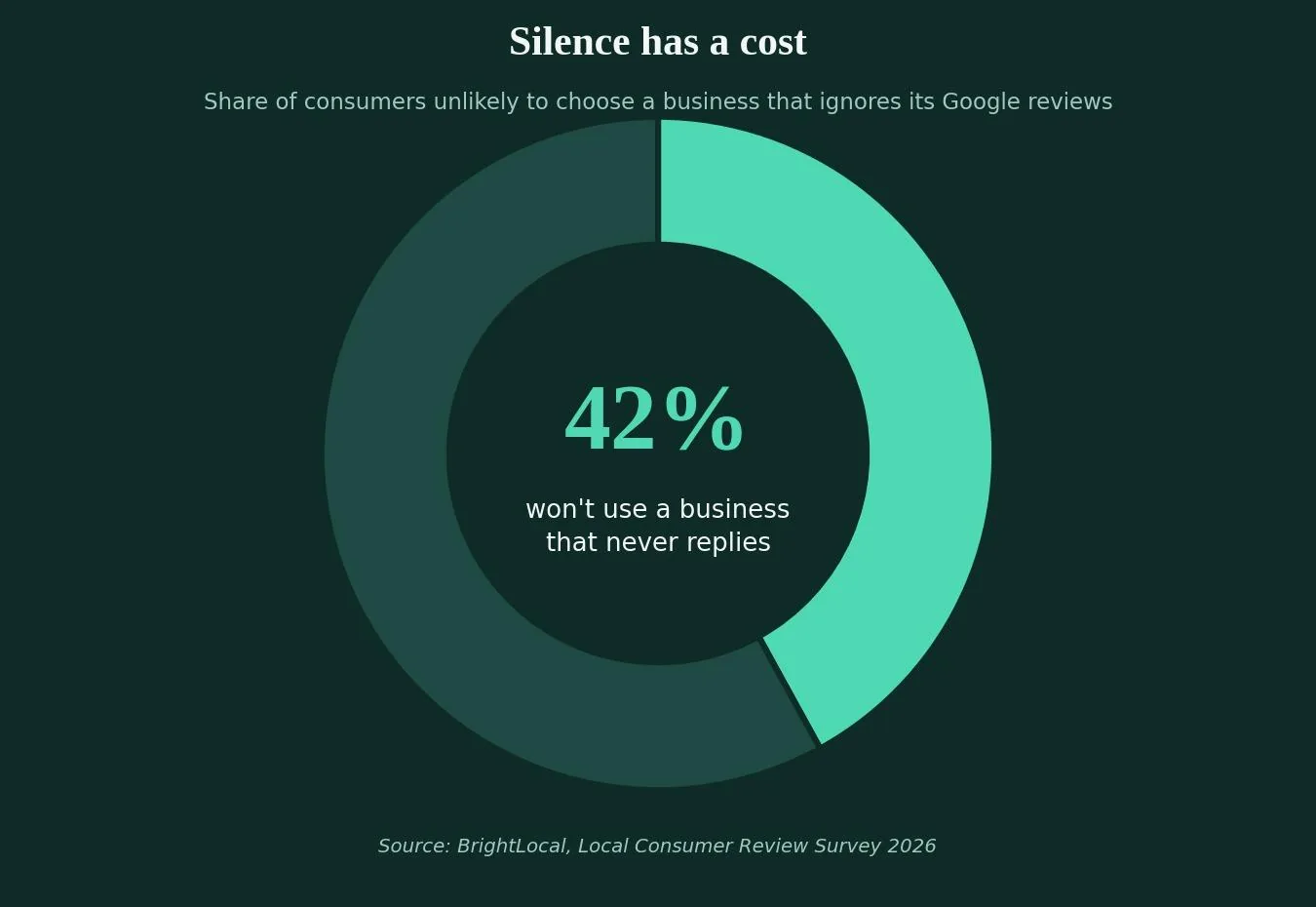
How you respond to reviews affects customer decisions in ways that go well beyond the original reviewer. 42% of consumers say they are unlikely to use a business that never replies to feedback at all, treating an unanswered review the same way they'd treat an unanswered phone call. Every reply is also being read by potential customers who haven't contacted the business yet, so it's worth answering any question a reviewer raises directly and clearly, rather than with a vague thank-you.
Before you reply: what you need to know about your Google Business Profile
You cannot reply to a review until your Google Business Profile is verified. Once verification is complete, the business owner or an authorized manager can respond to every review that comes in, whether it arrives through Google Search, Google Maps, or the Business Profile app.
A few ground rules from Google's policies and guidelines are worth keeping in mind before you type a single word:
- Reviews and responses are public. Anything you post as a business is visible to anyone searching for you.
- Do not share private or confidential information about the reviewer in a public reply.
- You can include your own business contact details (phone, email, social handles) in a response, but you cannot solicit personal information from the reviewer.
- If a review clearly violates content policy, such as spam or hate speech, you can flag it for removal instead of responding to it directly.
How to respond to Google reviews step by step
Reply from the Google Business Profile dashboard
- Sign in to your Google Business Profile account.
- Select "Reviews," then find the review you want to answer.
- Click "Reply," write your response, and submit it.
- Come back later to edit or update your reply if the situation changes; the reviewer will be notified when you respond.
Reply from Google Maps or Google Search
You can also find and reply to reviews directly from Google Maps or a Google Search result for your business. Search your business name, open the reviews section, and use the same reply option that appears in the dashboard. Either path publishes your response under the label "Response from the owner," visible to anyone who reads that review afterward.

How to respond to positive Google reviews (with examples)
A positive review is a low-stakes opportunity to reinforce a great experience and quietly add useful, specific detail to your profile. Google's own tips for review management suggest skipping the generic "thanks for the kind words" and instead responding to the actual detail a customer mentioned, because a specific reply signals genuine engagement rather than a copy-paste routine.
A strong positive response usually does three things, and it applies whether you are responding to positive reviews about a five-minute repair or a months-long project:
- Thank the customer by name for taking the time to leave a review.
- References the specific product, service, or moment they mentioned.
- Invites them back, without turning the reply into a sales pitch.
When responding to positive feedback, resist the urge to reuse the exact same sentence every time. A response that names the actual service builds more trust than a generic "thanks!"
Example: "Thank you so much, Maria! We're glad our team could get your kitchen sink repaired the same day you called. We look forward to helping you again."
What to avoid: sending the identical "Thank you for your review!" response to every single positive review. Google notes that repeating the same phrasing across every reply can make a profile look automated rather than active, and it does nothing to help a future customer understand what makes the business worth choosing.
How to respond to negative Google reviews (with examples)
A negative review response gets read more closely than almost anything else on your profile, because it is the clearest evidence of how your business behaves when something goes wrong. The goal of a good response is not to win an argument with the reviewer in public. It's to reassure the dozens of people who will read that exchange later.
A dependable structure for a negative review response:
- Acknowledge the specific concern the customer raised.
- Apologize for the experience, without being defensive.
- Clarify what happened only if it adds context, not excuses.
- Offer to continue the conversation offline, with a name or contact method.
Example: "Hi James, I'm sorry to hear your appointment ran later than expected. That's not the standard of service we aim for. I'd like to make this right. Please reach out to me directly at [contact] so we can discuss what happened."
Negative reviews aren't a verdict on the business. A calm, non-defensive response is one of the most persuasive pieces of content a business can publish for free, since it shows, in public, exactly how the business handles a problem.

Google review response examples: an interactive template generator
Writing a fresh, personalized response for every review takes time, especially for a business fielding dozens of reviews a month. Use the interactive tool below to generate a starting template for a positive, neutral, or negative review, then adjust it to reflect the specific feedback before publishing.
Google review response generator
Fill in a few details, pick the tone that matches the review, and get a starting draft you can personalize before posting.
Always personalize this draft with real, specific details before publishing. Never copy the same response to multiple reviews.
Positive vs negative review responses: a side-by-side comparison
| Positive review response | Negative review response | |
|---|---|---|
| Primary goal | Reinforce the good experience and add specific detail | Reassure future readers and de-escalate the situation |
| Tone | Warm, appreciative, specific | Calm, empathetic, non-defensive |
| Structure | Thank you → specific detail → invitation to return | Acknowledge → apologize → clarify (if needed) → offer offline resolution |
| Length | Short, 2 to 3 sentences | Slightly longer, enough to show genuine care |
| Common mistake | Generic, copy-pasted "thanks!" | Arguing with the reviewer in public |
| SEO value | Naturally mentions service and location | Shows accountability, protects overall reputation |
| Response window | Within 24 to 48 hours | As soon as possible, ideally same day |
Common mistakes to avoid when responding to reviews
- Responding only to negative reviews. Industry review-management research has found this can inadvertently push negative feedback higher on the page, since engagement-heavy content tends to surface more. That's all the more reason to reply to the positive ones too.
- Using the same canned response for every review. It reads as automated and does not add anything a future customer can use.
- Getting defensive or arguing with the reviewer in public. Even a fair point can look petty if the tone is combative.
- Sharing private details about the reviewer, their order, or their account in a public response.
- Offering compensation or discounts specifically in exchange for a review, or for changing an existing one. Recent federal rules treat this as a form of review manipulation, with real financial penalties attached.
Legal and policy guardrails: what Google and the FTC expect
Two sets of rules matter here: Google's own content policies, and broader consumer protection law. Google's guidelines prohibit soliciting a reviewer's personal or confidential information inside a response, and they require that a business profile represent the business accurately.
At the federal level, a rule from the Federal Trade Commission that took effect in October 2024 prohibits buying or selling fake reviews, paying for reviews conditioned on a specific sentiment, and other deceptive review practices, with civil penalties possible for violations. In practice, this means a business should never offer an incentive tied to a positive review, never write reviews of its own business, and never pressure a customer to remove or change an honest review. A well-written response is always the safer, and more effective, long-term strategy.
How review responses support your local SEO strategy
Responding to Google reviews is a small, repeatable habit, but it compounds. Search visibility for local businesses depends on more than just star ratings; consistent engagement, mentions of your services and location, and profile activity all play a role in how a Google Business Profile performs in local search results and the map pack, a point echoed in independent review-management research. A response that naturally mentions a service, neighborhood, or specialty gives Google, and future customers, more context about what your business actually does, without turning the reply into an advertisement.
If your business wants a broader strategy for turning local search and Google reviews into a consistent source of new customers, Web Tonic's growth marketing team builds local SEO, Google Business Profile management, and map pack visibility into one system.
Related reading
- Google Maps SEO: How to Rank in the Local Pack
- The Google SEO Guide: What Google's Own Docs Tell You to Do
- Google Cache Checker: What Still Works Now the Cache Is Gone
- GEO & AEO services at Web Tonic
Frequently asked questions
How quickly should I respond to a Google review?
Aim to reply within 24 to 48 hours whenever possible. A growing share of customers now expect a same-day or next-day response, and a prompt reply signals that a business is active and paying attention.
Can I delete a negative Google review?
You cannot delete someone else's review, but you can flag it for removal if it violates Google's content policies, such as spam, fake content, or content unrelated to a genuine customer experience. A genuine but unflattering review should be answered, not fought.
Do I need to reply to every single review?
Ideally, yes. Replying only to negative reviews can make a business look defensive, while replying only to positive ones can look like a business is avoiding its problems. A consistent habit of responding to all reviews reads as the most trustworthy pattern to both customers and Google.
Is it okay to offer a discount to someone who left a negative review?
Be careful here. Offering compensation specifically conditioned on changing or removing a review can run afoul of current FTC rules on consumer reviews. It is fine to invite an unhappy customer to reach out directly to resolve the issue, without tying that outreach to a specific review outcome.
Does responding to reviews actually help SEO?
It supports it indirectly. Review responses add fresh, relevant content to a Google Business Profile and demonstrate ongoing engagement, both of which are part of the broader signal set that influences local search and map pack visibility, alongside citations, on-page SEO, and links.
Turn every review into a growth opportunity
Responding to Google reviews is one of the few marketing habits that costs nothing but a few minutes of attention and pays back in trust, in search visibility, and in the next customer's decision to call. Reply to the positive reviews with specific, genuine detail. Reply to the negative ones with patience and a clear next step. Skip the canned templates, skip anything that looks like manipulation, and keep the habit consistent, because in the world of Google reviews, the response is often read as closely as the review itself.
More from Web Tonic: growth marketing services, data & analytics, performance creative.
Sources: support.google.com · brightlocal.com · business.google.com · ftc.gov · widewail.com


