



Table of contents

Every website that has been publishing content for more than a couple of years has pages quietly working against it: old posts nobody updates, near-duplicate articles competing for the same keywords, and pages that never had a relevant audience in the first place. A content audit is how you find them. It is a systematic review of every page on a site, backed by real performance data, that ends in a clear decision for each one: keep, update, consolidate, or remove.
This guide walks through how to do a content audit from a blank audit template to a finished action plan: building the website content inventory, pulling performance data from the right tools, applying a consistent content audit process and industry best practices, and turning the results into a report someone can actually act on. A successful content audit is as much about content marketing discipline as it is about spreadsheets, since the goal is stronger organic traffic and content performance, not just a tidier list of URLs.
Key Takeaways
- A content audit combines a full content inventory with real performance data to decide, page by page, whether to keep, update, consolidate, or remove each piece of content.
- HubSpot's own audit of 4,000 blog URLs found that 72.2 percent were candidates for pruning and only 23.8 percent had genuine organic potential worth optimizing.
- Updating 76 underperforming posts led to a 458 percent cumulative traffic increase over the following 6 months, according to HubSpot's own case study, while a separate pruning effort on 2,888 URLs didn't move traffic the way the team expected, in a year when search performance was unpredictable across the industry.
- Google Search Console and Google Analytics 4 cover most of what a content audit needs for free; paid tools like Ahrefs or Semrush add backlink and competitive data on top.
- A content audit is not a one-time project. Most established sites benefit from a full audit annually and smaller quarterly reviews of top and bottom performers in between.
- Content cannibalization, where multiple pages compete for the same keyword, shows up in a content audit spreadsheet as similar URLs and overlapping rankings, and it is usually fixed by consolidating into one page and redirecting the rest.
What is a content audit, and why does it matter?
A content audit is a structured review of every page on a website, measuring how each one performs against real data rather than gut feeling, and using that data to decide what to keep, what to fix, and what to remove. It is different from a content inventory, which is simply the list of everything that exists. The inventory tells you what you have; the audit tells you what to do about it.
The stakes are real for any site with a meaningful publishing history. Content that once ranked well can quietly decay as competitors publish fresher material or search intent shifts. Pages built for a campaign that ended years ago keep collecting crawl budgets and diluting a site's overall quality signal without anyone noticing. A content audit surfaces all of it at once, rather than one page at a time.
Step 1: Build the content inventory

Before evaluating anything, you need a complete list of every indexable page on the site. A few sources typically need to be combined to get a reliable list: an export from the CMS or an XML sitemap, the Coverage report inside Google Search Console, and a full site crawl from a tool like Screaming Frog. The crawl also catches pages that exist but were never included in the sitemap. HubSpot's own content team ran exactly this kind of audit across their blog, cataloging around 4,000 URLs before evaluating a single one. Once the audit was complete, they found that 951 URLs, about 23.8 percent, had genuine organic potential worth optimizing or recycling, while 2,888 URLs, 72.2 percent, were recommended for pruning, and the remaining 161 either needed no action or had already been redirected before the audit began.
For a large site, breaking the inventory into phases by section, such as the highest-traffic categories first, keeps the process manageable rather than overwhelming.
Step 2: Pull performance data for every page
With the inventory built, the next step is layering in how each page is actually performing. Google Search Console covers organic search performance: clicks, impressions, average position, and the specific queries driving traffic. Comparing the trailing three months against the prior period, while accounting for any major algorithm updates or seasonal spikes, gives a cleaner read than looking at a single snapshot; some teams extend that window to six months for slower-moving content. Google Analytics 4 fills in the behavioral side: engagement time, bounce rate, and conversions by landing page. These matter because raw traffic numbers alone can be misleading. A page pulling in thousands of visits with a high bounce rate is not automatically a success story, and a page with modest traffic but a strong conversion rate can be one of the most valuable pages on the site.
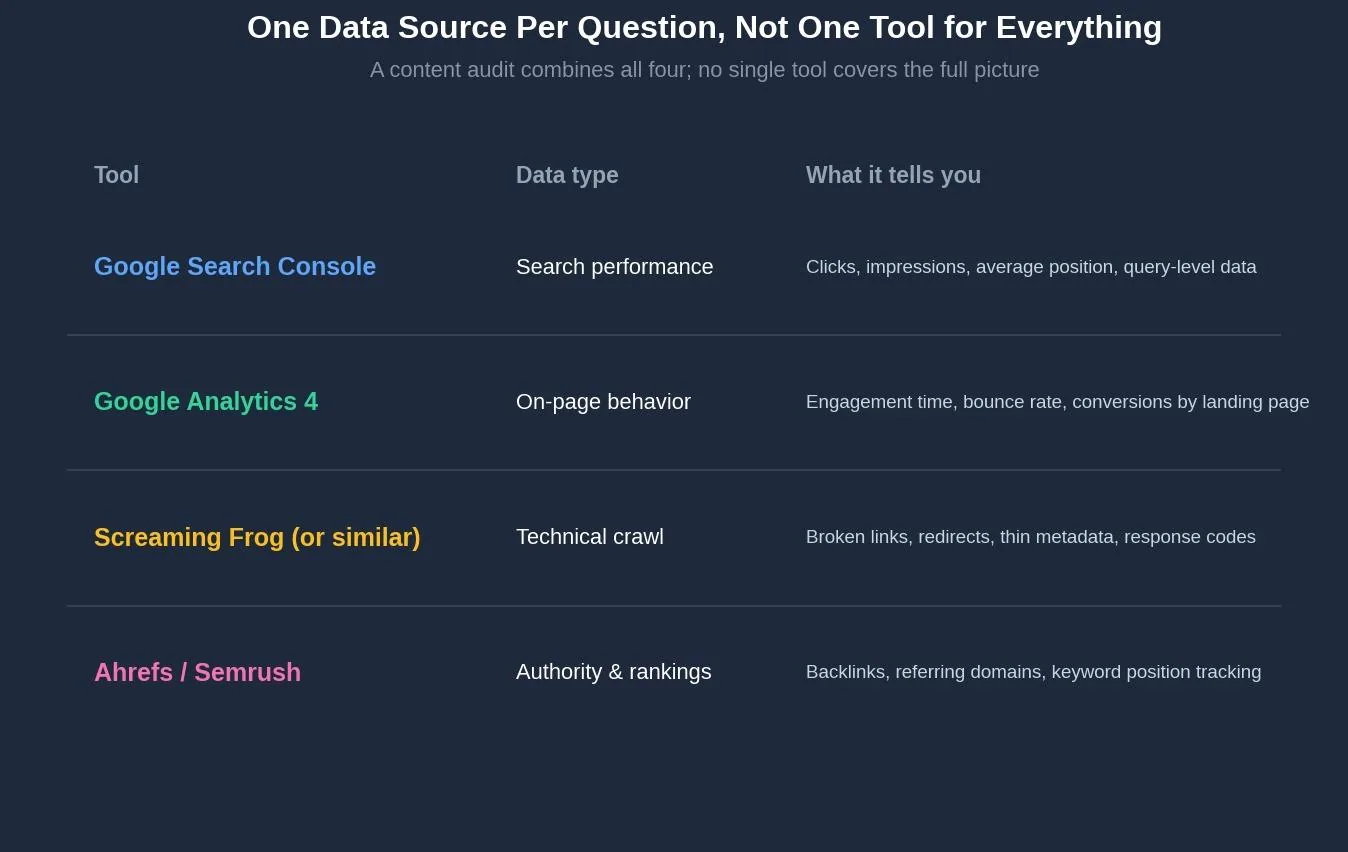
Which tool covers which data
| Tool | Data type | What it tells you |
|---|---|---|
| Google Search Console | Search performance | Clicks, impressions, average position, query-level data |
| Google Analytics 4 | On-page behavior | Engagement time, bounce rate, conversions by landing page |
| Screaming Frog (or similar) | Technical crawl | Broken links, redirects, thin metadata, response codes |
| Ahrefs / Semrush | Authority & rankings | Backlinks, referring domains, keyword position tracking |
Step 3: Score and evaluate each page
Raw metrics need context. Compare each page's performance to similar content on the site rather than to an arbitrary universal benchmark, since a blog post and a landing page succeed by different measures. Beyond the numbers, a qualitative pass matters too: is the information still accurate, does the page match current search intent, and would a reader trust what they find. Real-world case studies from teams that have pruned low-value pages, including HubSpot and IBM, consistently report traffic or usability gains afterward. That pattern suggests removing genuinely low-value pages tends to help rather than hurt the content that remains.
This is also the step where content cannibalization tends to surface. Look for pages with similar URL slugs, overlapping target keywords, and rankings that never reach a top ranking position on page one for either one. When two or more pages are clearly fighting over the same search intent, consolidating the strongest material onto a single page and redirecting the others usually resolves it.
Step 4: Assign an action to every page

Every page in the audit gets one of four labels. Semrush's own audit framework uses a similar four-label system: Keep as is applies to pages already meeting their performance goals, with no content gaps and no cannibalization risk. Update applies to pages with real organic potential that are currently underperforming, whether from outdated information, thin coverage, or a page that no longer matches search intent. Consolidate and redirect applies to overlapping or duplicate pages, merging the best material into one URL and redirecting the rest with a 301. Remove applies to pages with no organic potential and no meaningful backlinks, typically archived with a 404 or, if a close topical match exists elsewhere on the site, redirected instead.
HubSpot's own results illustrate why the same audit can produce different outcomes depending on which action you take. Updating 76 posts led to a 458 percent cumulative traffic increase across those posts over the following six months. A separate effort pruning 2,888 URLs didn't move the needle on traffic the way the team expected, a result they linked to how unpredictable search performance was across the industry that year, even though the average age of the remaining content library dropped by 341 days. The lesson isn't that pruning doesn't work; it's that results vary by action, by page, and by the state of search that year. That's exactly why ongoing measurement matters more than assuming any single tactic guarantees a specific result.
Try it: what should you do with this page?
Answer three quick questions about a specific page to get a starting recommendation.
Content strategy tool
What should you do with this page?
Answer three questions about a specific page to get a starting recommendation.
Recommendation
Step 5: Turn findings into an action plan
A spreadsheet full of labeled URLs is not yet a plan. Group the pages by action and priority, starting with whichever changes are likely to have the biggest impact for the least effort. Set up 301 redirects for every consolidated or removed URL, and update internal links across the site so they point to the surviving pages directly rather than through a redirect chain. Document every change made, since that record becomes the baseline for measuring whether the audit actually worked.
Give the changes time before judging results. Search engines typically need several weeks to months to fully reprocess a site after changes at this scale, so checking results the next morning tends to produce more anxiety than insight.
Common content audit mistakes to avoid
Treating the content audit as a one-time project is one of the most common mistakes; content decays continuously, so a living inventory that gets updated with every new publish saves enormous time on the next audit.
Judging every page against the same universal benchmark ignores that different page types succeed by different measures, and comparing a landing page's conversion rate against a blog post's engagement time produces meaningless conclusions.
Deleting a page purely because organic search traffic is low, without checking whether it still earns traffic from social, email, or direct visits, or whether it carries backlinks worth preserving, risks losing value the audit was supposed to protect.
Skipping the qualitative review and relying entirely on traffic numbers misses pages that look fine in the data but are quietly inaccurate, outdated, or misaligned with what a reader actually needs.
Tools for running a content audit
Google Search Console and Google Analytics 4 cover the bulk of what a content audit needs, for free, and are usually the right starting point regardless of site size. A crawler such as Screaming Frog catches technical issues like broken links, redirects, and thin metadata that analytics platforms don't surface on their own; the free tier covers up to 500 URLs, enough for many small to mid-sized sites. Paid platforms like Ahrefs or Semrush add backlink data and competitive keyword tracking on top. That matters most when deciding whether a low-traffic page is still worth preserving for its link equity.
Related reading
- SEO Audit: What It Is and How to Do It (Step-by-Step Guide)
- SEO Content Audit Template: What It Is & How to Use It
- Semrush Site Audit: Complete Guide to Technical SEO Auditing
- GEO & AEO services at Web Tonic
Frequently asked questions
How often should you do a content audit?
Most established sites benefit from a full audit once a year, with smaller quarterly reviews of the best and worst performing pages in between. Sites publishing at high volume, or operating in a fast-changing industry, often benefit from auditing more frequently.
What is the difference between a content inventory and a content audit?
A content inventory is simply the list of every page that exists, including basic details like URL, title, and publish date. A content audit goes further, layering in performance data and a decision framework to determine what action each page needs.
Should I delete a page with low traffic?
Not automatically. Check whether it earns meaningful traffic from other channels like social or direct, and whether it carries backlinks worth preserving, before removing it. If neither applies, archiving or redirecting the page is usually the right call.
What tools do I need for a content audit?
Google Search Console and Google Analytics 4 cover most of the free essentials. A site crawler like Screaming Frog adds technical data, and paid tools like Ahrefs or Semrush add backlink and competitive tracking for teams that need it.
How do I fix content cannibalization found during an audit?
Identify the pages competing for the same keyword, usually visible as overlapping rankings and similar URL slugs, pick the page with the strongest historical performance, merge the best material from the others into it, and redirect the remaining URLs with a 301.
Making the content audit a habit, not a one-time project
The mechanics of a content audit — inventory, data, evaluation, and action — are straightforward enough to run on any site with a spreadsheet and a few free tools. The harder part is treating it as ongoing maintenance rather than a single cleanup. HubSpot's own results make the case clearly: the specific numbers will vary by site and by year, but a site that keeps auditing, updating, and pruning consistently ends up in a fundamentally different position than one that publishes and never looks back.
Ready to get more from the content you already have?
Building a content inventory, pulling performance data, and turning a messy spreadsheet into a clear action plan is exactly the kind of work that pays off far beyond what a single new article can deliver. Web Tonic's growth marketing team folds content audits into a broader content strategy that also covers technical SEO and paid acquisition, so cleaning up what already exists becomes part of an ongoing system rather than a one-time project.
More from Web Tonic: growth marketing services, data & analytics.
Sources: rnkrocket.com · blog.hubspot.com · ryantronier.com · seoprofy.com · ahrefs.com · semrush.com


