



Table of contents
If your site still runs on HTTP, Chrome is about to make that decision for you. Starting in 2026, Google's browser stops quietly flagging insecure sites and starts actively warning visitors away from them by default. This guide covers what HTTPS actually does for SEO, why HTTP is no longer a neutral choice, and the exact steps to migrate without losing the rankings you already have.
Key Takeaways
- Google confirmed HTTPS as a Google ranking factor back in 2014, and it still functions as a lightweight signal and tiebreaker between otherwise-equal pages today.
- Chrome's "Always Use Secure Connections" feature becomes the default for all users by October 2026, meaning every HTTP site will show visitors a security warning before they can even load the page.
- A properly executed 301 redirect from HTTP to HTTPS causes no ranking loss, according to Google's own documentation.
- DV, OV, and EV SSL certificates all provide identical encryption strength; they differ only in how deeply the certificate authority verifies your organization's identity, and issuance time and cost scale accordingly.
- Free SSL certificates (Let's Encrypt) carry the same SEO value as paid certificates once installed correctly, so cost isn't a valid reason to delay migration.
- HTTPS also unlocks HTTP/2 and HTTP/3, which meaningfully improve page speed and Core Web Vitals, benefits that have nothing to do with the ranking signal itself.
What Is HTTP vs HTTPS SEO?
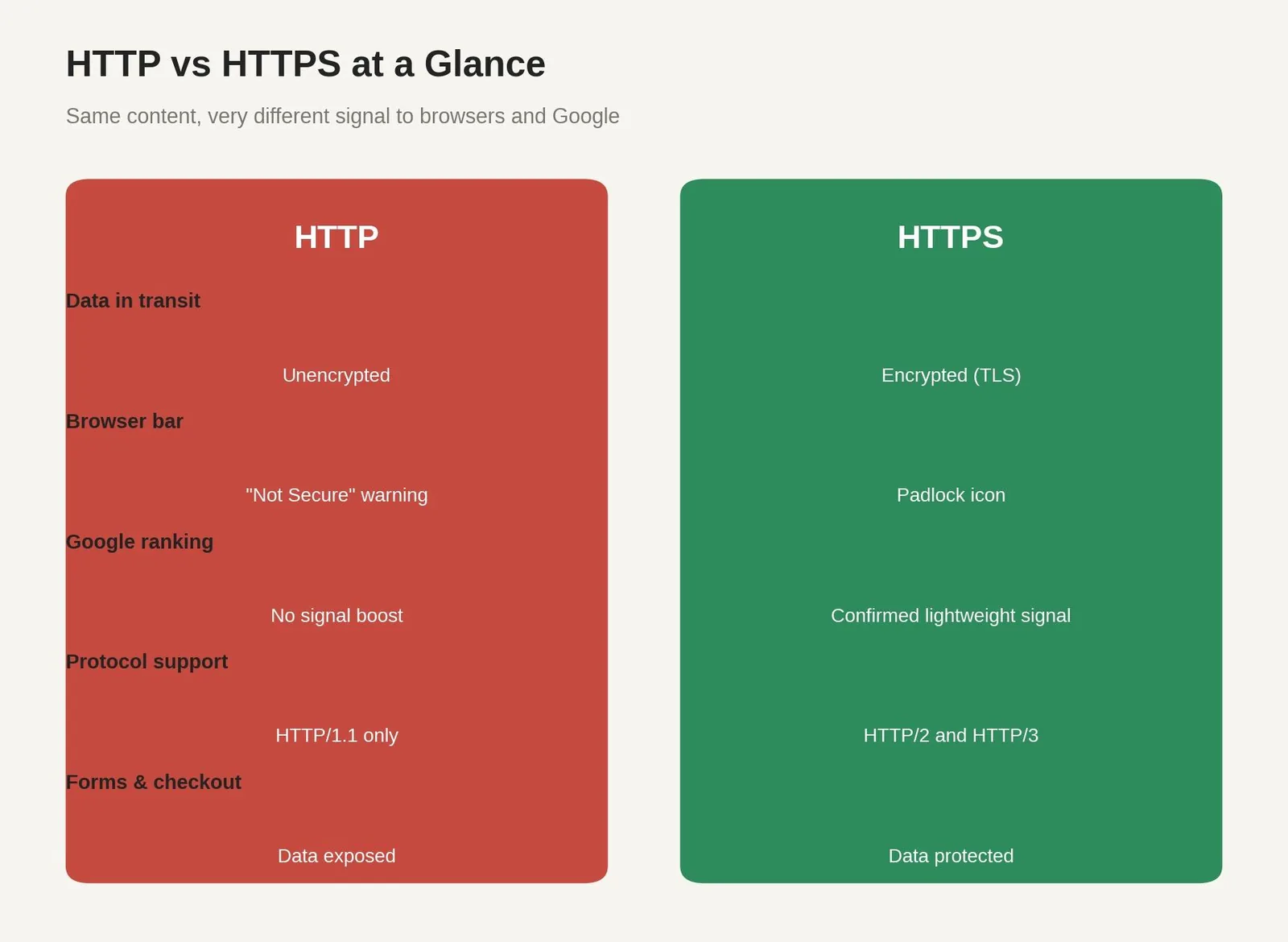
HTTP (Hypertext Transfer Protocol) and HTTPS (HTTP Secure) are the two protocols a browser uses to request a webpage from a web server. HTTP sends that request and the site's response in plain text; anyone intercepting the connection, on public wifi or a compromised network, can read everything moving between the user and the website. HTTPS encrypts that same exchange using SSL/TLS, so intercepted data is unreadable without the encryption key.
HTTP vs HTTPS SEO refers to how that protocol choice affects search visibility, not just security. Google has treated HTTPS as a ranking factor for over a decade, and in 2026 the practical gap between the two protocols is wider than the ranking algorithm alone suggests, because browsers themselves increasingly refuse to treat HTTP as acceptable.
Why HTTPS Matters More in 2026 Than It Used To
Google confirmed HTTPS as a ranking factor in August 2014, describing it at the time as a lightweight signal affecting a small share of search queries. That weight has grown gradually rather than dramatically: HTTPS still functions mainly as a tiebreaker, not a guarantee of higher rankings on its own. A thin, unhelpful page on HTTPS will not outrank a genuinely useful page on HTTP for long. What's changed is everything around the signal.
Starting in April 2026, Chrome's Enhanced Safe Browsing users began seeing warnings by default before loading any public HTTP site, and by October 2026, that becomes the default behavior for every Chrome user, not just those who opted in. A visitor who sees a full warning screen before your page even loads doesn't wait around, and that lost visit never becomes an engagement signal, a conversion, or a return visitor, all things that compound into weaker search performance over time even without a direct ranking penalty.
What HTTPS Actually Protects
HTTPS encrypts data in transit using SSL certificates, which matters most anywhere sensitive data moves between a user and your website: login credentials, credit card numbers, personal details entered into a form, or anything else you wouldn't want visible to whoever else happens to be on the same network. Search engines also use encryption as a baseline trust signal, separate from content quality, since an insecure connection undermines any claim a site makes about handling user data responsibly.
The mechanism itself is straightforward. An SSL certificate uses a public key to establish an encrypted session between the browser and the website server, then session keys handle the ongoing encrypted exchange for the rest of that visit. Engineers sometimes still call this the SSL encrypt step, a shorthand from earlier protocol versions. Google Chrome and every other major browser run this same handshake on every page load across the World Wide Web, whether the site sits on a single web server or a whole cluster of web servers behind a load balancer, and none of it requires the site visitor to do anything differently. Google stated back in 2014 that this was a deliberate push to make the web secure by default. Website security has only become more central to that goal since, and it protects site visitors' data the same way no matter which browser they're using.
SSL Certificate Types Compared
Not all SSL certificates verify the same things, though they all encrypt data identically.
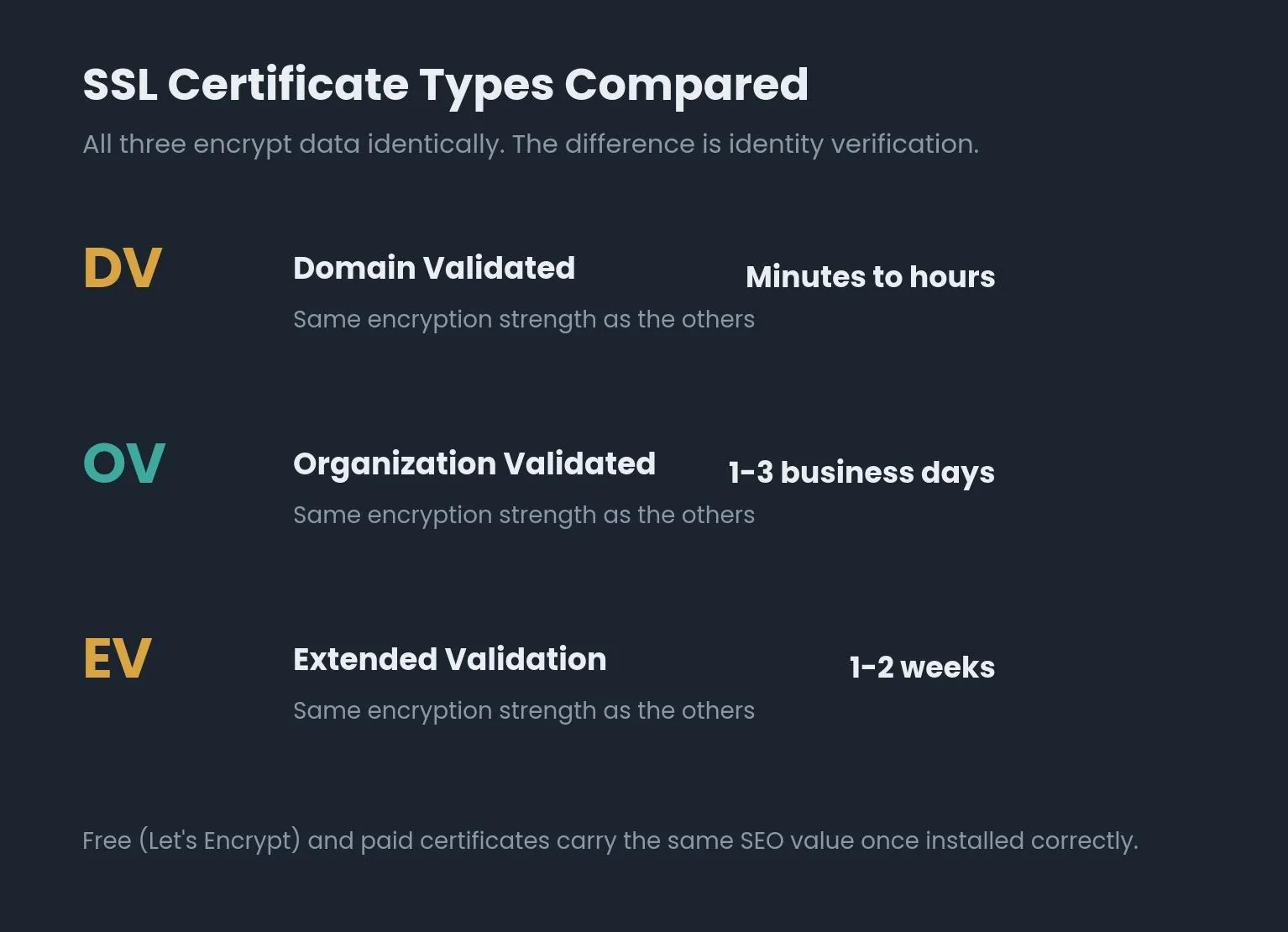
Table 1: SSL Certificate Types Compared
| Certificate type | Verifies | Typical issuance time | Typical cost (USD/year) | Best for |
|---|---|---|---|---|
| Domain Validated (DV) | Domain ownership only | Minutes to hours | Free (Let's Encrypt) to ~$30 | Blogs, small business sites, most standard websites |
| Organization Validated (OV) | Domain ownership + business identity | 1-3 business days | Roughly $30-$100 | Professional services, B2B sites wanting verified identity |
| Extended Validation (EV) | Domain, legal status, and physical address | 1-2 weeks | Roughly $75-$400+ | Ecommerce checkouts, financial services, healthcare portals |
All three certificate types provide identical encryption; the difference is entirely in identity verification depth, not security strength.
How to Migrate from HTTP to HTTPS, Step by Step
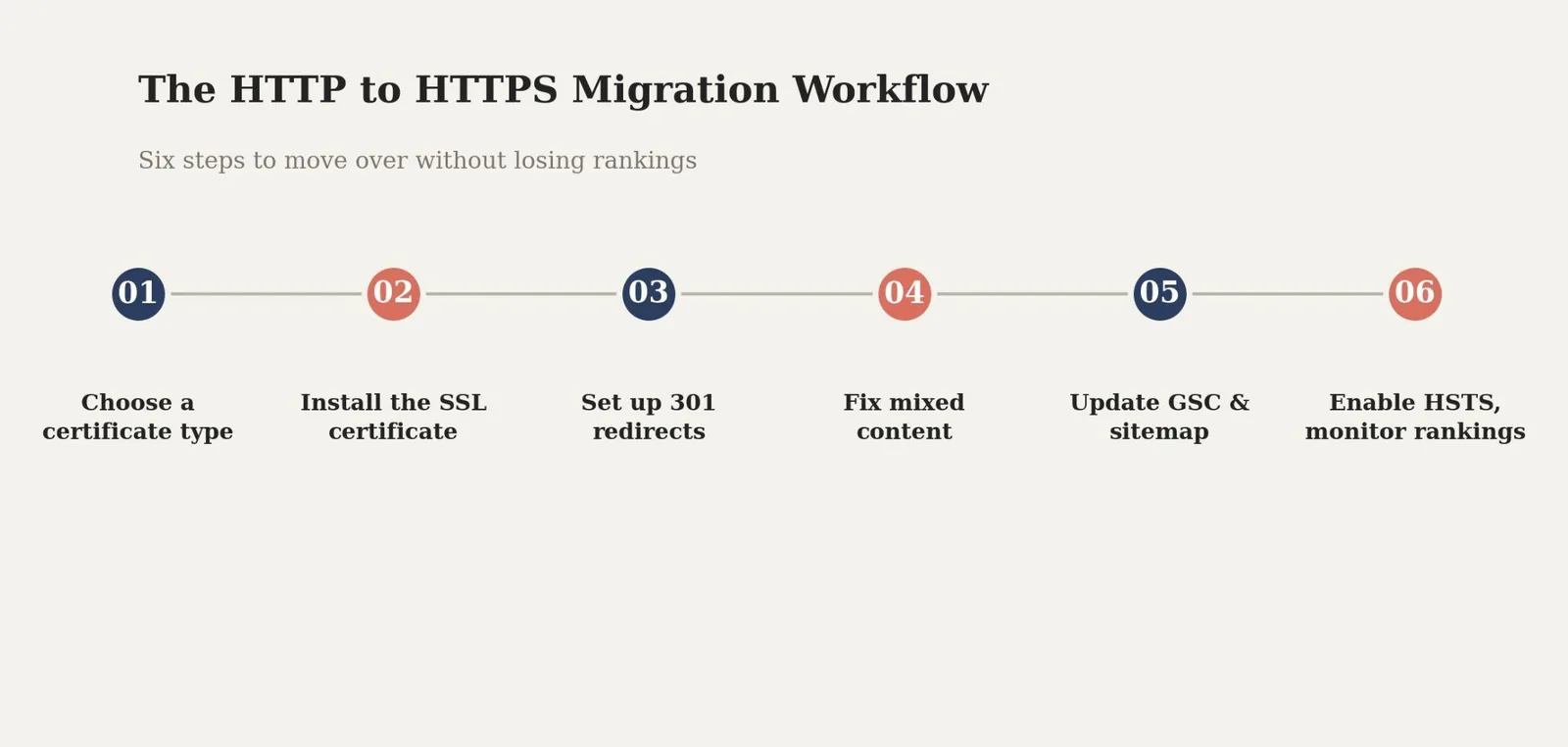
Step 1: Choose a Certificate Type
Match the certificate to what the site actually does. A DV certificate is sufficient for most blogs and standard business websites, and costs nothing through Let's Encrypt. Ecommerce and financial sites handling credit card numbers or other sensitive data should consider OV (roughly $30-$100/year) or EV (roughly $75-$400+/year) for the added identity verification, though the encryption itself is identical across all three and costs nothing extra in security terms.
Step 2: Install the SSL Certificate
Most hosting providers offer free, auto-renewing DV certificates through Let's Encrypt, installed directly from the hosting dashboard. Paid OV and EV certificates require submitting business verification documents to the certificate authority before installation.
Step 3: Set Up 301 Redirects
Google's own documentation confirms 301 redirects don't cause a loss in PageRank. Redirect every HTTP URL to its HTTPS equivalent site-wide rather than page by page; this preserves link equity and signals to search engines that the HTTPS version is now the canonical one.
Step 4: Fix Mixed Content
Update every hard-coded http:// reference in templates, stylesheets, and scripts to https://. Mixed content, an HTTPS page that still loads some resources over HTTP, triggers browser warnings even after migration and is one of the most common reasons a "successful" migration still shows security issues.
Step 5: Update Google Search Console and Your Sitemap
Add the HTTPS version of your site as a new property in Google Search Console, submit an updated XML sitemap referencing HTTPS URLs, and monitor the Coverage and Core Web Vitals reports for the following weeks to confirm the new version is being indexed properly.
Step 6: Enable HSTS and Monitor Rankings
Once the HTTPS version is confirmed stable, enable HSTS (HTTP Strict Transport Security) so browsers always request the secure version of your site directly, without relying on a redirect. Keep an eye on rankings and indexing for several weeks; migrations done carelessly, with broken redirects or missing canonical tags, are what cause the ranking drops people blame on HTTPS itself.
Chrome's Path to Blocking HTTP by Default
Table 2: Chrome's Path to Blocking HTTP by Default
| Phase | Date | Who it affects | What visitors see |
|---|---|---|---|
| Phase 1 | April 2026 | Enhanced Safe Browsing users (opted in) | Warning before loading any public HTTP site |
| Phase 2 | October 2026 (Chrome 154) | All Chrome users by default | Same warning, now automatic for everyone |
| Ongoing | After rollout | Local IPs and intranet pages | Excluded from warnings, at least for now |
Common Mistakes That Turn a Migration Into a Ranking Problem
An expired SSL certificate that nobody caught in time, which triggers a full-screen browser error blocking the site entirely rather than a simple warning.
Redirect chains and loops left over from a rushed migration, sending both users and search engine crawlers through multiple hops before reaching the final page.
Mixed content warnings from a handful of forgotten HTTP image or script references, undermining the padlock the rest of the page earned.
A certificate that doesn't cover every subdomain, leaving blog.yoursite.com or www.yoursite.com showing warnings while the main domain looks secure.
Treating the migration as finished at the redirect step, without ever updating Google Search Console, the sitemap, or internal links that still point to the old HTTP URLs.
HTTPS migration tool
How urgent is your HTTPS migration?
Answer four quick questions about your site. We'll score how urgently you should prioritize the move.
Answer the questions above
Your migration priority score will appear here once all four are answered.
Related reading
- How Countertops Businesses Use Technical SEO in 2026: Stats & Insights
- 2026 Dental Technical SEO Report: Trends, Stats & Performance Data
- Technical SEO Adoption & ROI in Disaster Restoration: 54+ Key Stats (2026)
- GEO & AEO services at Web Tonic
Frequently Asked Questions
Is HTTPS Really a Confirmed Google Ranking Factor?
Yes. Google officially confirmed HTTPS as a ranking signal in August 2014 and has reiterated it since. It functions as a lightweight signal and tiebreaker rather than a dominant ranking factor, meaning it can help a page edge out an otherwise-equal HTTP competitor, but it won't outrank genuinely better content.
Will Migrating From HTTP to HTTPS Hurt My Rankings?
Not if it's done correctly. Google's own documentation confirms permanent redirects don't cause a loss in PageRank. Most ranking drops attributed to HTTPS migrations actually come from broken redirects, missing canonical tags, or mixed content issues introduced during the move, not from the protocol change itself.
Do I Need a Paid SSL Certificate, or Is Free Enough?
Free certificates from Let's Encrypt provide identical encryption to paid certificates and carry the same SEO value once installed correctly. Paid OV and EV certificates add verified business identity information, which matters more for ecommerce and financial sites than for the ranking signal itself.
What Happens if I Don't Migrate Before Chrome's 2026 Changes?
Starting in October 2026, Chrome will warn every user by default before loading a public HTTP site. Visitors can still choose to proceed, but the added friction will likely increase abandonment, particularly on pages with forms, logins, or checkout flows.
How Long Does an HTTP to HTTPS Migration Take?
A DV certificate can be installed in minutes to hours, but the full migration, including redirects, mixed content fixes, and Search Console updates, is usually a project measured in days, not minutes. Recovery of full indexing and ranking stability afterward can take several additional weeks.
The Bottom Line on HTTP vs HTTPS SEO
HTTPS won this argument years ago as a security question, and Chrome's 2026 changes are closing out the SEO debate too. HTTPS on its own won't guarantee better rankings, but HTTP increasingly guarantees friction, lost trust, and by extension, lost traffic that never shows up in a ranking report but shows up in your analytics anyway.
Check whether your site is fully migrated, redirects are clean, and certificates are current before Chrome's default warnings roll out to every user. That's a smaller project today than a rushed one after visitors start seeing warnings on their own.
Ready to Secure Your Site's SEO Foundation?
An HTTPS migration touches redirects, canonical tags, Search Console, and internal links all at once, which is exactly where a rushed in-house migration usually loses the rankings it was trying to protect. Web Tonic's growth marketing team handles technical migrations like this as part of a broader on-site SEO foundation, so security and search visibility move together instead of trading off against each other.
More from Web Tonic: growth marketing services, data & analytics.
Sources: beskymarketing.com · stanventures.com · bluehost.com · my-ssl.com · guardssl.info · developers.google.com · dchost.com · lowcode.agency


