



Table of contents

Quick answer: Grant GA4 access at property level, not account level, and match the role to the job — Editor for an agency that configures tracking, Marketer or Analyst for everyone else. The setting that leaks money is the No Revenue Metrics restriction nobody switches on.
Last verified: 2026-08-21
GA4 permissions are three decisions, not one
Every GA4 access grant answers three separate questions, and most teams only consciously answer the first one.
- Where? Account level or property level. Account access cascades to every property beneath it.
- What role? Administrator, Editor, Marketer, Analyst or Viewer — increasing power in that order, documented at Analytics Help.
- Which data? Two independent restrictions — No Cost Metrics and No Revenue Metrics — can be layered on any role, per Google's reference.
Account access is the mistake, property access is the fix
A GA4 account is a container that can hold many properties. Businesses accumulate them: the main site, a legacy site, a staging property, a brand that was sold two years ago, a client's property that ended up in the wrong container. Granting Editor at account level hands all of it over in one click, and nobody notices because the person only ever opens the property they were hired for.
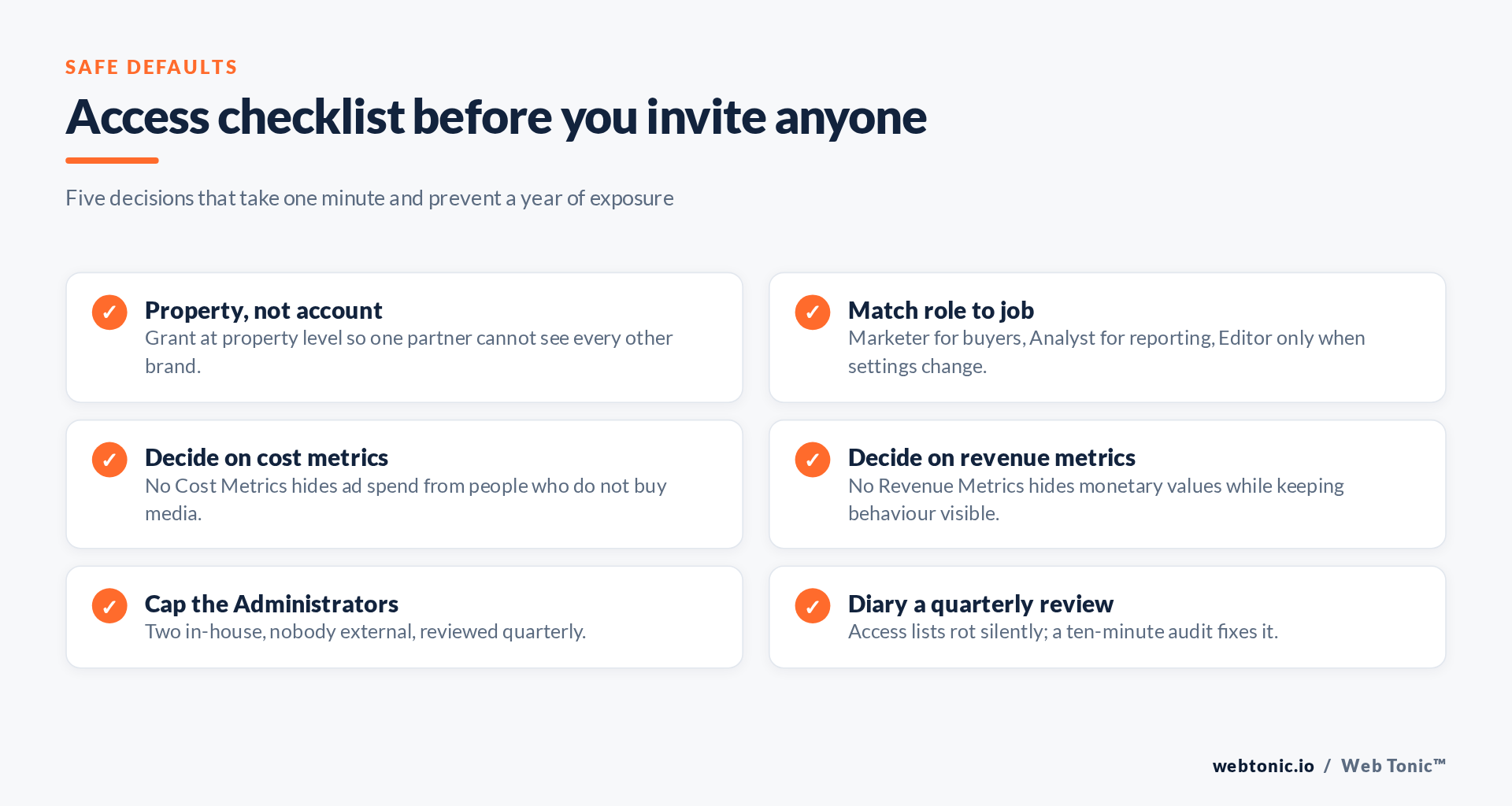
Grant at property level unless the person genuinely administers your whole analytics estate. If an agency needs several properties, grant each one — the extra ninety seconds is the entire cost of doing it right, and it is what least privilege means in practice.
The five roles, and who should hold them
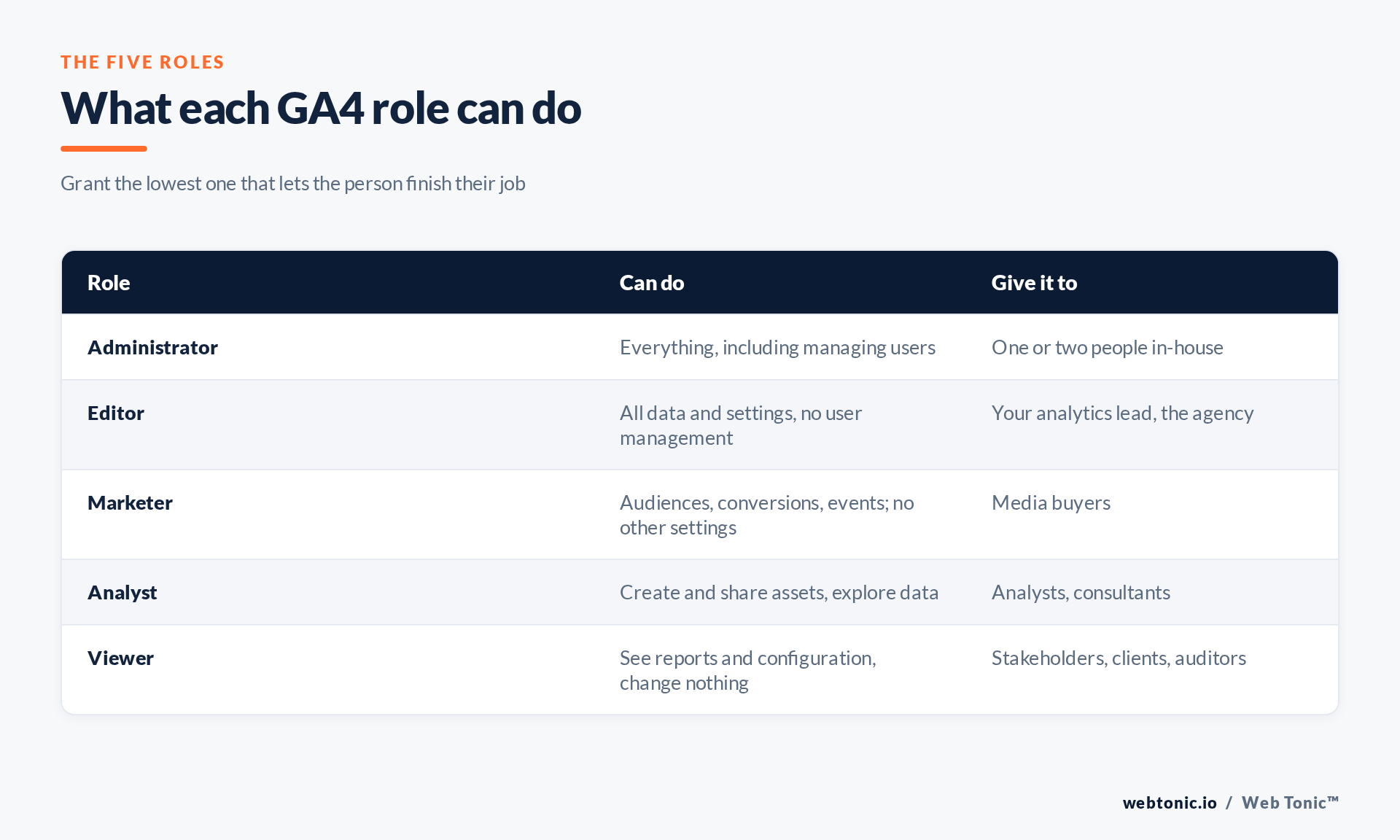
Administrator manages users and every setting. Keep it to two in-house people; an agency almost never needs it, and if they say they do, ask which specific action requires it. Editor can change every setting — data streams, conversions, data retention — but cannot manage users. This is the correct level for an agency that owns your measurement setup. Marketer can edit audiences, conversions, attribution settings and events, which is exactly the media buyer's toolkit, with no ability to touch the rest. Analyst can build and share explorations and reports without changing configuration. Viewer reads and exports and changes nothing — the right default for stakeholders and for anyone whose job is to be shown numbers.
A rule that survives contact with reality: if you cannot name the setting a person needs to change, they should not have a role that can change settings.
| Who | Level | Role | Restrictions |
|---|---|---|---|
| Paid media agency | Property | Editor | None — they need cost and revenue |
| SEO or content agency | Property | Analyst | No Cost Metrics |
| Freelance media buyer | Property | Marketer | Optional |
| Board or investor | Property | Viewer | None |
| External auditor | Property | Viewer | No Revenue Metrics |
| Your analytics lead | Account | Administrator | None |
The restriction that leaks revenue data
GA4 lets you attach two data restrictions to any user: No Cost Metrics hides advertising spend and cost-derived figures such as ROAS; No Revenue Metrics hides purchase revenue, item revenue and every monetary value in reporting. They apply to the user, not the role, so a Viewer can be shown behaviour while your margins stay private.
The default is that neither is applied. That means the freelance content writer you gave "read-only" access to can open Monetisation reports and read your revenue by channel, by product and by day. Nothing is broken — you simply never told GA4 otherwise. For most non-media partners, No Revenue Metrics should be on from the first invitation.
Two caveats. First, restrictions apply to GA4's own interface and API reporting for that user, not to a BigQuery export or a dashboard fed by someone else's credentials — governance has to cover the whole chain, which is how we approach analytics work. Second, a restricted user cannot see the metric even when it is essential to their job, so restricting a media buyer's cost metrics will produce a support ticket within a day.
Housekeeping that prevents the awkward conversation
Audit quarterly. Open property access management and read the list. Anyone you cannot place gets removed. Use company identities. Access is tied to a Google account, so invite people at their work domain, never a personal Gmail that survives their employment. Do not skip the ecosystem. GA4 access is one of several grants — Google Ads links, Tag Manager container permissions, Search Console users and any API service accounts you created, which the Admin API can enumerate for you.
Finally, remember that a GA4 property may hold identifiers that count as personal data. Documenting who can reach it is part of the accountability expectation in the GDPR and general good practice per the FTC. The full multi-platform handoff is in our agency access guide, and the tracking layer underneath it in conversion tracking.
Frequently Asked Questions
What is the difference between GA4 account and property access?
Account access cascades to every property in the account; property access covers one. Always grant at property level unless someone genuinely administers all your properties.
Which GA4 role should an agency get?
Editor if they configure tracking, conversions and data streams. Marketer or Analyst if they only build audiences and report. Administrator should stay in-house.
Can I hide revenue from a GA4 user?
Yes. Apply the No Revenue Metrics restriction to that user. They keep full behavioural reporting and see no monetary values.
Does removing a user delete the reports they built?
Shared reports and explorations that were published to the property remain. Anything kept private to that user goes with them, which is a good reason to insist assets are shared, not personal.
How often should GA4 access be reviewed?
Quarterly, and immediately whenever an agency engagement or an employment ends. The review takes ten minutes; the alternative is discovering a former supplier still reading your revenue reports.
Sources: Analytics Help — access management and roles; Analytics Help — data restrictions; GA4 Admin API; Tag Manager Help; Search Console Help; NIST; GDPR; FTC. Last verified 2026-08-21.


