



Table of contents

To create a Facebook group: open Groups from the left menu on desktop or the Menu tab in the app, choose Create new group, name it, set privacy to Public or Private, invite members, publish. Two minutes.
Below: the setup that decides whether it survives, and the choices you cannot undo.
Key Takeaways
- Creating the group takes 6 steps and about 2 minutes. Configuring it properly takes another 30 and prevents most later problems.
- Privacy (Public or Private) can only be changed from Public to Private, not the reverse, once a group passes a certain size — decide before you invite anyone.
- Visibility is a separate setting that only exists for private groups: Visible groups appear in search, Hidden ones do not.
- Facebook remains the largest single audience on the internet at roughly 3.07 billion monthly active users, which is why groups still outperform standalone communities on reach.
- Set up membership questions (up to 3) and written group rules before you open the doors — they are the cheapest spam filter available.
- Cover image: upload at 1640 × 856 pixels so it renders cleanly on both desktop and mobile.
- Groups are a retention channel, not an acquisition channel. Expect engagement to outperform your Page by a wide margin and reach to be far smaller.
- Across social platforms, 73% of consumers will switch to a competitor if a brand does not respond — an unmoderated group is worse than no group.
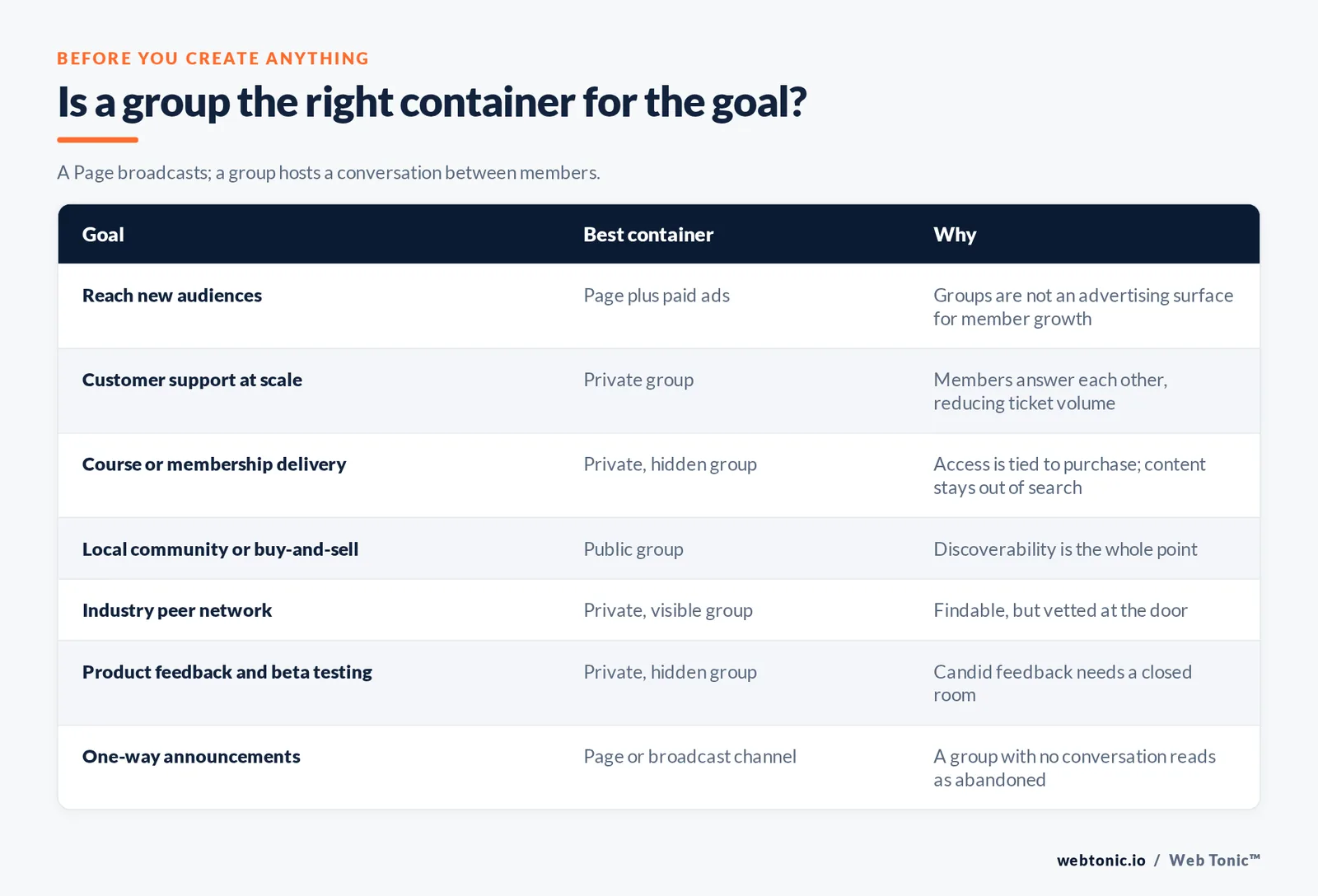
Before you create anything: is a group the right container?
A Facebook Page broadcasts; a Facebook group hosts a conversation between members. That difference decides everything else. If your goal is reach for promotional content, a Page plus paid distribution is the correct tool. If your goal is retention, support, or peer-to-peer discussion, a group is.
| Goal | Best container | Why |
|---|---|---|
| Reach new audiences | Page + paid ads | Groups are not an advertising surface for member growth |
| Customer support at scale | Private group | Members answer each other, reducing ticket volume |
| Course or membership delivery | Private, hidden group | Access is tied to purchase; content stays out of search |
| Local community or buy-and-sell | Public group | Discoverability is the whole point |
| Industry peer network | Private, visible group | Findable, but vetted at the door |
| Product feedback and beta testing | Private, hidden group | Candid feedback needs a closed room |
| One-way announcements | Page or broadcast channel | A group with no conversation reads as abandoned |
The scale argument for using Facebook at all is straightforward: with roughly 3.07 billion monthly active users on the platform and 5.66 billion social media users worldwide spending an average of 2 hours 40 minutes a day across a mean of 6.75 networks each, most audiences already have an account and a habit. DataReportal's global figures and Sprout Social's Facebook statistics both track the same trend, and the Pew Research social media fact sheet is the reference for US platform-by-platform adoption.
How to create a Facebook group: the 6 steps
The flow is nearly identical on desktop and mobile. These are the steps as they appear today.
| Step | Desktop | Mobile app | Decision to make |
|---|---|---|---|
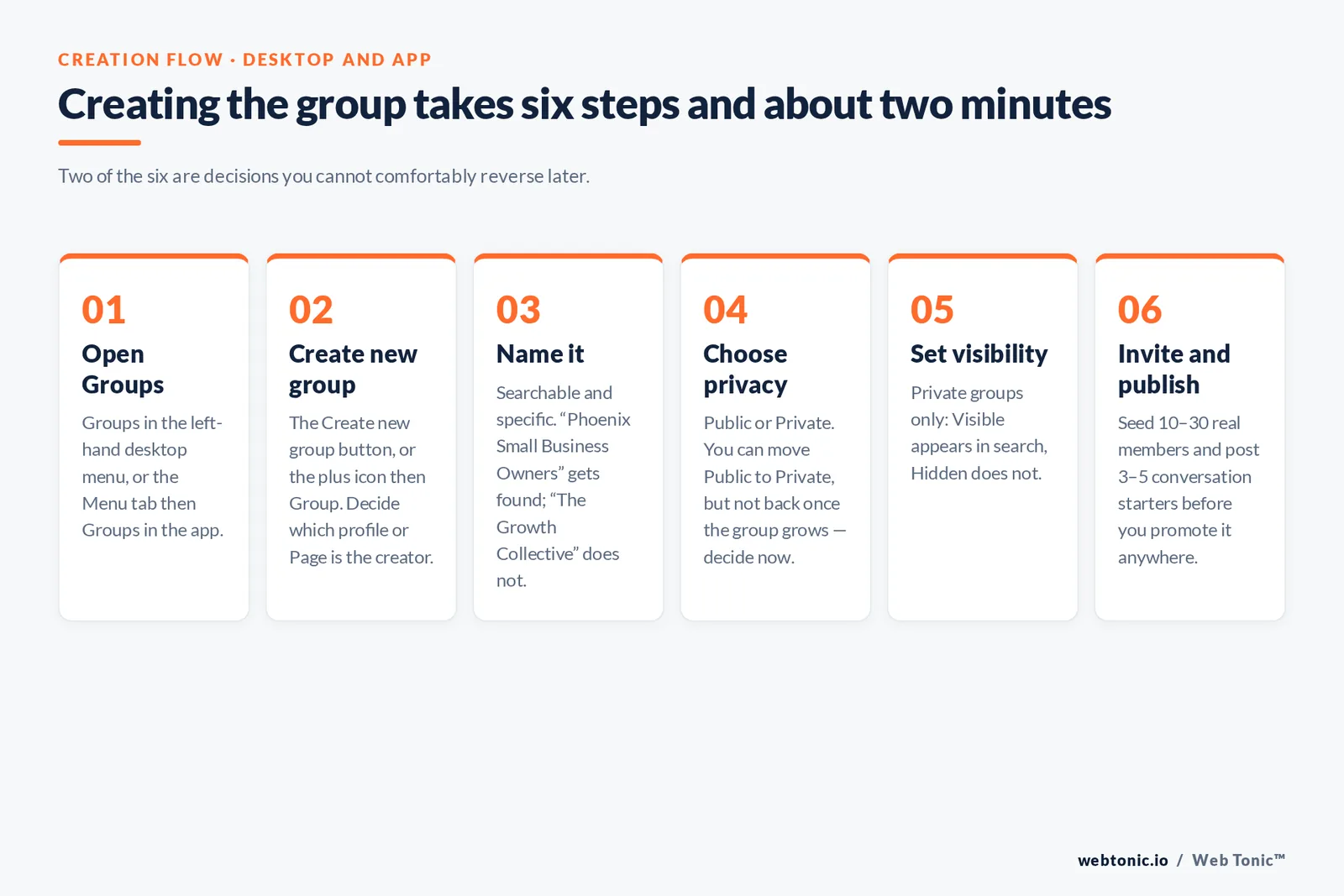
| Step 1 — Open Groups | Groups in the left-hand menu | Menu tab, then Groups | None |
| Step 2 — Create new group | Create new group button | Plus icon, then Group | Which profile or Page is the creator |
| Step 3 — Name the group | Group name field | Group name field | Searchable, specific, no emoji spam |
| Step 4 — Choose privacy | Public or Private dropdown | Privacy selector | Hard to reverse later — decide now |
| Step 5 — Set visibility | Visible or Hidden (private only) | Same | Whether the group appears in search |
| Step 6 — Invite and publish | Invite friends panel, then Create | Invite, then Create | Seed with 10–30 real members before promoting |
Step 3 in detail. The name is the single biggest driver of whether anyone finds a public group. "Phoenix Small Business Owners" gets found; "The Growth Collective" does not. Put the topic and, where relevant, the place in the name — the same descriptive-label logic that governs good web navigation, which Nielsen Norman Group's usability research has documented for decades.
Step 4 in detail. Public means anyone can see the members and the posts. Private means only members can. The asymmetry that catches people out: you can switch a Public group to Private, but Facebook restricts going the other way once a group has grown, because it would retroactively expose members' posts. If you are unsure, start Private — you are choosing the reversible option.
Step 6 in detail. An empty group looks dead, and dead groups do not recruit. Seed 10–30 people who will actually post before you promote it anywhere, and publish 3–5 conversation starters yourself on day one.
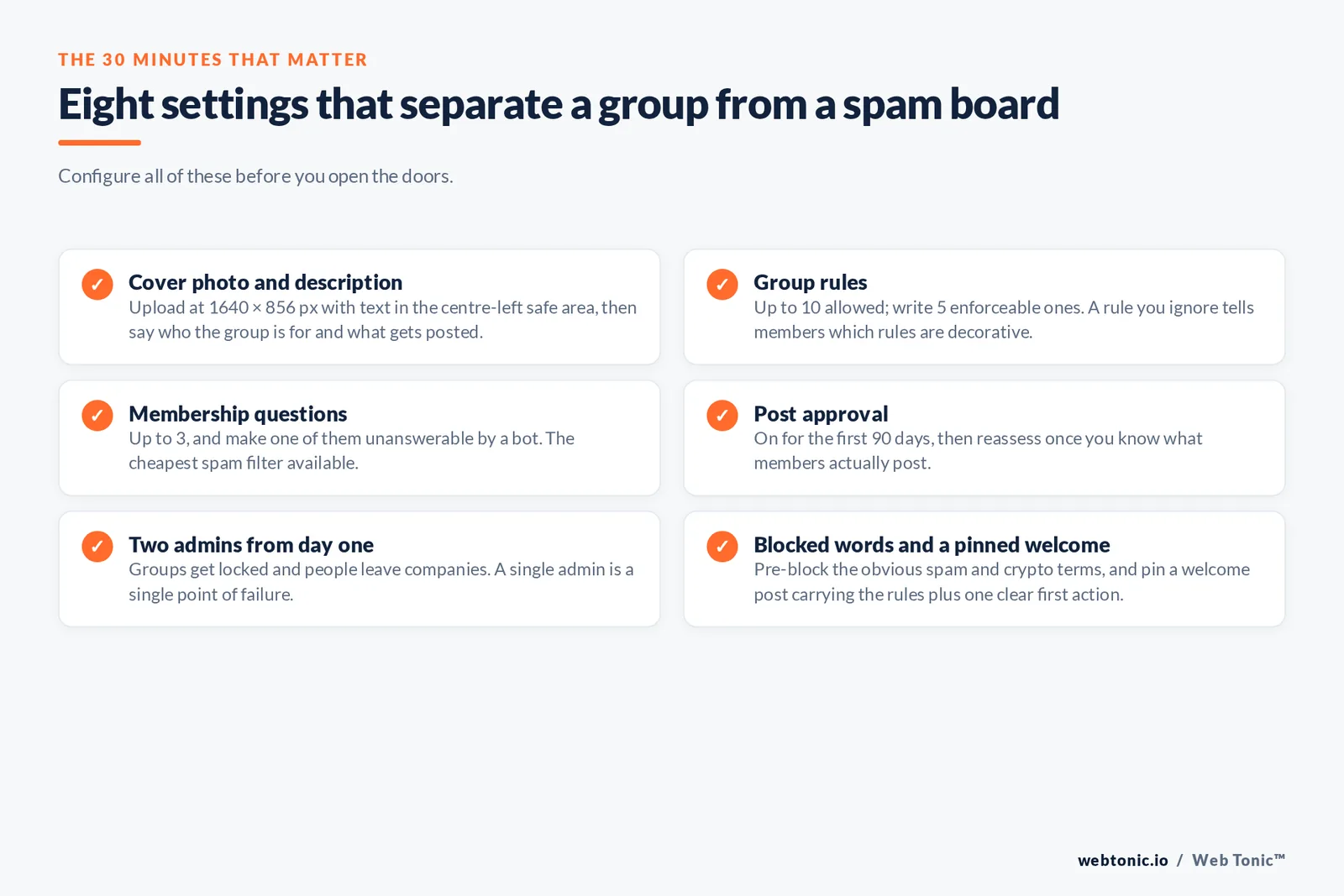
The setup that decides whether it works
Creation is the easy part. These eight settings are what separate a functioning group from a spam board.
| Setting | Where | Recommended configuration |
|---|---|---|
| 1. Cover photo | Group header | 1640 × 856 px, text kept to the centre-left safe area |
| 2. Description | Group settings, About | Who it is for, what gets posted, what does not — 2 short paragraphs |
| 3. Group rules | Moderate group, Rules | Up to 10 rules; write 5, each one enforceable |
| 4. Membership questions | Settings, Membership | Up to 3 questions; make one of them unanswerable by a bot |
| 5. Post approval | Settings, Posting permissions | On for the first 90 days, then reassess |
| 6. Admins and moderators | Members, role assignment | At least 2 admins from day one; never a single point of failure |
| 7. Keyword alerts and blocked words | Moderate group | Block the obvious spam and crypto terms pre-emptively |
| 8. Featured or pinned post | Group feed | A welcome post with the rules and one clear first action |
Rule 1 — two admins, always. Groups get locked, admins lose access, people leave companies. A second admin costs nothing and prevents the single most common disaster we see: a client-owned group that nobody at the client can administer.
Rule 2 — write rules you will actually enforce. A rule you ignore is worse than no rule, because it tells members which rules are decorative. Five specific, enforceable rules beat ten aspirational ones, and Facebook surfaces them to new members automatically at join time.
Rule 3 — disclose commercial relationships. If members post affiliate links or you run sponsored discussions, the FTC's disclosure guidance applies inside a group exactly as it does on a feed. Put it in the rules so you can enforce it without argument.
Growing the group without breaking it
Group growth is almost entirely a function of two things: the specificity of the promise in the name and description, and how quickly a new member gets a reply to their first post.
| Channel | Effort | Quality of joiners | Notes |
|---|---|---|---|
| Link from your Page | Low | High | Link the group to the Page so it appears in the Page's Groups tab |
| Email list invitation | Low | Highest | Existing customers are the best seed audience you will ever have |
| Website and thank-you pages | Low | High | Post-purchase is the highest-intent moment to invite |
| Member invites | None | High | Ask explicitly in a pinned post; most members never think to |
| Cross-posting in other groups | Medium | Mixed | Only where the host group's rules permit it |
| Paid ads to a landing page | High | Variable | You cannot advertise group joins directly — send traffic to a page that explains the group |
| Buying members or engagement | Low | Zero | Destroys the feed algorithm's read of the group; never do it |
Trap 1 — treating it like a Page. A group that only carries your announcements gets no comments, and a group with no comments gets shown to nobody. Sprout Social's guide to Facebook groups and Metricool's group management walkthrough both put the ratio at roughly 4 member-generated or question posts for every 1 promotional post.
Trap 2 — no reply within 24 hours. Response speed is the retention lever. Across social platforms, 73% of consumers say they will switch to a competitor if a brand does not respond, and inside a group that expectation is higher, not lower, because members can see whether you answered.
Facebook groups vs the alternatives
Groups are free and sit where your audience already is. They also mean building your community on rented land, with no member export and no control over the feed. That trade-off is the whole decision.
| Platform | Cost | Owns the member list | Best for |
|---|---|---|---|
| Facebook group | Free | No | Reach, local communities, low-friction joining |
| Dedicated community platform | Paid monthly | Yes | Paid memberships, courses, structured spaces |
| Chat-first platform | Free tier | Partly | Real-time, high-frequency niches |
| Email list or newsletter | Low | Yes | Deliverability and durability, weak on peer discussion |
| LinkedIn group | Free | No | B2B credibility, low organic activity |
| On-site forum | Development cost | Yes | SEO value, full control, hardest cold start |
Most brands we work with end up running two: a Facebook group for the top of the funnel, where joining costs one tap, and either a paid space on a platform like Mighty Networks or an owned list for the members who convert. Vendor resources such as Circle's community blog are useful for the mechanics of the paid tier. If the owned-forum route is on the table, that becomes a web development decision as much as a social one.
Measuring a group that is actually working
Member count is the metric that flatters and misleads. These are the numbers that predict whether the group is alive in six months.
| Metric | Where to find it | Healthy signal |
|---|---|---|
| Active members | Group Insights | Rising as a share of total members, not just in absolute terms |
| Posts per active member | Group Insights | More than 1 per month from non-admins |
| Comments per post | Group Insights | Above 3 on question posts |
| Time to first reply | Manual sample of 10 posts | Under 24 hours, every time |
| Request approval rate | Member requests queue | Stable; a spike usually means bot traffic |
| Admin post share | Group feed audit | Under 25% of all posts |
| Assisted revenue | Your analytics, tagged links | Tracked at all — most brands never attribute this |
Facebook's own Group Insights covers the first five rows once a group reaches a reasonable size; benchmark context for what "good" looks like sits in Socialinsider's Facebook group data, and product changes worth tracking are announced on Meta's groups newsroom and covered by The Verge. The last row is where our data intelligence work usually starts, because community effort that nobody attributes is community effort that eventually gets cut. If paid distribution sits alongside the group, our Facebook advertising guide covers that side, and you can talk to us about running both together.
FAQ
Can I create a Facebook group from a Page instead of my personal profile?
Yes. Create the group while acting as the Page and the Page becomes the admin, which keeps the community separate from any individual's personal profile. This is the right choice for brands — it survives staff turnover and keeps the group linked to the Page's Groups tab.
What is the difference between a public and private Facebook group?
In a public group, anyone can see who the members are and what they post. In a private group, only members can. Private groups have a second setting — visibility — that controls whether the group appears in search results at all. You can move a public group to private, but not reliably back again.
How many members does a Facebook group need to work?
Fewer than most people expect. A group of 200 engaged members in a narrow niche outperforms 20,000 passive ones, because the feed rewards comment activity rather than size. Seed 10 to 30 people who will actually post, and judge health on posts per active member rather than the headline number.
Can I make money from a Facebook group?
Indirectly, and that is the honest answer. Groups drive retention, referrals and support savings well. Direct monetisation — paid subscriptions, gated content — works better on a platform where you own the member list and the billing relationship, with the free group acting as the top of the funnel.
Do Facebook groups help SEO?
Barely. Public group content is not a meaningful organic search asset, and private group content is invisible to crawlers entirely. If search visibility is a goal, an on-site community or a well-maintained blog does that job — the group's value is retention and insight, not rankings.
Sources: Meta Newsroom — groups announcements · DataReportal global social media user figures · Sprout Social — Facebook statistics and Facebook groups guide · Pew Research Center social media fact sheet · Socialinsider Facebook group benchmarks · Metricool group management guide · Nielsen Norman Group usability research · FTC — Disclosures 101 for social media influencers · Mighty Networks and Circle community platform documentation · The Verge, Meta coverage.


