



Table of contents

Quick answer: The classifier reads your wording and landing page, not your industry. Phrases about financing, hiring or moving in trigger housing, employment or credit categories even for unrelated businesses. Edit the copy and destination first, appeal only when the ad is genuinely clean.
Last verified: 2026-08-21
What Special Ad Categories are and why the rules are strict
Special Ad Categories are Meta's restrictions on advertising related to housing, employment, credit and social issues, elections or politics. Ads placed in one of these categories lose most demographic and detailed targeting options and gain a much narrower audience toolkit, because targeting on protected characteristics in those domains creates discrimination risk.
The underlying law is not Meta's invention. In the United States the Fair Housing Act governs housing advertising, the EEOC covers employment practices including how roles are advertised, and credit advertising sits under equal credit opportunity rules. Platforms enforce broadly because the cost of under-enforcing is legal, not commercial.
That is why the classifier is deliberately over-inclusive. It would rather sweep in a landscaping company using the phrase "flexible financing available" than miss a genuine credit advertiser. Understanding that changes your response: this is a language problem to solve, not an injustice to argue with.
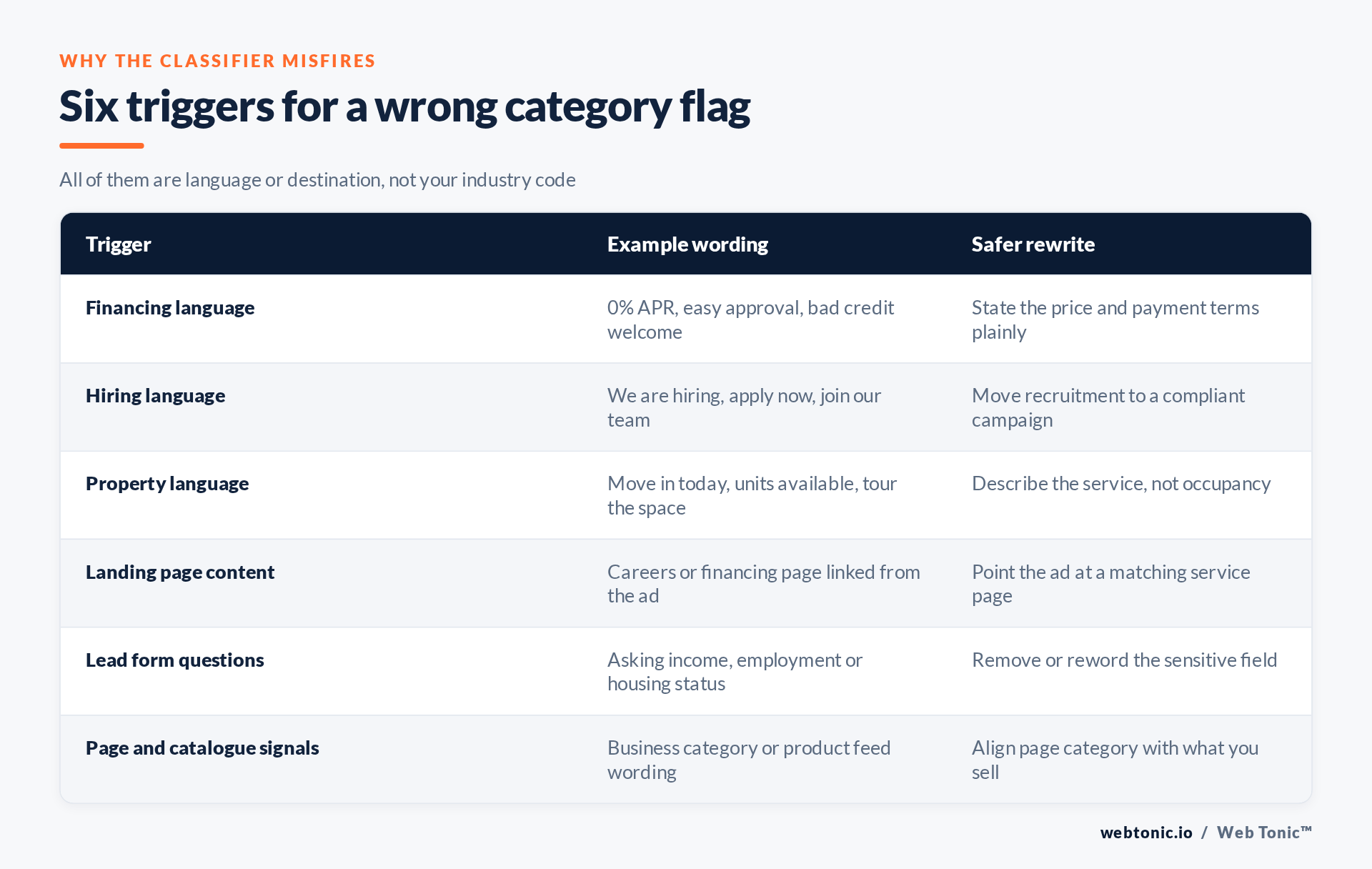
The six things that usually caused it
1. Financing wording
"No credit check", "0% for 12 months", "easy approval", "flexible payment plans". Home improvement, dental, automotive and furniture advertisers hit this constantly. You are not offering credit; you are describing how customers pay. Say it in a way that describes the purchase rather than the lending: state the price and the instalment terms as fact, without approval or credit language.
2. Hiring wording
"We are hiring", "join the team", "apply today" and even a careers link in the footer of the landing page. If the campaign genuinely is recruitment, the correct answer is to declare the employment category and accept the targeting limits, not to reword your way around it.
3. Property and occupancy wording
"Move-in ready", "units available", "book a tour", "spaces left" — wording that reads as offering a place to live. Co-working, storage, events venues and construction firms trip this most often. Rewrite around the service delivered rather than the space occupied.
| Category flagged | Usual real cause | Fastest resolution |
|---|---|---|
| Credit | Financing or approval language | Reword to price and terms, remove approval claims |
| Employment | Hiring copy or a careers destination | Separate recruitment into its own declared campaign |
| Housing | Occupancy or availability wording | Describe the service, not the space |
| Social issues | Advocacy framing in brand copy | Drop campaigning language from commercial ads |
| Any, on one ad only | A single creative variant | Compare against the approved variants and diff the copy |
| Any, account-wide | Page category or landing page | Fix the shared asset before relaunching ads |
4. The landing page, not the ad
The destination is assessed with the ad. A clean ad pointing at a page that mentions financing options, lists open roles or advertises available units will be classified on that content. Open the page you actually linked — not the homepage you think of as the page — and read it as the classifier would.
5. Lead form questions
Asking for income band, employment status or housing situation inside an instant form can classify the whole ad. Remove the field or ask it later in your own process, where it is a qualification question rather than an advertising signal.
6. Page and catalogue signals
Your Page category, business description and product feed wording all feed the picture. If a legacy Page category says "Real Estate" because the business pivoted three years ago, fix that before blaming the creative.
Edit first, appeal second
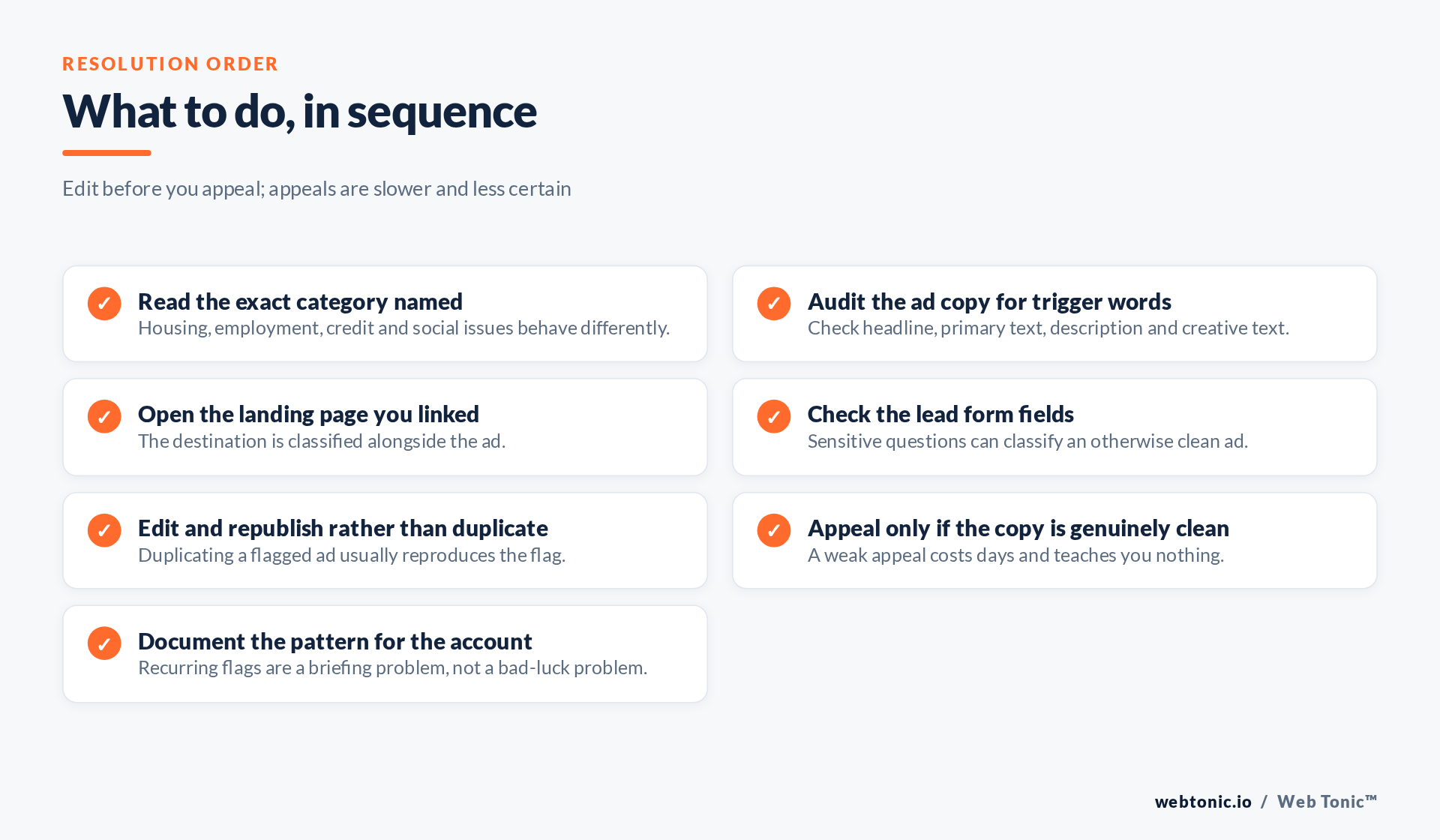
Editing the rejected ad and resubmitting is faster and more reliable than appealing, and it is the only path that teaches you which phrase was the problem. Change one thing at a time so the result is informative. Duplicating a flagged ad into a new ad set generally reproduces the flag, since the copy and destination travelled with it.
Appeal when the ad is genuinely clean and the flag is wrong — that does happen, and appeals are frequently granted. Keep the appeal factual: state what the business does, what the ad offers, and why none of the four categories apply. Do not argue policy. Meta's Advertising Standards and Special Ad Category help pages are the authority on the current wording; we cite them by name because those domains block automated verification and every link on this page is verified.
Truthful, unambiguous ad copy is also just better practice. The FTC's advertising guidance pushes in the same direction: claims should be clear, substantiated and not imply an offer you are not making. Most category misfires are ads implying an offer the advertiser never intended to make.
Preventing the next one
Recurring rejections are a briefing problem. Give writers a short list of banned phrasings for the account, review new creative against it before upload, and keep a record of which exact phrase triggered each historical flag — that record becomes the most useful asset an account has after a year of running ads.
Separate genuinely categorised activity from the rest. If you do advertise jobs, run recruitment in its own declared campaigns with their own creative and their own landing pages, so commercial campaigns never inherit the targeting restrictions. The same discipline applies to any regulated claim, and it belongs in the creative brief rather than in the approvals queue. That is how we run it inside Meta Ads work and performance creative production, and it is why the landing page review sits with the same team that handles conversion tracking.
Frequently Asked Questions
Will appealing a rejection hurt my account?
A reasonable appeal does not penalise an account. Repeatedly resubmitting the same flagged creative without changes is the behaviour that causes problems.
Can I duplicate the ad into a new ad set to get around it?
No. The copy and destination that triggered the flag travel with the duplicate, and repeated attempts look like circumvention.
Should I just declare the category to make it run?
Only if it genuinely applies. Declaring falsely restricts your targeting for no reason and misrepresents the campaign.
Why did one ad get flagged when identical ones are running?
Classification happens per ad, including its creative text and destination. Diff the flagged variant against an approved one and the difference is usually a single phrase.
How long does a review take?
Most reviews resolve within a day, and edits are typically re-reviewed faster than appeals. Plan launches with a buffer rather than submitting on the launch date.
Sources: Meta Advertising Standards and Special Ad Categories help documentation, cited by name because those domains block automated link verification; HUD — Fair Housing Act; EEOC — prohibited employment practices; FTC advertising guidance; GDPR. Last verified 2026-08-21.


