



Table of contents
Instagram finally has a native repost button: as of August 2025 you can reshare any public feed post or reel to your own profile in two taps. Here is how the repost feature works, plus the story and third-party methods that still matter for brands.
Key Takeaways
- Instagram's repost button rolled out globally in August 2025 for public feed posts and reels, replacing the screenshot workarounds people used for over a decade.
- Reposts land in a dedicated "Reposts" tab on your profile — not your main grid — and comments on your repost arrive as direct messages.
- You can only repost content when the original creator allows it; creators can switch the permission off in their settings.
- Sharing to your story takes 3 taps and works only for posts from public accounts — private accounts and ads cannot be reshared.
- Instagram now has 3 billion monthly active users and roughly 182 million in the United States, so reposting is a real distribution lever, not a courtesy.
- Always credit the original poster in the caption and by tag — permission plus attribution is the difference between community building and a takedown request.
How to Repost on Instagram With the Repost Button
The native repost feature is the fastest route and the only one that credits the original creator automatically. It works on public reels, single photos, and carousels.
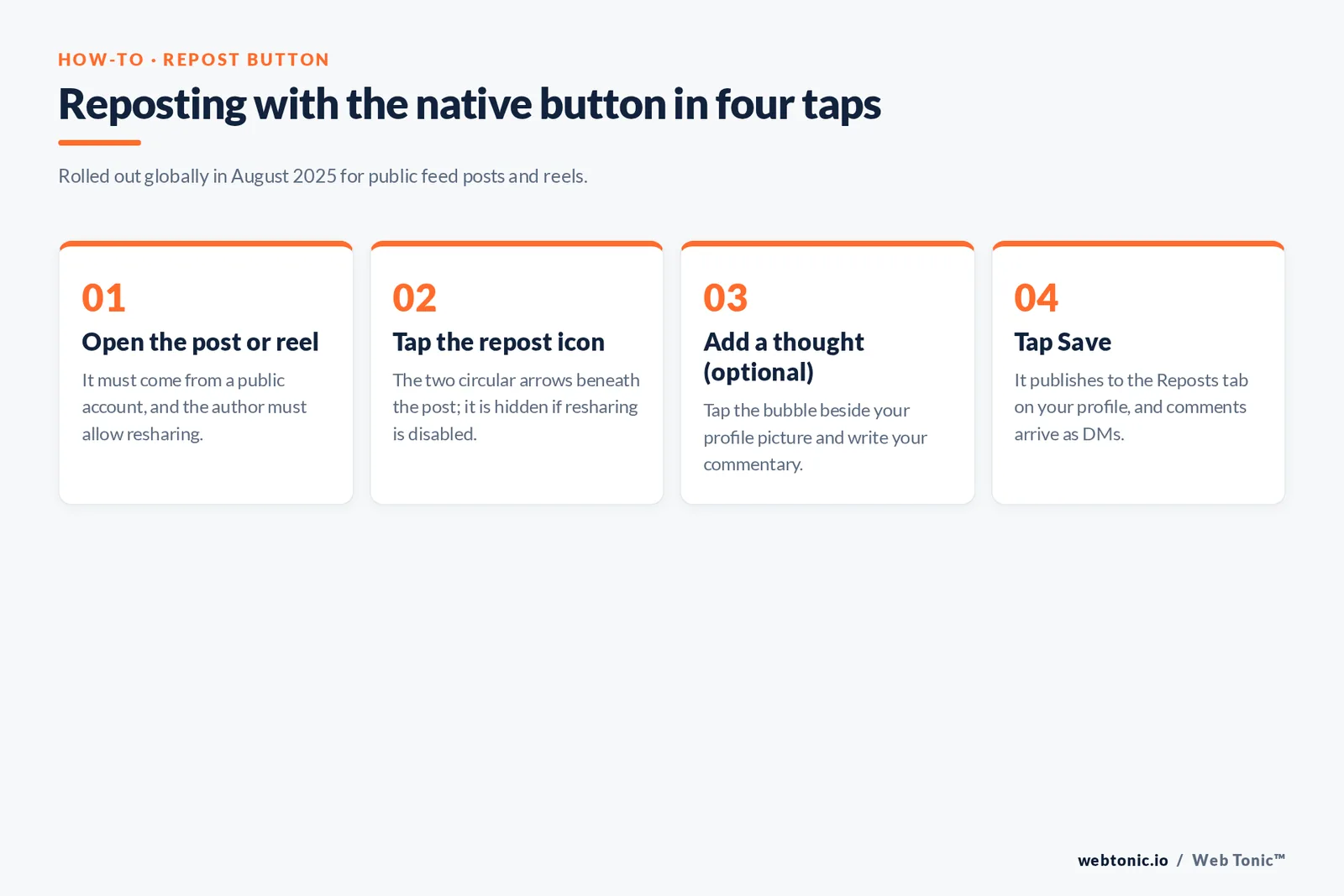
- Open the reel or post you want to reshare in the Instagram app.
- Tap the repost icon — the two circular arrows beneath the post.
- To add commentary, tap the bubble beside your profile picture in the bottom left and write your note where it says "Add a thought".
- Tap Save. The reel or post is reposted immediately.
Your followers will see the item in their feed marked as your repost, and it is filed in the Reposts section of your profile rather than mixed into your grid. Other Instagram users can comment on your repost, and those comments reach you as DMs instead of appearing publicly under the post. The mechanic is close to TikTok's, which is where the expectation came from — tech press and platform reporters had covered the demand for a native reshare for years before it arrived.
One constraint matters for brands: if the person who made the item has disabled resharing, the button will not appear. That is a permission set by the author, not a bug, and it applies even when the account is public.
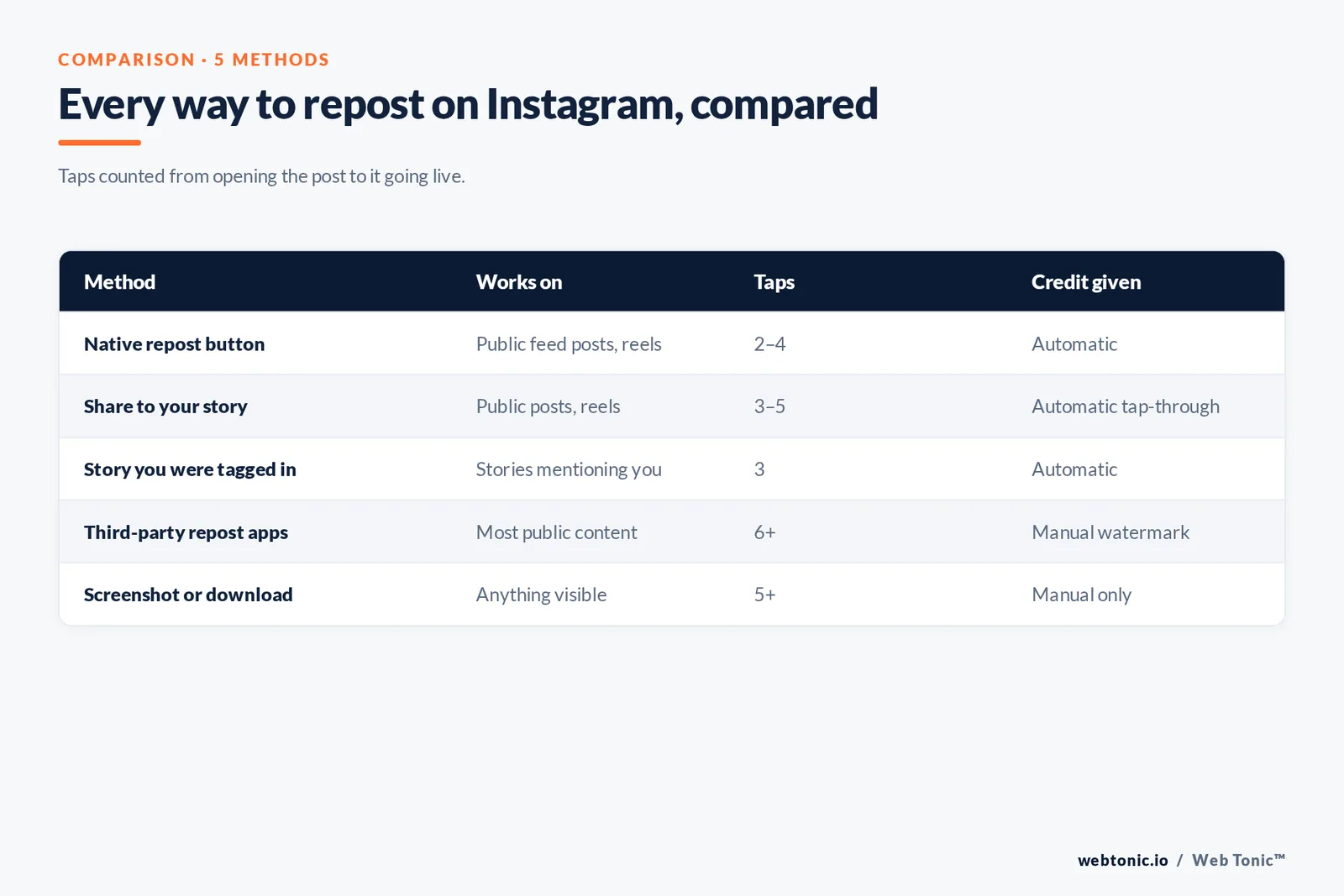
| Method | Works on | Taps | Credit given | Best for |
|---|---|---|---|---|
| Native repost button | Public feed posts, reels | 2–4 | Automatic | Amplifying creators and partners |
| Share to your story | Public posts, reels | 3–5 | Automatic (tap-through) | 24-hour shout-outs, launches |
| Story you were tagged in | Stories mentioning you | 3 | Automatic | Customer mentions, event coverage |
| Third-party repost apps | Most public content | 6+ | Manual watermark | Grid-native user generated content |
| Screenshot or download | Anything visible | 5+ | Manual only | Last resort, permission required |
How to Repost a Feed Post to Your Instagram Story
The share-to-story route predates the repost feature by years and is still the workhorse for time-sensitive amplification. It puts someone else's original content in front of your audience for 24 hours with a tap-through link back to their profile.
- Tap the paper-plane icon on the post or reel.
- Choose the option to add it to your story.
- Customize with text, GIFs, stickers, or a caption from the top-right controls.
- Tap the arrow in the bottom-right corner and confirm that "add post to your story" is selected.
- Choose your story or Close Friends, then share.
Only items from public profiles can be reshared this way — posts from private accounts and paid ads are blocked. Because stories expire, this is the method to use for launches, live events, and same-day thank-yous, while the repost button suits anything you want to keep discoverable.
How to Repost an Instagram Story You Were Tagged In
When someone mentions your account in their story, Instagram sends the story to you as a DM. From there:
- Open the message and tap the story.
- Tap Add to Story at the bottom.
- Layer on text, stickers, or emoji so it matches your look, then share.
This only works when you were actually tagged. If you were not mentioned but still want to share the story, you are back to asking the author and rebuilding it manually — which is exactly the situation the next section covers.
Other Ways to Repost Instagram Content
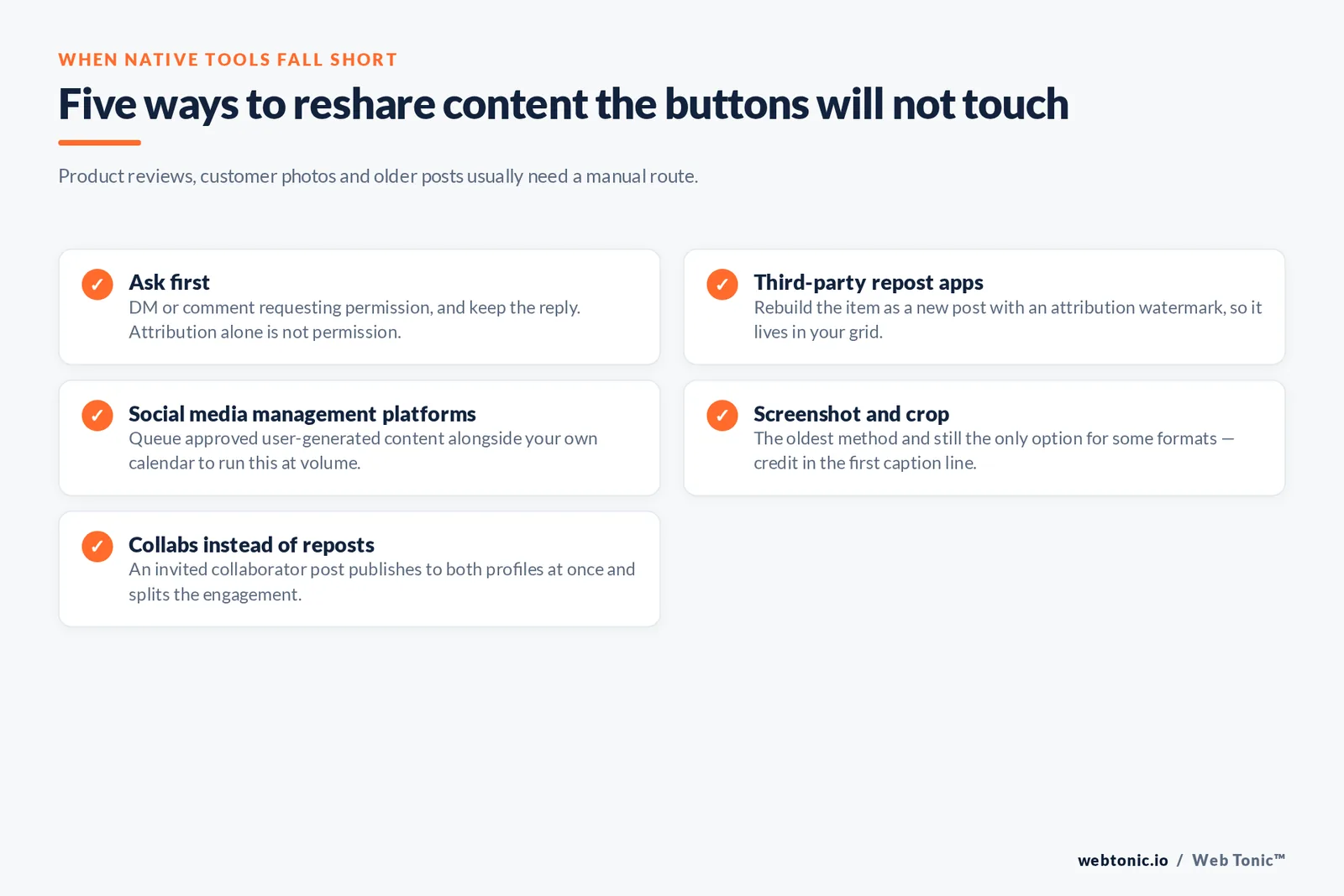
Native tools cover most cases, but not all. Product reviews, customer photos, and older posts often need a manual approach, and that is where permission becomes non-negotiable.
- Ask first. DM the original poster or comment on the item requesting permission, and keep the reply. A short written yes is the record you want if a dispute ever surfaces.
- Third-party repost apps. Dedicated repost tools rebuild the item as a new post with an attribution watermark. Useful when the asset needs to live in your grid rather than a Reposts tab.
- Social media management platforms. Scheduling suites let you queue approved user generated content alongside your own calendar, which is the practical way to run reposting at volume.
- Screenshot and crop. The oldest method, and still the only option for some formats. Credit the author in the first line of the caption and tag them in the image.
- Collabs instead of reposts. For partnerships, an invited collaborator post publishes to both profiles at once and splits the engagement — often better than a repost.
Reposting someone else's work without permission is a copyright question, not just an etiquette one. Ownership stays with the creator by default, and fair use is a narrow, case-by-case defence rather than a general allowance for marketing. Attribution alone is not permission. Instagram's own platform terms and the policy updates published through Meta's newsroom put the same obligation on the resharer.
Why Reposting Belongs in Your Instagram Strategy
Resharing is not filler. It solves the two hardest problems in organic social — publishing consistency and credibility — using assets you did not have to produce. Customer photos, creator clips, and partner announcements carry social proof that polished brand content cannot buy.
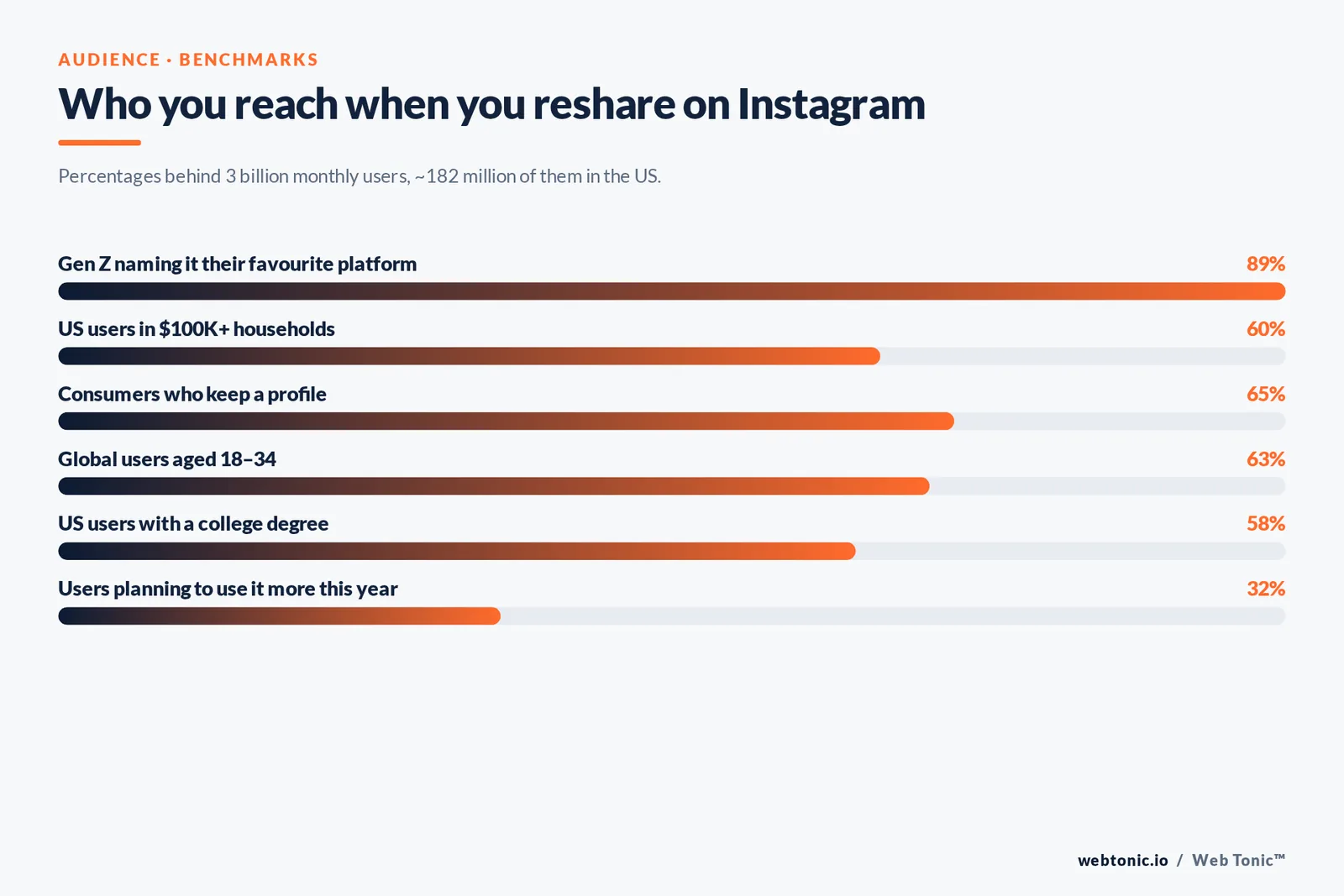
The audience justifies the effort. Instagram passed 3 billion monthly active users, with about 182 million in the US, and the 25–34 and 18–24 brackets together account for roughly 63% of the global base, according to Sprout Social's benchmark roundup. In the US the audience skews affluent: 58% hold a college degree and 60% live in households earning $100,000 or more. Around 65% of consumers keep an Instagram profile, and 32% say they plan to use the app more this year — while 89% of Gen Z name it their favourite platform.
| What to reshare | Why it works | Cadence that holds up |
|---|---|---|
| Customer photos and reviews | Third-party proof beats brand claims | 1–2 per week |
| Creator and partner clips | Borrowed reach and credibility | 2–4 per month |
| Employee and behind-the-scenes | Humanises the account | 1 per week |
| Press and awards | Authority signal for new followers | As earned |
| Community answers | Turns comments into content | 2 per month |
Keep the ratio sane. Resharing should supplement original publishing, not replace it: a profile made mostly of other people's work gives a new visitor no reason to follow. A workable split is 70% original, 30% reshared, adjusted by how strong your inbound customer content is. Guidance on user generated content and engagement data from Social Insider's benchmark study both point to the same conclusion — curated community content performs when it is contextualised, not when it is dumped.
Reposting Best Practices
These are the rules that keep resharing from turning into a liability, distilled from platform policy and day-to-day account management.
- Get permission in writing. A DM reply is enough. Save it with the asset.
- Credit the original poster twice — an @mention in the caption and a tag on the image itself.
- Never crop out a watermark, logo, or signature. It is the fastest way to lose a creator relationship.
- Add context, not just applause. One line explaining why the item matters to your audience is what earns the save.
- Check the item is still accurate. Old pricing, discontinued products, and outdated claims travel with the asset.
- Match the format. Vertical clips belong in reels or stories; a cropped landscape screenshot reads as lazy.
- Log what you reshare. A simple sheet of source, permission date, and publish date keeps a growing programme auditable.
Treat these as a checklist inside a broader content calendar rather than an ad-hoc habit. If Instagram carries real revenue for you, the reshare workflow should sit alongside your paid and organic plans — that is a channel strategy question, and the creative side benefits from the same discipline you apply to produced ad creative. Broader platform shifts are worth tracking too, and annual social trends research plus Pew's social media fact sheet are reliable places to check whether your assumptions still hold.
Common Reposting Mistakes
| Mistake | Consequence | Fix |
|---|---|---|
| Resharing without asking | Takedown request, public complaint | DM first, wait for a yes |
| Credit buried in the last line | Reads as appropriation | @mention in the first sentence |
| Screenshotting instead of using the button | Loses tap-through and quality | Use the native option when available |
| Resharing 80% of the time | No reason to follow you | Cap at roughly 30% of output |
| Ignoring the Reposts tab | Stale shout-outs stay visible | Review it monthly and prune |
The pattern behind all five is the same: reposting is publishing. Anything you reshare represents your brand as much as work you produced yourself, so it deserves the same review. If you want a second opinion on how your account handles it, get in touch — and more platform playbooks are collected in our marketing blog. Additional platform-level context is in Buffer's Instagram data roundup.
FAQ
How do I repost someone else's Instagram post to my feed?
Tap the circular-arrows repost icon under the post or reel, optionally tap the bubble by your profile picture to add a thought, then tap Save. The item appears in the Reposts tab on your profile and in your followers' feeds. If the icon is missing, the author has turned resharing off or the account is private.
What is Instagram's repost feature and when did it launch?
It is a native reshare button for public feed posts and reels that rolled out globally in August 2025. Before that, resharing to the grid required screenshots or third-party apps. The button credits the author automatically and keeps reposts in a separate profile tab.
Can I repost Instagram stories, or only posts?
You can reshare a story you were tagged in — Instagram sends it to your DMs, and you tap "Add to Story". Stories you were not mentioned in cannot be reshared natively; you would need the author's permission and a manual rebuild.
Do I need permission to reshare content on Instagram?
For the native button, the author's permission is built into the platform setting. For any manual method — screenshots, third-party repost apps, downloads — ask first. Copyright stays with the creator, and attribution on its own is not the same as consent.
Why can't I see the repost button on a post?
Three usual reasons: the account is private, the author disabled resharing, or the item is an ad or a format the feature does not cover. Update to the current app version first, then fall back to sharing it to your story or asking the author directly.
Sources: Buffer – How to Use Instagram's Repost Button (buffer.com, Dec 2025); Sprout Social – Instagram Statistics (sproutsocial.com, 2026); Sprout Social – User Generated Content Guide (sproutsocial.com); Instagram platform terms (instagram.com); Meta Newsroom (about.fb.com); Social Insider – Instagram Benchmarks (socialinsider.io); Pew Research Center – Social Media Fact Sheet (pewresearch.org); Hootsuite – Social Trends (hootsuite.com); Buffer – Instagram Statistics (buffer.com); U.S. Copyright Office – Fair Use (copyright.gov); TechCrunch (techcrunch.com); The Verge (theverge.com).


