Table of contents

Key Takeaways
- Midjourney V7's architecture rebuild delivers photorealistic output that can be virtually indistinguishable from professional photography when using proper prompt techniques
- The --style raw parameter is essential for photorealism, removing Midjourney's default artistic stylization
- Including specific camera models and lens specifications fundamentally changes output quality by communicating desired depth of field, bokeh, and color characteristics
- Precise lighting descriptions leverage V7's advanced understanding of physical light transport for natural-looking results
- Structured prompts following the formula of subject, lighting, camera specifications, lens details, mood, and quality keywords consistently produce superior results
- For organizations requiring consistent, high-volume photorealistic content at scale, partnering with experienced digital marketing specialists can accelerate implementation and ensure brand consistency across all AI-generated visual assets
What Are Midjourney Photorealistic Images?
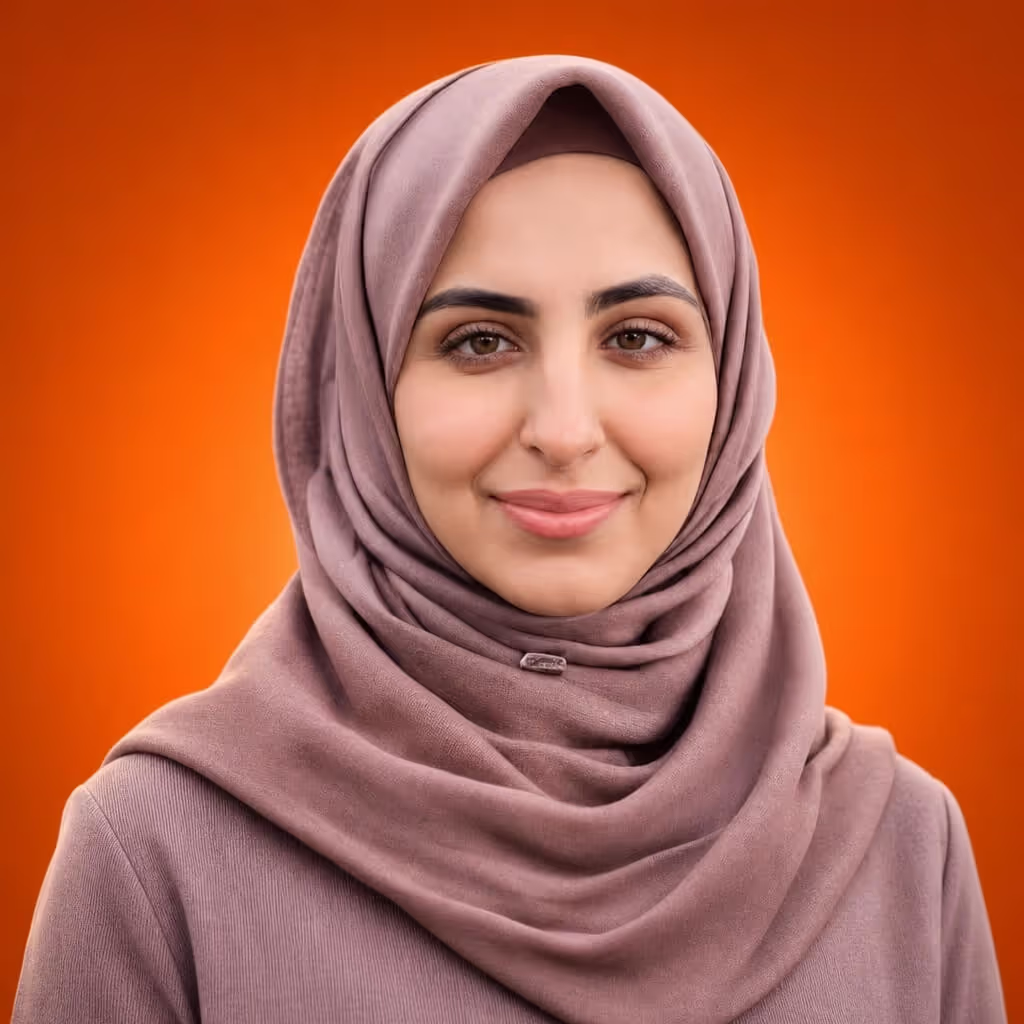
Midjourney photorealistic images are AI-generated visuals that closely replicate the appearance and qualities of traditional photography. Unlike stylized or artistic AI outputs, photorealistic images aim to be virtually indistinguishable from real photographs, featuring accurate lighting, natural textures, proper depth of field, and realistic human features.
According to research published in the Photographies journal, AI image generators such as Midjourney are capable of perfectly simulating the appearance of photographic images by analyzing recurring patterns in vast amounts of visual data to synthesize images. The "photographic" has become a transferable style rather than a direct capture of light. That's a big deal.
For mid-market and enterprise businesses, Midjourney's photorealistic capabilities open real doors. The global AI image generator market was valued at approximately USD 412.51 million in 2025, according to Fortune Business Insights, with marketing and advertising applications accounting for over 36% of the market share. Organizations use these tools to create custom product visualizations, marketing materials, and brand assets at a fraction of traditional photography costs.
Mastering Midjourney V7 for Photorealistic Results
Midjourney V7, released in April 2025, is a complete architecture rebuild. The photorealism it delivers wasn't possible even a year ago. You access Midjourney through Discord, where the Midjourney bot processes your text prompt and returns a grid of four image variations.
Understanding Midjourney Versions
| Version | Release Date | Photorealism Capability | Best Use Case |
|---|---|---|---|
| V5 | March 2023 | Introduced photorealistic capabilities | Legacy projects, artistic stylization |
| V6 | December 2023 | Quality approaching professional photography | Detailed scenes, complex compositions |
| V6.1 | July 2024 | 25% faster generation, improved textures | Production workflows requiring speed |
| V7 | April 2025 | Near-indistinguishable from photography | Commercial photography, product visualization |
V7 introduces several new capabilities that elevate photorealistic output. The model now understands physical light transport, including how light bounces through skin via subsurface scattering, how it refracts through glass, and how different lighting conditions create varied shadow qualities. Material properties are rendered accurately. The model distinguishes between matte cotton and silk, brushed aluminum and polished chrome, old leather versus new leather.
Essential Parameters for Photorealism
The --style raw Parameter
The single most important parameter for photorealistic output is --style raw. This removes Midjourney's default artistic flourishes and stylization, producing results closer to unprocessed photography. Without it, Midjourney naturally tends toward artistic interpretation, adding dramatic lighting, enhanced colours, and stylized compositions that immediately signal "AI-generated" to viewers.
Aspect Ratios
Matching your aspect ratio to intended use improves authenticity. For portrait photography, use --ar 4:5 or --ar 2:3. Landscape scenes work best with --ar 16:9 or --ar 3:2. Square format requires --ar 1:1, while social media stories need --ar 9:16. YouTube thumbnails use --ar 16:9 and LinkedIn banners require --ar 4:1.
Stylize Values
The --stylize parameter (or --s) controls how much artistic interpretation Midjourney applies. For photorealism, values from --s 0 to --s 100 give the most literal interpretation of your prompt. The range from --s 100 to --s 250 adds slight artistic enhancement while maintaining realism. Anything above 250 pushes into increasing artistic stylization.

Quality and Resolution Keywords
Specific quality descriptors reinforce your photorealistic intent. Resolution terms like "8K," "4K," "ultra-HD," and "high resolution" work well. Quality descriptors such as "photorealistic," "hyperrealistic," "lifelike," and "true-to-life" help too. Technical terms including "sharp focus," "crisp details," "vivid details," and "hyper-detailed" round out the approach.
These keywords signal to Midjourney that you're seeking maximum fidelity rather than artistic interpretation. Combining multiple quality terms typically gives better results than using a single descriptor.
Advanced Reference Features
Style Reference (--sref)
The style reference parameter allows you to upload an image that defines the artistic style you want Midjourney to apply. For photorealism, uploading actual photographs as style references helps maintain a consistent look across multiple generations. Brand consistency benefits here. All marketing images can share similar color grading, lighting quality, and overall aesthetic.
Character Reference (--cref)
For projects requiring consistent characters across multiple images, the character reference parameter maintains facial features, clothing style, and overall appearance with approximately 85% consistency. Marketing campaigns featuring the same model across different scenes work well with this. Same for storytelling projects requiring visual continuity.
Crafting Professional Prompts
The structure of your prompt directly impacts output quality. Professional photographers describe specific technical details when communicating their vision, and Midjourney responds similarly to precise instructions. Your first image from any text prompt gives you four variations to choose from. Select the best one, then upscale or create additional variations.
Prompt Structure Formula
[Subject description], [lighting conditions], [camera specifications], [lens details], [mood/atmosphere], [quality keywords] --ar [ratio] --style raw --v 7

Example Prompt Breakdown
"Environmental portrait of a 35-year-old woman with natural expression, soft window light with subtle shadows, shot on Sony A7R IV, 85mm f/1.8 lens, shallow depth of field, warm afternoon atmosphere, photorealistic, 8K resolution --ar 4:5 --style raw --v 7"
What Works With Technical Prompts
Specific camera references signal desired image characteristics to Midjourney. Lens specifications set depth of field and compression expectations. Lighting descriptions eliminate the overly-perfect "AI look." And resolution keywords reinforce detailed expectations.
What to Watch Out For
Longer prompts require more refinement and iteration. Over-specification can sometimes conflict with Midjourney's interpretation. And technical knowledge of photography equipment helps, though it's not strictly required.
Common Misconceptions
Misconception 1: Adding More Detail Always Improves Results
Many users believe that cramming prompts with extensive descriptions creates better photorealistic output. Not true. V7 understands natural language more accurately than previous versions, and over-stuffing prompts with synonyms and adjectives gives diminishing returns.
A focused prompt of 50-100 words with precise, non-contradictory descriptors typically outperforms lengthy, cluttered instructions. When prompts contain too many conflicting elements (for example, both "bright daylight" and "moody shadows") Midjourney struggles to reconcile contradictions. The result? Compromised images that satisfy neither requirement. Clear prioritization of essential elements beats exhaustive description every time.
Misconception 2: Midjourney Cannot Match Professional Photography Quality
Research demonstrates that current AI-generated images have reached a high level of photorealism.
A peer-reviewed study published in Cognitive Research: Principles and Implications found that AI-generated images of both novel and familiar faces were indistinguishable from real photographs to most human observers. Participants in the study, including those familiar with depicted individuals, could not reliably distinguish AI-generated images from genuine photos.
Additional research analyzing approximately 287,000 image evaluations found that humans achieved only 62% accuracy (barely above random chance) when attempting to identify AI-generated versus real images, according to a study published on arXiv.
Misconception 3: Photorealism Requires Premium Subscription Tiers
While higher subscription tiers offer more GPU hours and faster generation, photorealistic capabilities are available across all paid plans. The Basic Plan at $10/month provides access to V7 and all its photorealistic features. The difference lies in generation speed and monthly image limits, not output quality.
The Standard Plan at $30/month includes 15 Fast GPU hours monthly with unlimited Relax Mode generations, which is sufficient for most professional users. Even the entry-level subscription delivers identical image quality. Premium tiers simply provide faster processing and higher volume capacity for demanding production workflows.
Why Camera Specifications Transform AI Output Quality
One of the most significant factors separating amateur AI images from polished output is the inclusion of specific camera and lens references. And no, this isn't just technical jargon. It changes how Midjourney interprets and renders your prompt.
When you specify "shot on Canon EOS R5 with 85mm f/1.4 lens," you're communicating far more than equipment preferences. You're signaling desired depth of field characteristics, the quality of background blur (bokeh), the compression perspective of portrait focal lengths, and the color science associated with Canon's imaging system. Midjourney has been trained on millions of images with corresponding metadata. It recognizes and replicates these traits.
Different camera and lens combinations give distinctly different results. Wide-angle lenses like 24mm create expansive scenes with exaggerated perspective. Telephoto lenses like 200mm compress backgrounds and isolate subjects. Portrait lenses in the 85mm to 135mm range deliver flattering facial proportions with creamy background separation. Macro lenses enable extreme close-up detail that would be impossible with standard equipment.
Research published by MarketsandMarkets indicates that generative AI tools can enhance creative performance by 25% and increase the likelihood of receiving positive peer feedback by 50% when users know how to write good prompts. Photographers using Midjourney report that V7 doesn't just render an image. It simulates actual photographic equipment characteristics including proper depth of field matching real lens behaviour.
What does this mean for businesses? Consistent visual branding becomes possible by creating standardized prompt templates with specific camera references. All AI-generated marketing materials then share the same look.
The Hidden Impact of Lighting Descriptions on Realism
Lighting separates photorealistic images from obviously artificial ones. Traditional photography is fundamentally about controlling light, and Midjourney responds powerfully to precise lighting direction. How you communicate lighting requirements can transform generic AI output into images that feel genuinely photographed.
V7's understanding of lighting physics has improved. A lot. According to technical reviews, the model now comprehends physical light transport: how light bounces through skin, refracts through glass, and creates soft shadows from overcast conditions versus harsh shadows from direct sunlight. Previous versions approximated these effects. V7 simulates them with physical accuracy.
This includes subsurface scattering in skin (the way light penetrates and illuminates from within), caustics in transparent materials, and the gradual falloff of shadows based on light source distance.
Effective lighting keywords include natural light descriptors like "golden hour," "soft overcast light," "window light with subtle shadows," and "backlit silhouette." Studio lighting references such as "soft box lighting," "rim lighting," "dramatic chiaroscuro," and "high-key studio setup" also work well. For product photography, terms like "professional studio lighting," "three-point lighting," and "seamless white background" signal polished output.
Research published in Artificial Intelligence Review examining diffusion models confirms that current AI image generators can create photorealistic images with nearly perfect spatial illusions. They do this through learned understanding of light behaviour. These models have moved beyond simple pattern matching to genuine simulation of optical physics.
The difference between specifying "good lighting" versus "soft window light from the left with gentle fill on the right" can mean the difference between generic AI art and believable photography.
Real-World Examples and Case Studies
Mid-Sized Fashion Brand: $40,000 Quarterly Savings
A mid-sized clothing brand reported saving over $40,000 in their first quarter using Midjourney for preliminary catalog work. They still used traditional photography for final images, but AI-generated visuals helped make design decisions earlier in the process. Fewer physical samples. Fewer photoshoots required.
The workflow involved generating photorealistic mockups of garments on AI models before committing to expensive sample production, allowing designers to iterate on colours, fits, and styling before any fabric was cut.
V7's enhanced fabric textures can accurately represent the drape, shine, and texture of different materials (previously a significant weakness in AI image generation). Product designers can now visualize glass and crystal products with accurate refractions, metallic products with realistic reflections, leather goods with natural texture variation, and cosmetic products with proper surface properties. This reduces the need for physical prototypes, saving both time and materials in the product development cycle.
Interior Design Studios: Weeks of Time Saved
Interior designers report using Midjourney to show clients multiple design directions before committing to detailed plans. The time savings? Weeks of manual mockup creation eliminated.
One designer noted that generating three different design directions using photorealistic prompts like "modern minimalist living room, floor-to-ceiling windows, natural light, Scandinavian design, photorealistic" creates client-ready visualizations. These previously required expensive 3D rendering software or professional photography of staged spaces.
The approach allows designers to test color schemes, furniture arrangements, and lighting conditions quickly. Clients get tangible visual options rather than abstract mood boards. Decisions happen faster. Revision cycles shrink. Projects move forward while maintaining high visual standards.
The marketing sector represents the largest application segment for AI image generators, according to Meticulous Research, with professional and enterprise applications accounting for over 74% of market share. Organizations are using these tools for campaign visuals, product launches, and promotional activities at scale and speed that wasn't possible before.
Frequently Asked Questions
What settings produce the most photorealistic Midjourney images?
Use V7 as your model version. Add the --style raw parameter to reduce artistic stylization, keep stylized values between 0-100, specify real camera and lens combinations in your prompt, and describe natural lighting conditions. Quality keywords like "photorealistic," "8K," and "DSLR photo" help too.
Why do my Midjourney images still look artificial?
Common causes include missing the --style raw parameter, overly generic prompts lacking technical photography details, conflicting descriptors in your prompt, and stylized values set too high. Focus on specifying precise lighting, camera equipment, and natural imperfections rather than pursuing unrealistic perfection.
Can Midjourney V7 create images indistinguishable from real photographs?
Yes. Research indicates current AI image generators can create images that humans cannot reliably distinguish from genuine photographs. A large-scale study of approximately 287,000 image evaluations by over 12,500 participants found humans achieved only 62% accuracy (slightly above chance) when identifying AI-generated versus real images. V7's capabilities approach or exceed this benchmark for many subject categories.
How do subscription tiers affect photorealistic quality?
They don't affect quality. All paid Midjourney subscriptions ($10-$120/month) provide access to identical V7 photorealistic capabilities. Higher tiers offer more Fast Mode GPU hours and unlimited Relax Mode generation, affecting speed rather than output quality. The Standard Plan at $30/month provides 15 Fast GPU hours monthly with unlimited Relax Mode. That's enough for most professional users.
What are Midjourney's current limitations for photorealistic images?
Persistent challenges include occasional anatomical errors (particularly hands and fingers), inconsistent text rendering within images, difficulty maintaining exact character consistency across multiple generations, and the subtle "AI aesthetic" that experienced viewers may detect. V7 has improved all these areas compared to previous versions. But it hasn't eliminated them entirely.
Web Tonic works across SEO, paid search, paid social and growth marketing, and you can book a consultation to talk through your own plan.