



Table of contents
Quick answer: Open the profile in Google Search, choose Own this business?, and submit an ownership request. The current owner has seven days to respond. If they do not, you can claim the profile yourself; if they refuse, you appeal with documentary proof.
Last verified: 2026-08-21
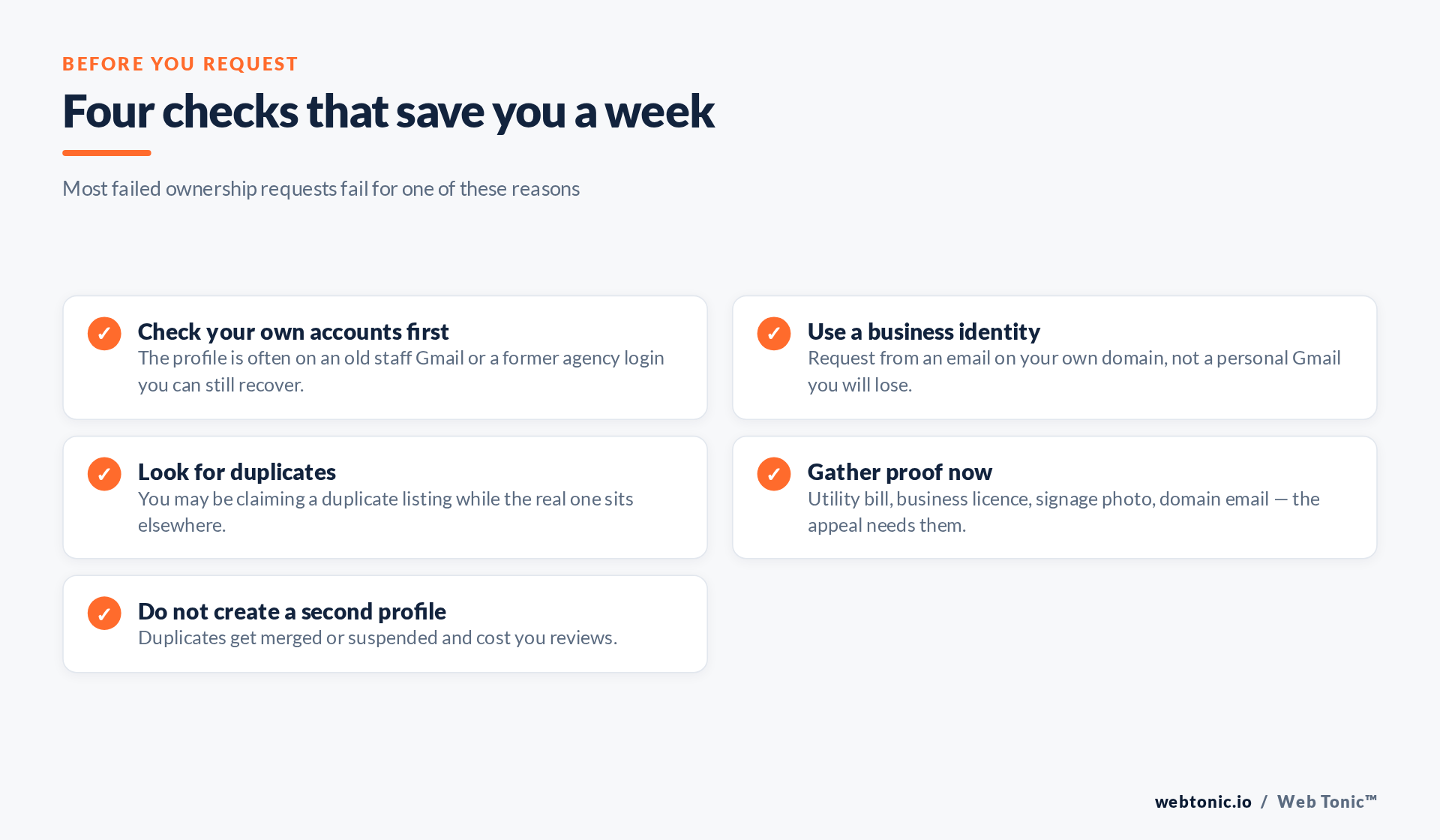
First, work out who actually holds it
A profile that is "already verified" is almost never held by a stranger. In the overwhelming majority of cases it sits with a former marketing agency, an ex-employee's Google account, a franchise head office, or the business owner themselves on a login they have forgotten. Before you start a formal request, spend ten minutes on the boring possibilities — an old info@ mailbox, a shared password manager entry, the person who built the website.
Recovering an existing login is instant. An ownership request takes at least a week and can end in a denial you then have to appeal. Google documents the whole flow in Business Profile Help, and the practical guidance below is what we do for clients when that flow stalls.
The ownership request, step by step
- Sign in with the account you want to own the profile long term. Use an address on your company domain. A personal Gmail will outlive the employee's job and become the exact problem you are solving today.
- Find the profile. Search the business name and city in Google, or open Google Maps and locate the listing.
- Click Own this business? or Claim this business. Google will detect that the profile is verified and offer to send a request to the current owner instead of verifying you directly.
- Complete the request form. You will see a partially masked version of the current owner's email, which is often enough to identify who they are internally.
- Submit and note the date. The current owner is notified and has seven days to approve, deny, or ignore the request.
- Chase offline in parallel. If you have any idea who holds it, email or call them. An approval takes them thirty seconds and skips the entire waiting period.
- After seven days with no response, return to your request. Google will generally let you proceed with claiming and verifying the profile yourself, usually via the standard verification methods — video, phone, email or postcard depending on the category and country.
| Outcome | What it means | Your next move |
|---|---|---|
| Approved | You are added as an owner or manager | Remove the old owner and audit every remaining user |
| No response after 7 days | The request lapses in your favour | Reopen the request and verify the profile yourself |
| Denied | The holder refused, rightly or not | Appeal with proof of association with the business |
| Request disappears | The listing was merged or removed | Search for the surviving listing and start again there |
| Suspended profile | A policy issue exists, separate from ownership | Fix the policy issue first, then reinstate |
When the request is denied
A denial is not the end. Google offers an appeal in which you demonstrate that you are entitled to manage the business, and this is where preparation pays. Assemble a utility bill or lease at the exact address, a business registration or licence, a photo of exterior signage showing the trading name, and an email address on the matching domain. Names and addresses across those documents must line up with the profile exactly — a listing that says "Suite 3" while your licence says "Unit 3" is the sort of mismatch that gets appeals rejected.
Two things to keep in mind. Ownership disputes are governed by Google's own guidelines for representing your business, and profiles held by a genuine franchise or head office are frequently held correctly, whatever the local manager believes. Second, timelines vary widely; treat anything under two weeks as normal.
What not to do
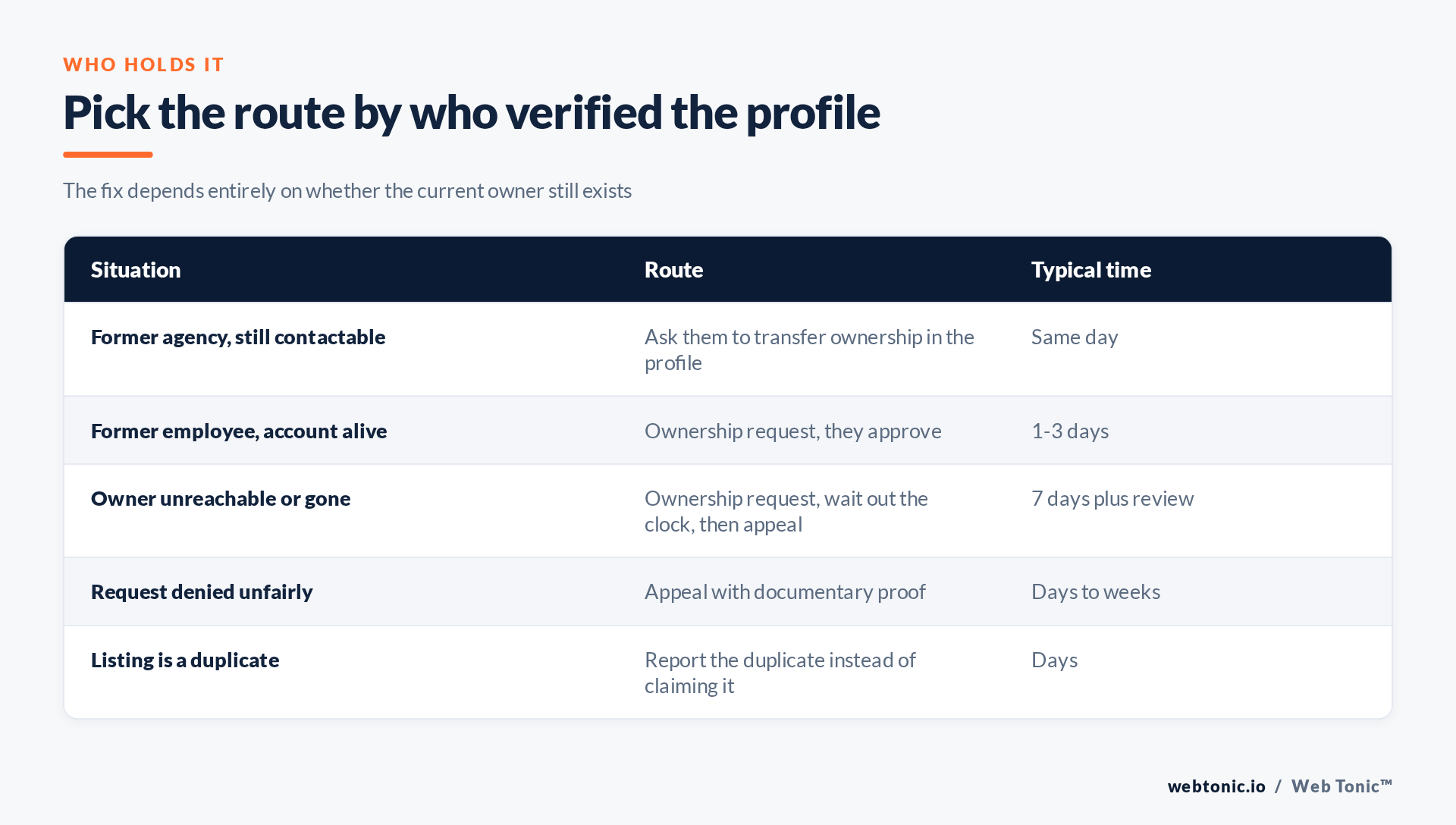
Do not create a second profile. It feels faster and it is the single most expensive mistake here. Duplicates dilute your reviews, split your ranking signals, and typically end in a merge or a suspension, which is a worse position than waiting a week. Google's guidance on duplicates is to report them, not to build more.
Do not buy a "guaranteed" recovery. Nobody has a back channel into profile ownership. What a competent partner actually does is prepare documentation properly, keep the request alive, and fix the underlying data so it survives review — the same discipline behind any serious local SEO programme, and the same reason we treat citations and listings as part of organic search rather than a side task.
Do not stop at ownership. Once you hold the profile, immediately remove stale users, add a second in-house owner so one departure cannot lock you out again, and turn on multi-factor authentication on those accounts, as CISA recommends. The least privilege principle applies here as much as it does in any agency access handoff.
Related reading
- Google Business Profile Optimization: What It Is & How to Use It
- In-House vs Outsourced: B2B SaaS Google Profile Data
- Google Business Profile Data and Local Search Rankings in Real Estate
- GEO & AEO services at Web Tonic
Frequently Asked Questions
How long does a Google Business Profile ownership request take?
The current owner has seven days to respond. If they ignore it, you can usually proceed to claim and verify the profile yourself, which adds however long your verification method takes.
Can I see who owns my Google Business Profile?
Only a masked version of their email address, shown when you submit the request. That partial address is normally enough to recognise a former employee or agency internally.
What if the current owner denies my request?
Appeal, and support the appeal with a business licence, a utility bill at the same address, signage photos and a matching domain email. Details must match the listing exactly.
Should I create a new profile instead of waiting?
No. Duplicate listings split reviews and rankings and usually end up merged or suspended. Report a duplicate rather than creating one.
Will I lose reviews when ownership transfers?
No. Reviews belong to the profile, not to the owner account, so a transfer or a successful claim keeps the review history intact.
Sources: Business Profile Help — request ownership; verification methods; guidelines for representing your business; duplicate listings; NIST; CISA. Last verified 2026-08-21.


