



Table of contents
Basic website design is the craft of arranging layout, navigation, content and visual hierarchy so a first-time visitor understands the page in seconds. Get five fundamentals right and a simple website will out-perform a complicated one.
Key Takeaways
- Visitors read roughly 20-28% of the words on an average page, so design for scanning, not reading.
- Mobile is over half of global page views (StatCounter), which makes responsive web design the default, not an add-on.
- A usable simple website needs only 5 core pages: home, service or product, about, proof, contact.
- WordPress powers about 41% of all websites, but a drag and drop website builder ships a basic site faster for most small businesses.
- Aim for Core Web Vitals thresholds — largest contentful paint under 2.5 seconds — before you touch anything decorative.
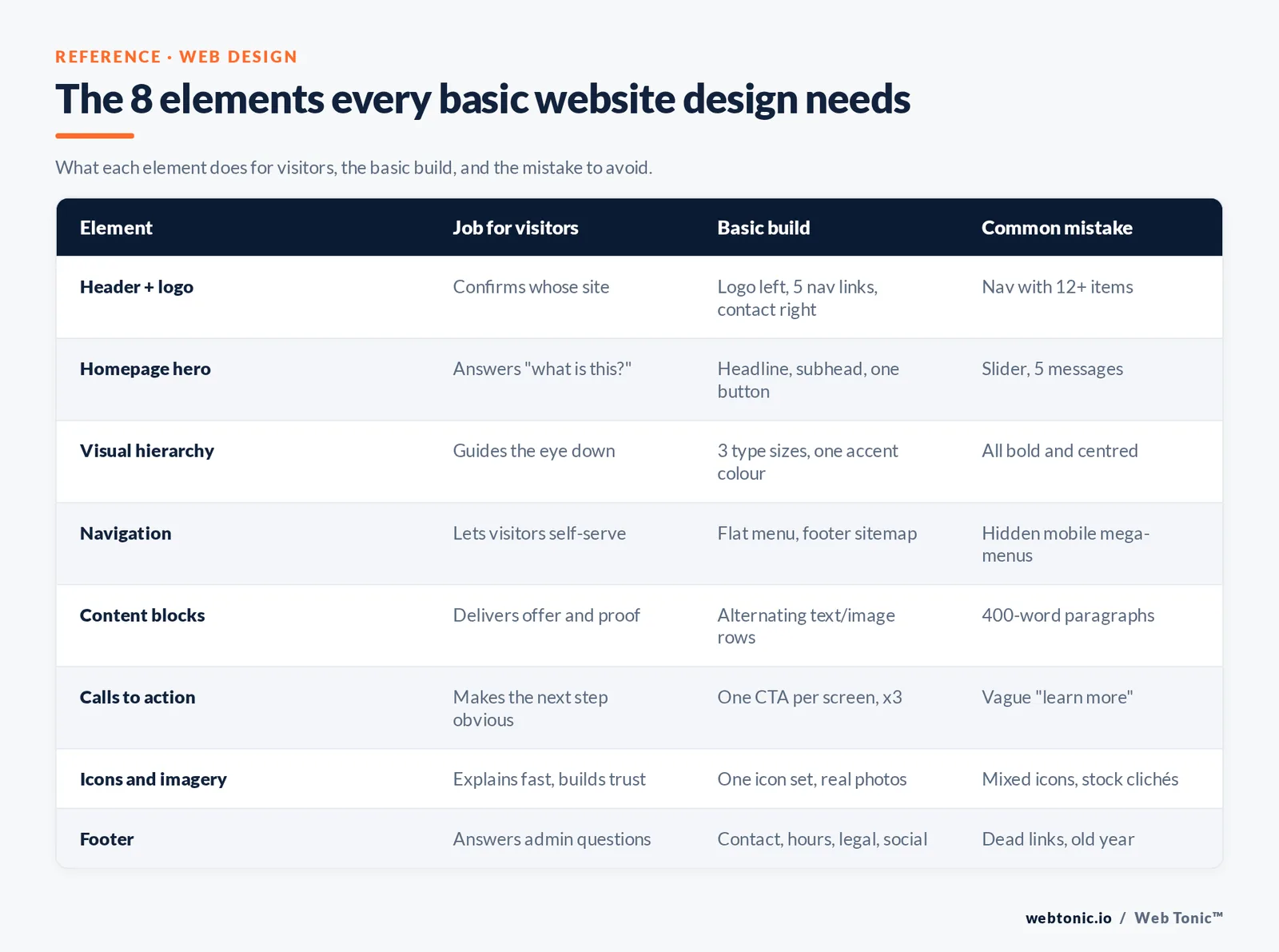
The 8 elements every basic website design needs
Simple websites are not stripped-down versions of big ones. They are the same job done with fewer moving parts: tell visitors where they are, what is offered, and what to do next.
| Design element | What it does for visitors | Basic implementation | Common mistake |
|---|---|---|---|
| Element 1 — Header and logo | Confirms whose site this is | Logo left, 5 nav links max, contact right | Nav with 12+ items |
| Element 2 — Homepage hero | Answers "what is this?" in one line | Headline, subhead, one primary button | Slider with 5 competing messages |
| Element 3 — Visual hierarchy | Guides the eye down the page | 3 type sizes, one accent colour | Everything bold and centred |
| Element 4 — Navigation | Lets visitors self-serve | Flat menu, footer sitemap | Hidden mega-menus on mobile |
| Element 5 — Content blocks | Delivers the offer and proof | Alternating text and image rows | Walls of 400-word paragraphs |
| Element 6 — Calls to action | Makes the next step obvious | One CTA per screen, repeated 3 times | Vague "learn more" only |
| Element 7 — Icons and imagery | Explains fast, builds trust | One icon set, real photos | Mixed icon styles, stock clichés |
| Element 8 — Footer | Answers admin questions | Contact, hours, legal, social | Dead links and old copyright year |
Those constraints come from decades of usability testing: Nielsen Norman Group's list of top web design mistakes still leads with unclear content and poor scannability, and its reading research found visitors consume only a fifth to a quarter of the words on a page.
Basic web design principles, and what each one means in practice
Principles are only useful when they turn into a decision you can make while building. Each row below is a rule you can apply in an hour.
| Principle | Practical rule | How to check it |
|---|---|---|
| Clarity over cleverness | A stranger names your offer in 5 seconds | Show the homepage to someone unfamiliar |
| Consistency | One button style, 2 fonts, one spacing scale | Screenshot every page side by side |
| Whitespace | Section padding of at least 64px on desktop | Squint test — do blocks separate? |
| Contrast | Body text contrast ratio 4.5:1 or better | Any contrast checker |
| Scannability | Subheads every 150 words, bullets over prose | Read only headings — does it make sense? |
| Responsiveness | Works from 360px to 1440px wide | Resize the browser slowly |
| Speed | Images compressed, under 200KB each | Run a Lighthouse report |
| Accessibility | Alt text, focus states, keyboard navigation | Tab through the page without a mouse |
Contrast and keyboard rules are not opinions — they are testable success criteria in the WCAG 2.2 quick reference, which is the single best checklist for a beginner to work through.
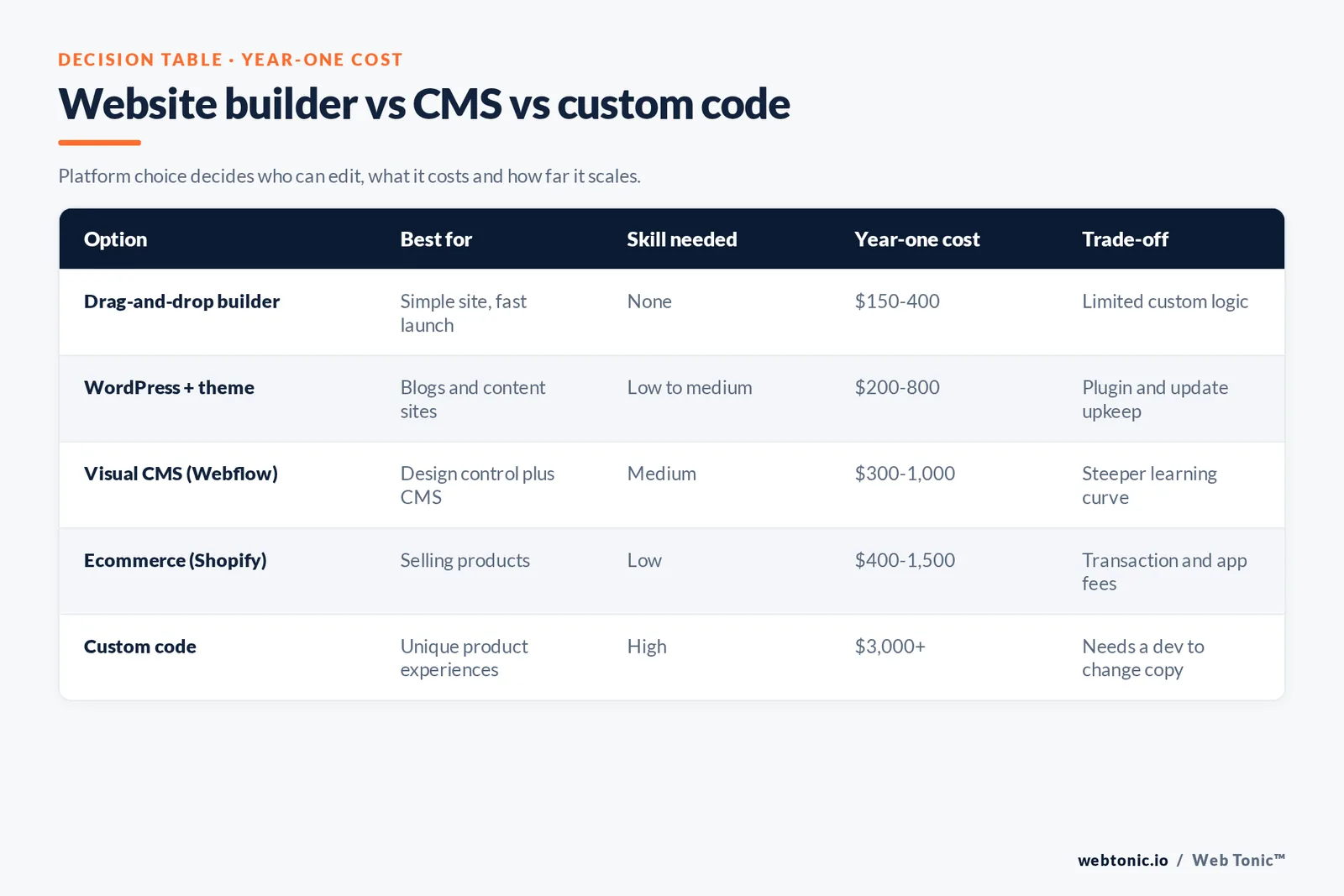
How to create a simple website from scratch: 9 steps
This is the sequence that avoids rework. Most beginners start at step 6 and end up rebuilding.
| Step | What to do | Output | Time |
|---|---|---|---|
| Step 1 — Define the goal | Pick one primary conversion | One sentence brief | 30 min |
| Step 2 — Map the pages | List the 5 pages you truly need | Sitemap | 30 min |
| Step 3 — Write the content first | Draft headlines and body copy | Copy doc per page | 3-6 hrs |
| Step 4 — Sketch wireframes | Boxes on paper, mobile layout first | Layout per page | 1-2 hrs |
| Step 5 — Choose the platform | Website builder, CMS or custom code | Account and plan | 1 hr |
| Step 6 — Pick a template | Match template to your page types | Starter design | 1 hr |
| Step 7 — Build with real content | Drag and drop your copy and images in | Draft site | 6-15 hrs |
| Step 8 — Test and fix | Mobile, speed, forms, links | Fix list cleared | 2-4 hrs |
| Step 9 — Launch and measure | Analytics, search verification, sitemap | Live, tracked site | 1-2 hrs |
Submit the sitemap on launch day: Google explains the format and submission path in its sitemaps documentation, and the wider SEO starter guide covers the rest of the basics a new site needs.
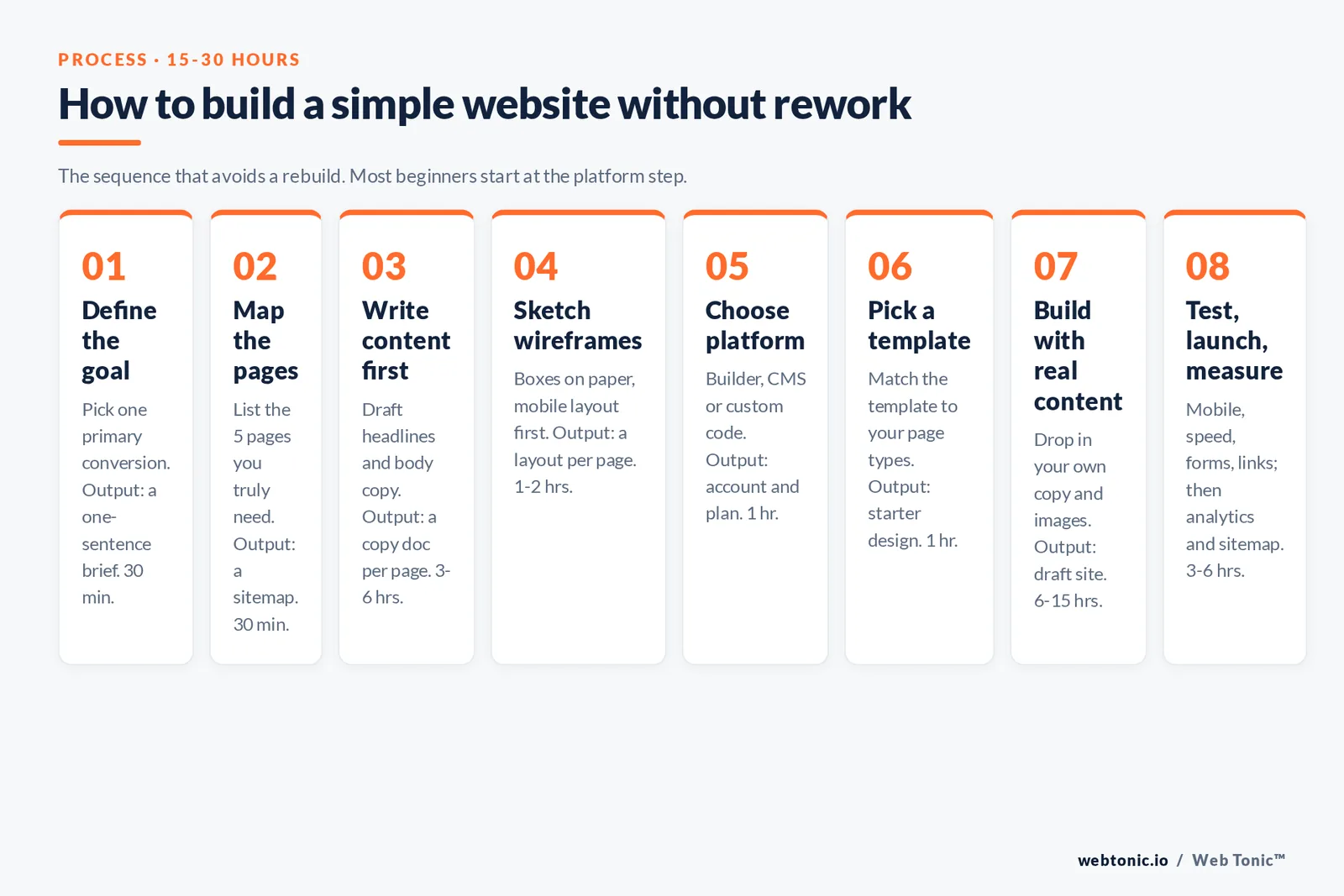
Website builder vs CMS vs custom code
Platform choice drives everything after it: who can edit, what it costs, how it scales. WordPress runs about 41.2% of all websites and roughly 59% of the CMS market according to W3Techs, but market share is not a recommendation for a five-page site.
| Option | Best for | Skill needed | Typical cost year one | Trade-off |
|---|---|---|---|---|
| Drag and drop builder (Wix, Squarespace) | Simple website, fast launch | None | $150-400 | Limited custom logic |
| WordPress with a theme | Blogs and content sites | Low to medium | $200-800 | Plugin and update upkeep |
| Visual CMS (Webflow) | Design control plus CMS | Medium | $300-1,000 | Steeper learning curve |
| Ecommerce platform (Shopify) | Selling products | Low | $400-1,500 | Transaction and app fees |
| Custom code (HTML, CSS, PHP or a framework) | Unique product experiences | High | $3,000+ | Needs a developer to change copy |
WordPress's own project page and the W3Techs CMS survey are the two references worth reading before you commit. When a build outgrows a builder, that is the point to bring in web development help rather than fight the tool.
Free website design options, and their real limits
You can launch a free website. The question is what you give up.
| Free route | What you get | What it costs you | Upgrade trigger |
|---|---|---|---|
| Builder free plan | Hosting, templates, editor | Vendor branding, subdomain | First real customer |
| Free WordPress theme | Full CMS, thousands of templates | Hosting from $5/month | Speed or support needs |
| Static site on free hosting | Fast, cheap, secure | Code skills required | Non-technical editors |
| Free template marketplaces | Ready-made website designs | Generic look, unclear licences | Brand differentiation |
| Free stock imagery | Usable visuals at zero cost | Same photos as competitors | Budget for a photo shoot |
Responsive web design in 4 decisions
Responsive design is mostly four choices, not a specialism. Mobile passed desktop years ago — StatCounter's platform share data puts mobile above 52% of global page views — so the mobile layout is the primary layout.
| Decision | Beginner-safe default | Why |
|---|---|---|
| Viewport setup | Standard viewport meta tag | Without it, mobile browsers zoom out the page |
| Breakpoints | 3 only: mobile, tablet, desktop | More breakpoints multiply the testing work |
| Layout system | Single-column mobile, 2-3 columns desktop | Stacking is predictable and readable |
| Tap targets | Minimum 44px touch area | Prevents mis-taps on small screens |
MDN's guides to the viewport meta tag and responsive design in CSS cover the implementation detail in plain language.
Speed and Core Web Vitals for a basic site
Design decisions create most performance problems: oversized hero images, five web fonts, autoplaying video. Fix them at design time and a simple website will pass without engineering effort.
| Metric | Good threshold | Design cause when it fails | Fix |
|---|---|---|---|
| Largest Contentful Paint | Under 2.5s | Huge hero image or video | Compress, lazy-load below the fold |
| Cumulative Layout Shift | Under 0.1 | Images without width and height | Reserve space for every asset |
| Interaction to Next Paint | Under 200ms | Heavy sliders and pop-ups | Remove non-essential scripts |
| Total page weight | Under 2MB | Uncompressed photography | Modern formats, correct dimensions |
| Font requests | 2 families max | Decorative type stack | System or self-hosted subset fonts |
Definitions and thresholds come from web.dev's Core Web Vitals reference, and Lighthouse is the free audit tool that reports them. Google's mobile speed research also shows how sharply bounce risk rises with load time.
Website design ideas by site type
"Website design inspiration" is more useful when it is filtered by the job of the site. Pick the row that matches yours and copy the structure, not the styling.
| Site type | Homepage priority | Layout idea that works | Primary CTA |
|---|---|---|---|
| Local service business | Trust and proximity | Service grid, reviews, map, hours | Call or book |
| Portfolio website | The work itself | Full-width project tiles, minimal text | Enquire |
| Small ecommerce | Bestsellers and shipping terms | Category tiles plus 6-8 hero products | Shop now |
| B2B or SaaS | Problem framing | Benefit rows, logos, pricing preview | Start trial or demo |
| Restaurant or venue | Menu, location, booking | Photo-led hero, sticky reserve button | Reserve |
| Nonprofit | Mission and impact numbers | Story blocks with 3 impact stats | Donate or volunteer |
| Personal blog | Latest posts and topic clarity | Simple feed, generous type | Subscribe |
| Event or launch page | Date, place, action | Single-screen page, one form | Register |
Choosing and adapting a website template
Templates are accelerators, not shortcuts past thinking. Choose by structure, then change only four things.
| What to evaluate | Green light | Walk away |
|---|---|---|
| Page types included | Matches your 5-page sitemap | Built for a different content shape |
| Content density | Sections fit your real copy length | Only looks right with 6 words per block |
| Mobile version | Reviewed on a real phone | Desktop screenshots only |
| Speed | Demo scores well in Lighthouse | Demo loads in 6s+ |
| Customisation needed | Colour, type, images, icons only | Requires rebuilding every section |
Then change exactly four things: colour palette, typeface pairing, imagery and icon set. Everything else stays until you have data. Our data intelligence team calls that the baseline you test against.
Content that keeps visitors on the page
Design cannot rescue vague content. These content rules do more for conversion than any visual change.
| Content rule | Bad version | Better version |
|---|---|---|
| Rule 1 — Lead with the outcome | "Welcome to our website" | "Roof repairs in Ottawa, quoted in 24 hours" |
| Rule 2 — Name the audience | "Solutions for everyone" | "For dental clinics with 2-10 chairs" |
| Rule 3 — Show proof early | Testimonials buried in the footer | 3 reviews above the fold |
| Rule 4 — One idea per section | Feature dump in one block | One benefit, one visual, one link |
| Rule 5 — Make contact effortless | Contact form with 11 fields | 3 fields plus a phone number |
Once the design is stable, traffic becomes the constraint rather than the layout — that hand-off is exactly where a growth marketing plan takes over from the build.
Simple website design inspiration: 10 website designs to learn from
Website design inspiration is only useful when you can name why a design works. Each of these simple website designs solves one problem well — study the structure, not the colour palette.
| Website design idea | Why the design works | Where to use it | Build difficulty |
|---|---|---|---|
| One-page scrolling site | Every answer on one homepage, no navigation cost | New businesses, launch pages | Easy |
| Type-led minimal design | Big headline, huge whitespace, one brand colour | Consultants, studios | Easy |
| Photo-first homepage | One strong image carries the brand feeling | Restaurants, venues, travel | Easy |
| Card grid of services | Visitors self-select in 3 seconds | Service businesses | Easy |
| Portfolio website tiles | The work is the content; text stays minimal | Designers, photographers | Medium |
| Icon-driven explainer rows | One icon per benefit makes scanning effortless | SaaS, B2B | Easy |
| Sticky booking bar | The primary action never scrolls away | Clinics, salons, trades | Medium |
| Before-and-after showcase | Proof beats claims for visual services | Renovation, fitness, dental | Medium |
| Editorial blog layout | Generous type keeps visitors reading longer | Content brands, personal sites | Easy |
| Product-led ecommerce homepage | Bestsellers, shipping terms and search up front | Small online stores | Medium |
2 out of 3 of these ideas can be built from a stock website template with nothing more than a colour, type and image swap. That is the point of a template: it buys you structure so your hours go into content.
Website templates and builders: how to choose by website type
A website builder decides how fast you launch; the template decides how good the site looks on day one. Drag and drop editors such as the Wix website builder, Squarespace and Webflow all ship free website templates by category, so match template to website type before you compare prices.
| Website type | Template category to search | Builder that suits it | Pages to include | Design must-have |
|---|---|---|---|---|
| Local service site | Business or trades templates | Drag and drop builder | 5 | Click-to-call in the header |
| Portfolio website | Portfolio templates | Squarespace or Webflow | 4 | Full-width image grid |
| Simple website for a new brand | One-page templates | Wix website builder | 1-3 | Single clear call to action |
| Blog or content site | Magazine or blog themes | WordPress CMS | 6+ | Readable type at 18px+ |
| Online store | Ecommerce themes | Shopify | 8+ | Product filters and trust badges |
| Marketing landing page | Landing page templates | Webflow or a landing tool | 1 | One form, no navigation |
A landing page is where website design and digital marketing meet: the same template rules apply, but every element either supports the single conversion or gets deleted. If paid traffic is going to hit the page, decide the offer before you pick the template.
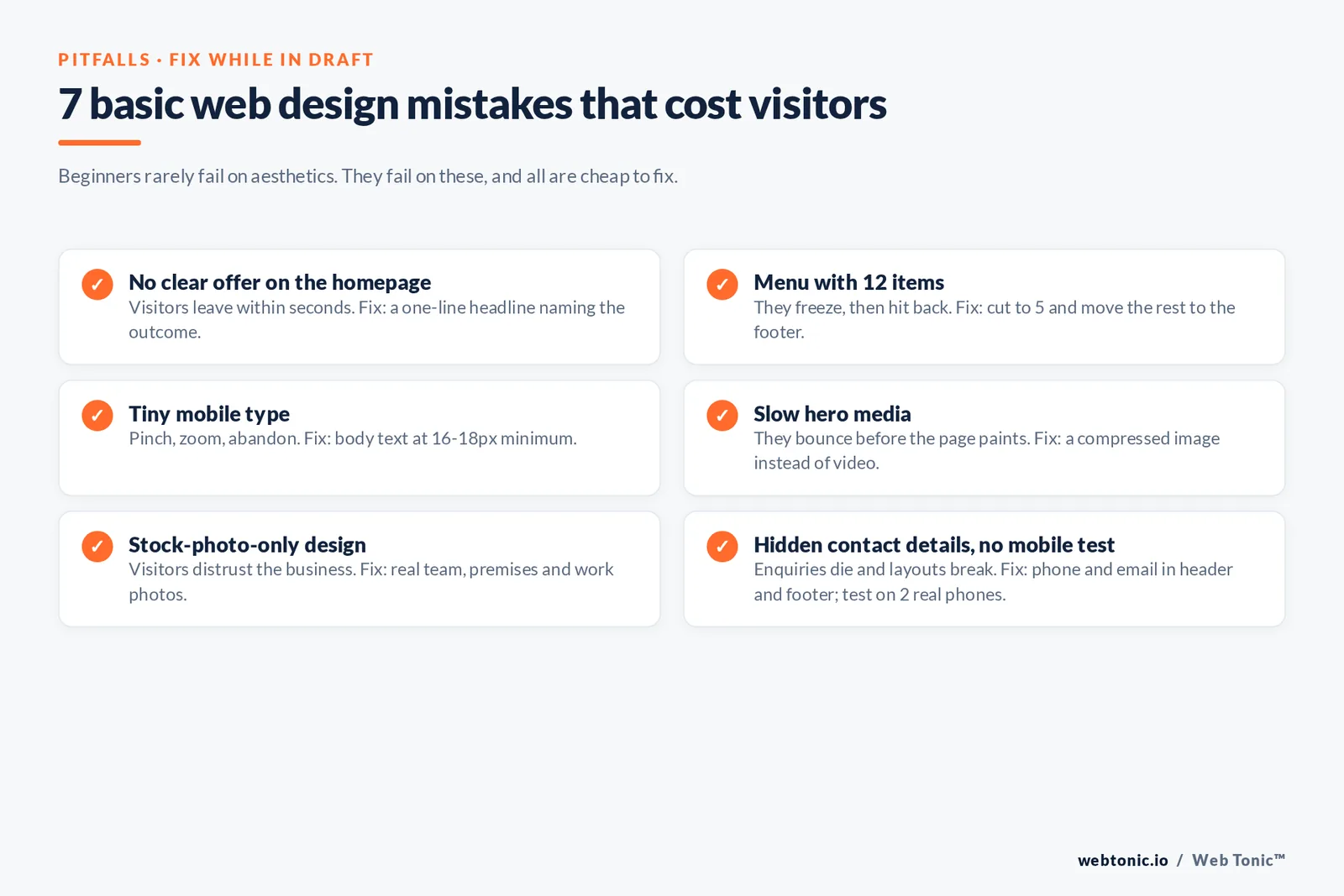
7 basic web design mistakes that cost visitors
Beginners rarely fail on aesthetics. They fail on these seven, all of which are cheap to fix while the site is still in draft.
| Mistake | What visitors do | Fix in the design |
|---|---|---|
| Mistake 1 — No clear offer on the homepage | Leave within seconds | One-line headline naming the outcome |
| Mistake 2 — Menu with 12 items | Freeze, then use the back button | Cut to 5, move the rest to the footer |
| Mistake 3 — Tiny mobile type | Pinch, zoom, abandon | Body text at 16-18px minimum |
| Mistake 4 — Slow hero media | Bounce before the page paints | Compressed image instead of video |
| Mistake 5 — Stock-photo-only design | Distrust the business | Real team, premises and work photos |
| Mistake 6 — Contact details hidden | Give up on enquiring | Phone and email in header and footer |
| Mistake 7 — No mobile testing | Hit broken layouts | Test on 2 real phones before launch |
Pre-launch checklist
| Check | Pass condition | Tool |
|---|---|---|
| Mobile rendering | No horizontal scroll at 360px | Real device plus browser resize |
| Forms | Test submission received in inbox | Manual test |
| Links | 0 broken links | Free crawler |
| Analytics and search | Tracking live, sitemap submitted | Analytics plus Search Console |
| Accessibility | Alt text on all images, focus visible | WCAG 2.2 checklist |
| Speed | Lighthouse performance 80+ | Lighthouse |
| Legal | Privacy policy and cookie notice live | Manual review |
FAQ
What are the basic principles of website design?
Clarity, consistency, visual hierarchy, whitespace, contrast, responsiveness, speed and accessibility. In practice that means a stranger can name your offer within five seconds, the page uses two fonts and one accent colour, sections are separated by generous spacing, and everything works on a 360px-wide phone screen with keyboard navigation.
How do I create a simple website from scratch?
Define one goal, map five pages, write the content first, sketch mobile-first wireframes, choose a website builder or CMS, pick a template that matches your page types, build with real copy and images, test mobile and speed, then launch with analytics and a submitted sitemap. Expect 15 to 30 hours for a first five-page site.
Can I design a website for free?
Yes. Builder free plans, free WordPress themes and free template marketplaces all get you live at zero cost. The trade-offs are vendor branding, a subdomain instead of your own name, and generic website designs shared with competitors. Most businesses upgrade as soon as the first customer arrives.
How many pages should a basic website have?
Five is the workable minimum: home, what you offer, about, proof such as reviews or case studies, and contact. Add pages only when you have a question visitors keep asking that no existing page answers.
Do I need to know code to design a website?
No. Drag and drop website builders handle layout, hosting and responsive behaviour without code. Knowing a little CSS helps with fine adjustments, and custom HTML, CSS or PHP work only becomes necessary when you need functionality your platform cannot express.
Sources
Nielsen Norman Group: Top 10 web design mistakes; How Little Do Users Read · W3C Web Accessibility Initiative, WCAG 2.2 Quick Reference · MDN Web Docs: viewport meta tag; responsive design · Google Search Central: sitemaps overview; SEO starter guide · web.dev Core Web Vitals · Chrome Lighthouse documentation · W3Techs CMS usage survey · WordPress.org project page · StatCounter GlobalStats platform market share (accessed August 2026).


