



Table of contents
Quick answer: Do not rebuild. Ask the current owner to share the dataset with your Business Portfolio first, then request a full transfer of ownership. The dataset ID and its event history stay intact, so the pixel code on your website does not change.
Last verified: 2026-08-21
First, the vocabulary
Meta renamed the pixel: what used to be "the Facebook pixel" is now a dataset, a single container that collects browser events from the pixel snippet, server events from the Conversions API, app events and offline events. The numeric ID you already know is unchanged, and the base code on your site is unchanged. Everything below applies whichever word your team still uses.
The important consequence: the dataset is an asset owned by exactly one Business Portfolio, and it can be shared with others. If an agency created it during onboarding, the agency owns your conversion history. That is the situation this page fixes.
Step 1 — Establish who owns it today
In Business settings, open Data sources → Datasets. If the dataset appears with an owner badge, your portfolio owns it and there is nothing to transfer — you may simply need to share it onward. If it appears as shared with you, or does not appear at all while events still arrive, another portfolio owns it. Ask the agency directly for the owning Business Portfolio ID; that is the number every subsequent request needs.
Step 2 — Get it shared with your portfolio before anything else
Sharing is instant, reversible and non-threatening, which is why it is the right first ask even when your goal is full ownership. Once the dataset is shared with your portfolio you can assign it to your own ad accounts, read the event history and build audiences — so if the relationship deteriorates mid-transfer, you are not locked out.
- The current owner opens the dataset in their Business settings and adds your portfolio as a partner, using your Business Portfolio ID.
- They assign the dataset with a task of Manage if you will be configuring events, or Analyse if you only need reporting for now.
- You confirm the dataset now appears under your Data sources and that recent events are visible.
Step 3 — Request the ownership transfer
Ownership transfer of a dataset is not a self-service button in every portfolio. The reliable sequence is:
- Ask the current owner to remove any conflicting partner shares so the asset is clean.
- Have them raise the transfer with Meta support from the owning portfolio, naming your portfolio ID as the destination. Business support is available to portfolios in good standing and this is a routine request.
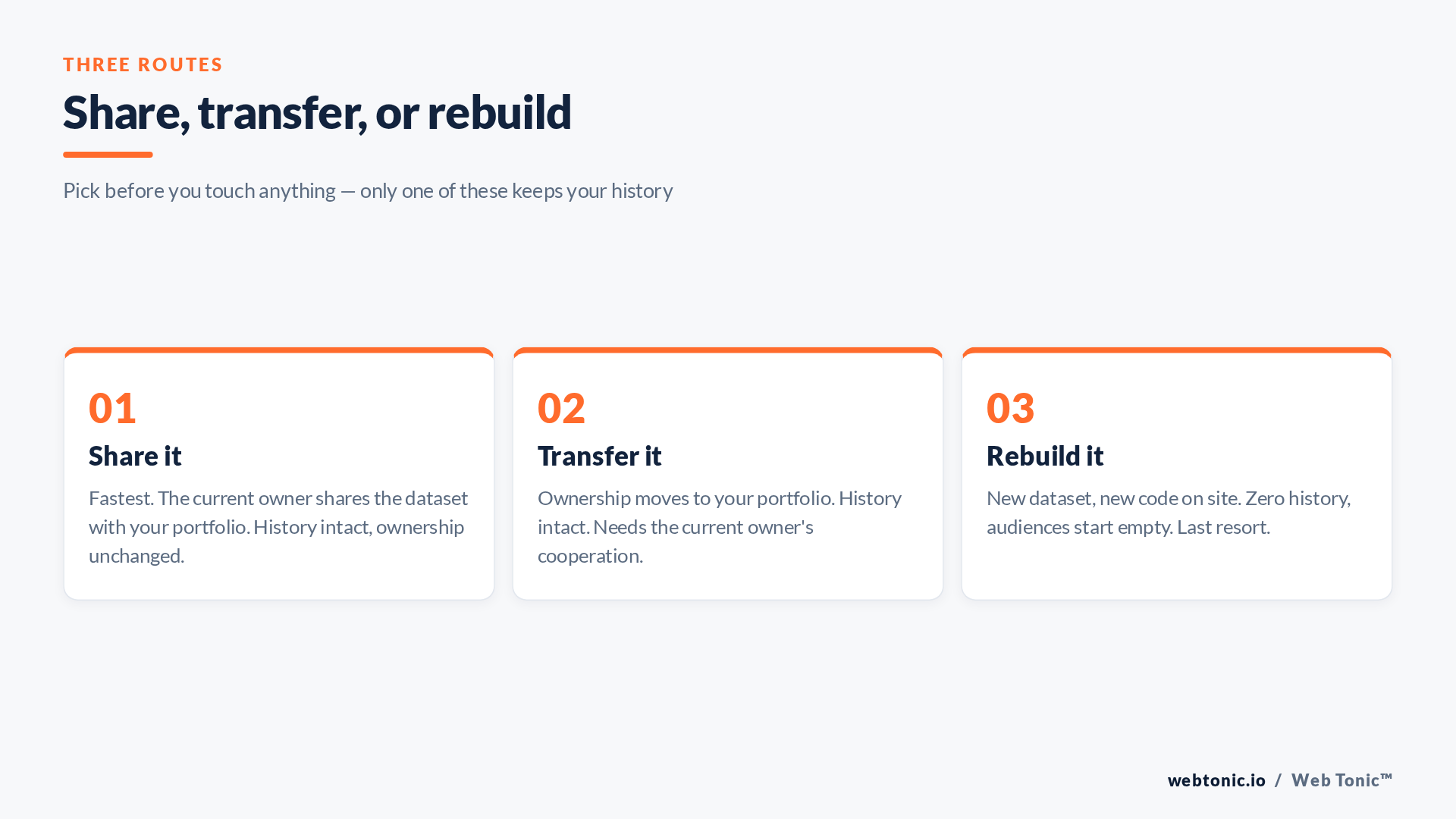
- If a direct transfer is refused or stalls, use the fallback: keep the shared dataset live while you stand up your own dataset in parallel (see below), and run both for a full attribution window before switching.
Whatever route you take, do it while you are still on good terms. The number of transfers that succeed after the termination email has gone out is not zero, but it is small.
| Route | Keeps history | Needs the other side | Typical time |
|---|---|---|---|
| Partner share | Yes | Yes, 5 minutes of their time | Same day |
| Ownership transfer | Yes | Yes, a support request | Days to weeks |
| Parallel new dataset | No, but no downtime | No | 1 day to deploy |
| Cold rebuild | No | No | 1 day, then weeks of relearning |
Step 4 — Rewire everything that pointed at it
A transfer moves the asset, not the connections around it. Work through this list the same day:
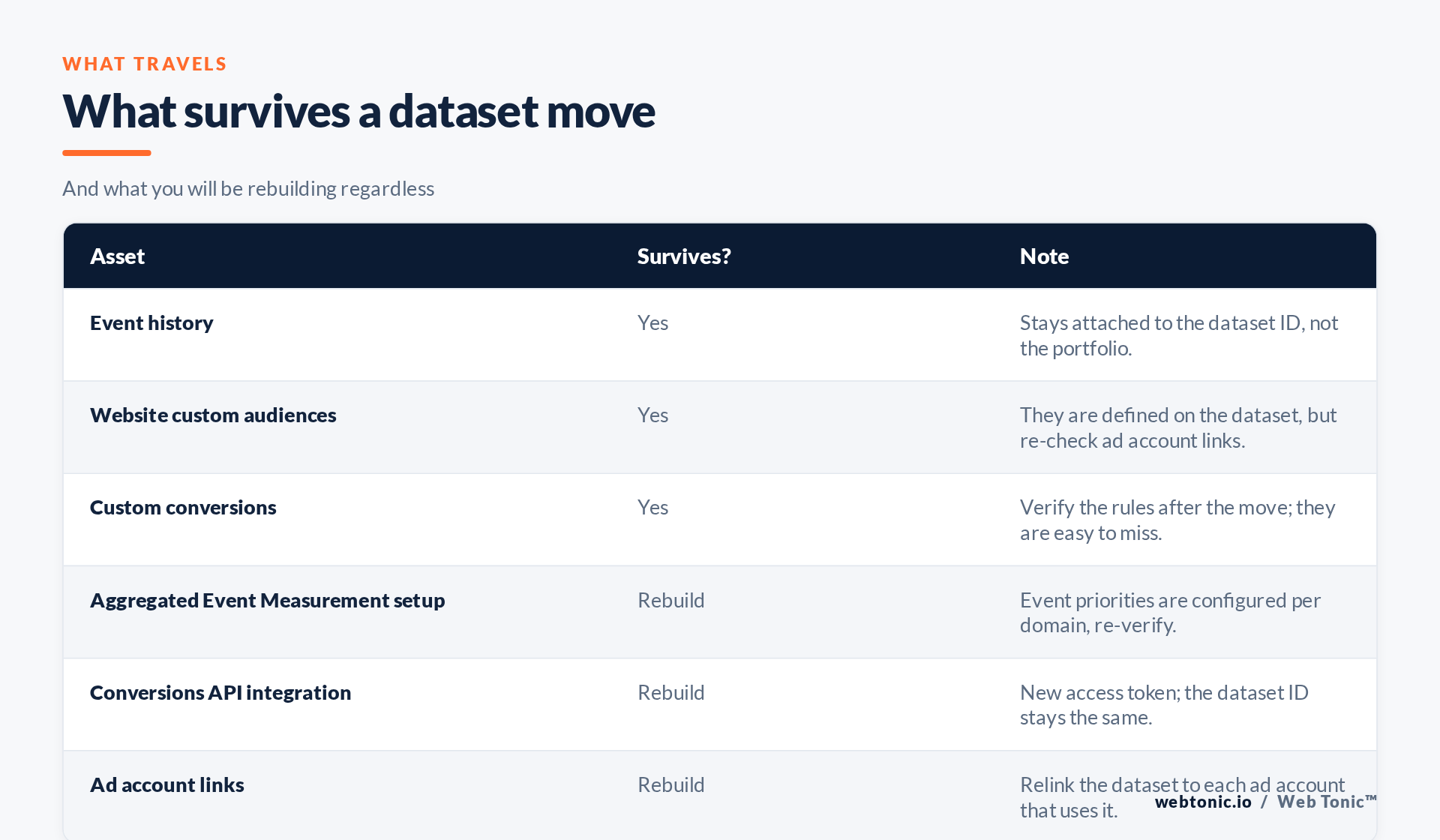
- Ad account assignment. Relink the dataset to every ad account that runs conversion campaigns, or delivery optimisation silently falls back.
- Conversions API. Server-side sending uses an access token generated in the owning portfolio. After a transfer, generate a new token and update your server, tag manager or platform integration. The dataset ID does not change, so nothing on the browser side needs touching. Our approach is in Conversions API and server-side tracking.
- Domain verification and event priorities. Domain verification belongs to a portfolio, so it usually has to be redone in yours, and your Aggregated Event Measurement priorities re-confirmed afterwards.
- Custom conversions and audiences. They survive, but check every rule and every audience size after the move rather than assuming.
- Deduplication. If browser and server events both fire, confirm the event ID pairing still matches. A broken pairing double-counts purchases and quietly ruins your reported ROAS.
When to rebuild instead
Rebuild only when the owner is uncooperative or unreachable, when the dataset is polluted with events you cannot audit, or when you are consolidating several legacy pixels into one clean implementation anyway. Accept the cost honestly: empty website custom audiences, a fresh learning phase on every conversion campaign, and no historical comparison for the first quarter. If you rebuild, do it in parallel with the old dataset still firing for at least one full attribution window so you can reconcile the two before you switch spend.
Whatever you do, own the new dataset in your portfolio. The wider access model is in our guide to Meta Business Manager roles and partner access, and the multi-platform version in giving an agency access. Since the dataset carries personal data, treat the move as a processing change: know your lawful basis and your processor terms under the GDPR, keep the access list short in line with least privilege, and follow the FTC's guidance on handling customer data. If Google-side tags move at the same time, Tag Manager permissions follow the same logic.
Frequently Asked Questions
Does my website code change when the pixel is transferred?
No. The dataset ID stays the same, so the snippet on your site keeps working throughout. Only server-side access tokens need regenerating.
Do custom audiences survive the move?
Website custom audiences are built on the dataset and survive with it. Check their sizes and their ad account availability after the transfer; audiences built from customer lists are separate assets and must be handled on their own.
Can I own the dataset and still let the agency use it?
Yes, and that is the correct end state. You own it; you share it with their portfolio with the Manage or Analyse task; you revoke in one click when the engagement ends.
How long does a transfer take?
A partner share is immediate. A true ownership transfer runs through Meta support and typically takes days rather than minutes, so start it well before any deadline.
What if the agency simply refuses?
Then you deploy a new dataset in your own portfolio, run both in parallel for one attribution window, and switch. You lose the history, not the business — and next time the contract says the data is yours.
Sources: Meta Business Help Centre — datasets, partner sharing and Conversions API setup (verify in your own portfolio settings); GDPR overview; NIST — least privilege; FTC — protecting personal information; Google Tag Manager Help. Last verified 2026-08-21.


